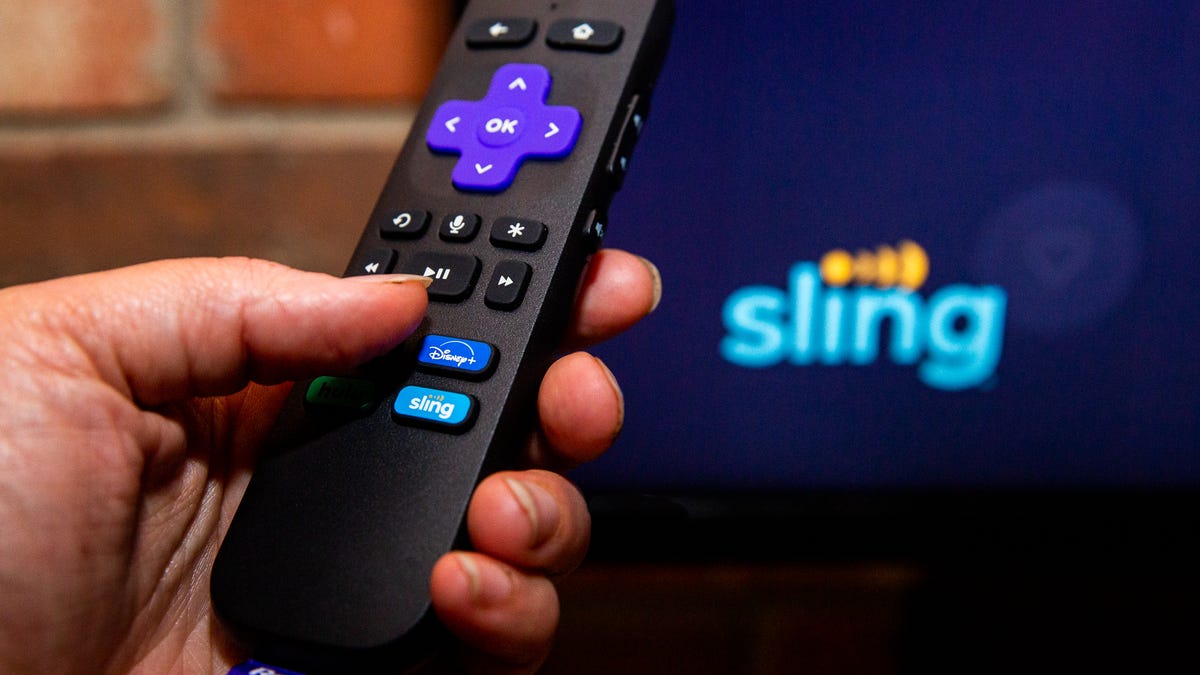
Sling TV Review: The Best Budget Live TV Streaming Service

Editor’s note, Dec. 12, 2022: In October, Sling TV announced a $5 increase to $40 for both Sling Blue and Sling Orange, while Sling Orange & Blue became $55. Due to changes in the competitive marketplace we have removed the 2021 Editors’ Choice award and will update this review in early 2023. The following is as it originally ran on Sept. 21, 2021.

Like


  • Solid selection of channels for the price


  • Numerous choices and add-ons


  • Optional $99 AirTV 2 tuner for local channels

Don’t like


  • No local channels beyond NBC and Fox in a few cities


  • Package options can be confusing


  • Limited DVR


  • AirTV channels don’t work on browsers or Apple TV


Live TV streaming services are designed to replace cable TV by letting you stream live channels over the internet. Yet for the budget-conscious TV viewer, not all services are created equal: For instance, YouTube TV offers a lot of channels but it costs twice as much as the cord-cutter-friendly Sling TV. Starting at $35, Sling TV offers an excellent value with plenty of channels on offer, and it finally looks the business with its new coat of paint

Sling TV is different from rivals because it offers two main plans for the same $35 entry price: Sling Orange and Sling Blue. They share many of the same channels (like CNN, History and TNT) but others are exclusive to one or the other. Sling TV Blue is essentially the Fox and NBC option, while Sling Orange is the ESPN and Disney package. 

The biggest downside to both is that if you want a full slate of local channels — namely your local ABC, 
CBS

Fox
 and 
NBC
 stations — you’ll have to augment Sling TV with an over-the-air antenna and even something like the $99 AirTV 2 DVR. While the company recently integrated local streaming startup LoCast into its program lineup the service has since been suspended. Meanwhile, more expensive alternatives such as Hulu Plus Live TV do offer local channels with no antenna required.

In January this year, Sling TV increased the price on its two main packages from $30 to $35 while also increasing the DVR storage to 50 hours (up from 10). Existing customers got to keep their $30 price until Aug. 1 but now pay the same as newer patrons.

Despite its lack of local channels Sling TV remains my favorite affordable live TV streamer for the money, and the Blue plan in particular is a great deal. Even with that slight price bump you can still save money compared to cable, and Sling TV Blue remains the CNET Editors’ Choice as the best budget live TV streaming service.

Read more: YouTube TV vs. Sling TV: Which live TV streaming service is best for you?

What is Sling TV, anyway?

The upgraded Sling TV interface is now available on Roku, Fire TV and Android TV.

Sarah Tew/CNET

Sling TV is a subscription service that lets you stream a selection of TV channels live over the internet. The channels are just like the ones offered by cable and satellite TV, but Sling has fewer of them and costs less money every month. You can watch Sling TV on televisions using the Sling TV app on media streamers (like Roku, Amazon Fire TV), smart TV systems
LG
 and 
Samsung
) and 
game consoles
 (Xbox Series S and X), as well as to 
phones

tablets
 and computers, no cable box required. 

Sling TV was the first of its kind, having debuted in 2016, but it now has a bunch of competitors at different prices, including Hulu Plus Live TVYouTube TV, DirecTV Stream, Philo and FuboTV. For ease of categorization, I’ve separated these services into budget ($35 and under) and premium (over $50) services. Even with this year’s price hike, Sling TV can still be considered a budget service, alongside the $25 Philo (as of Sept. 21, 2021). 

Of the two $35 tiers, I believe Sling Blue offers the best deal for most people. It has more channels than Orange and allows up to three people to watch different streams at once, while Sling Orange only allows one stream at a time. You can combine the two Blue and Orange services for $55 a month, but you’re only getting five more “top” channels than Blue (though this does include ESPN and ESPN 2). If you’re already paying that much, then FuboTV ($65) or YouTube TV ($65) are better options as they offer way more channels (including locals) and improved DVRs.

Sling is also the only live TV service to offer a bunch of add-on channel packages. You can pay $5 or $10 monthly for packages such as Sports Extra, Comedy Extra, Hollywood Extra, The Best of Spanish TV and more. The channels in each vary depending on whether you have Blue or Orange, and some channels (like Animal Planet and Nickelodeon) are missing completely, but between its Extras and multiple base packages, Sling offers more ways to customize your channel lineup than any of its competitors.
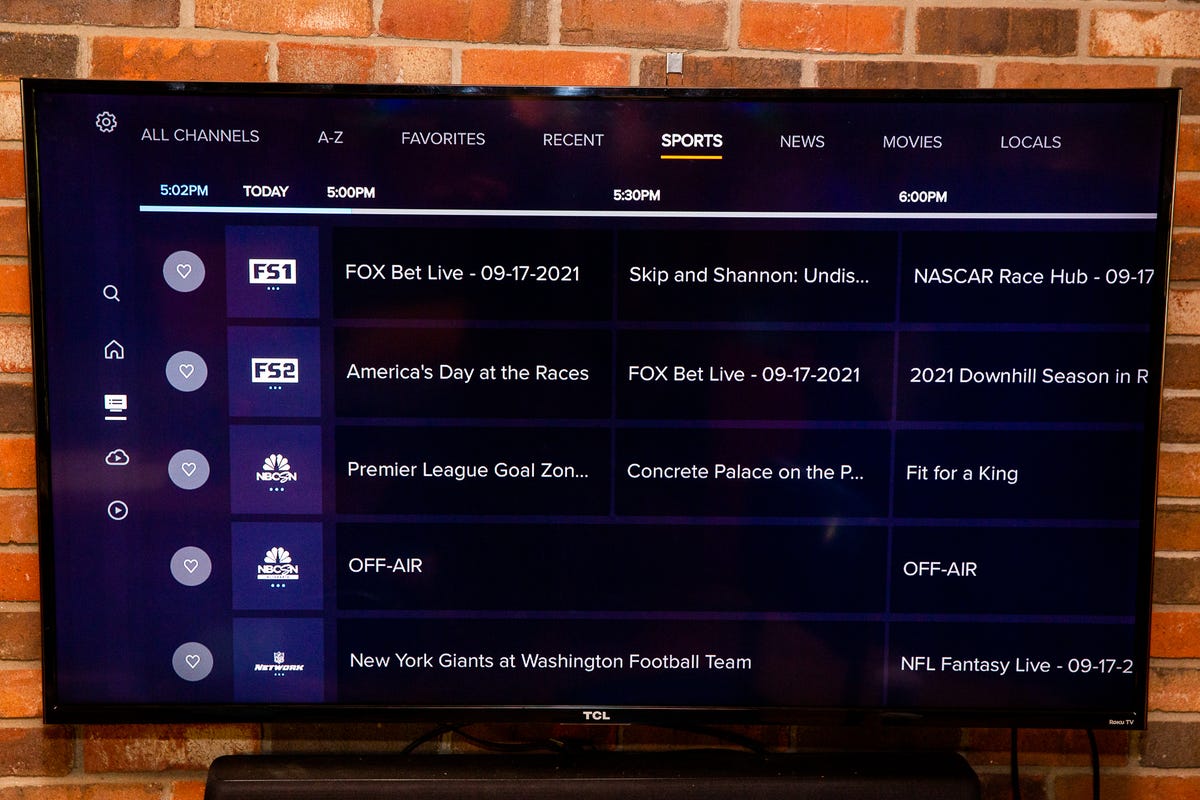
Sling TV on Roku Ultra 4K 2021

The guide

Sarah Tew/CNET

Check out the chart at the end of this article for all of the top 100 channels Sling’s numerous services offer. It’s a condensed version of our complete list of the Top 100 channels offered by every service.

Sling stays inexpensive by eschewing most local channels. The Blue package has Fox and/or NBC in a handful of major cities but doesn’t include any ABC or CBS stations. The Orange package offers no local channels, period. As any cord-cutter knows, local channels are also available by connecting an HD antenna to the back of your television. Sling TV offers another option, however: the AirTV series of over-the-air streamers. The AirTVs connect to an antenna and your network and streams any local channels you receive into the Sling TV interface, integrating them right into Sling’s program guide and other areas. You can also connect an external hard drive to the AirTV to record over-the-air channels. Other OTA DVRs are available too, although no others feed into Sling’s interface.
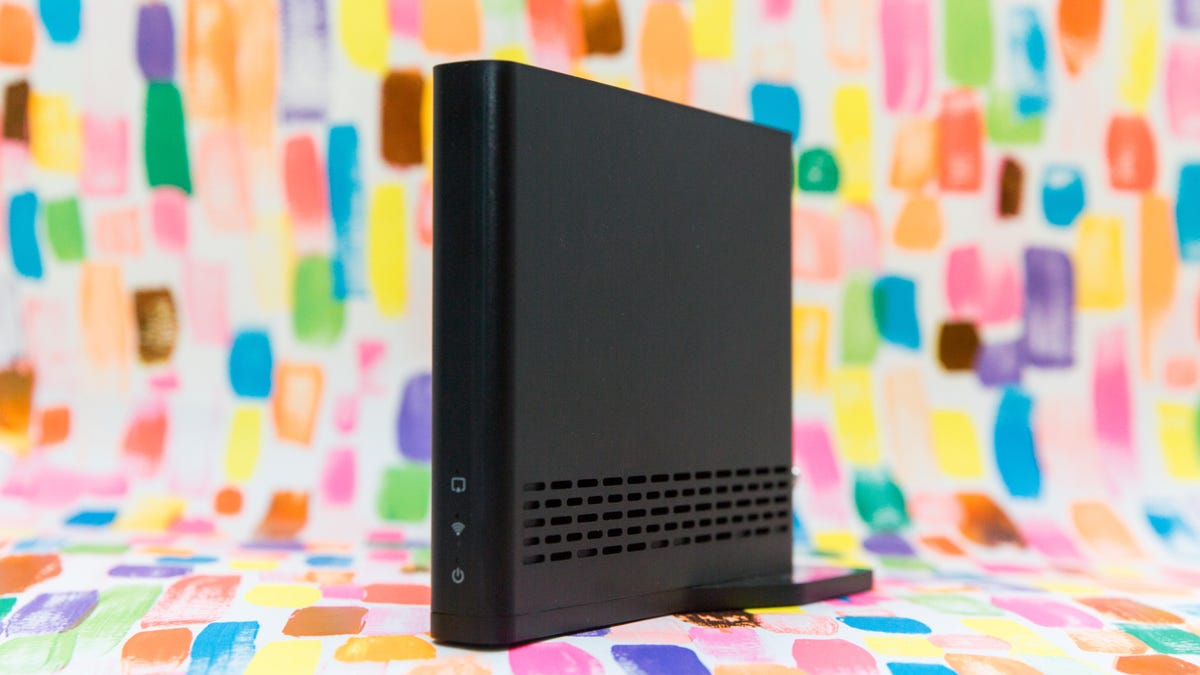
Air TV 2

The $100 AirTV 2 is designed to supplement missing local channels.

Sarah Tew/CNET

Whether you use an AirTV or not, Sling includes a cloud DVR for free that allows you to record almost any streaming channel on the service (the only exceptions are Local Now, ESPN3, ACC Network Extra and SEC Network Plus). It comes with 50 hours of storage but the free version won’t let you protect your recorded shows. You have to pay an additional $5 a month for 200 hours of storage and the ability to prevent recordings from becoming automatically erased.

What’s Sling TV like to use?
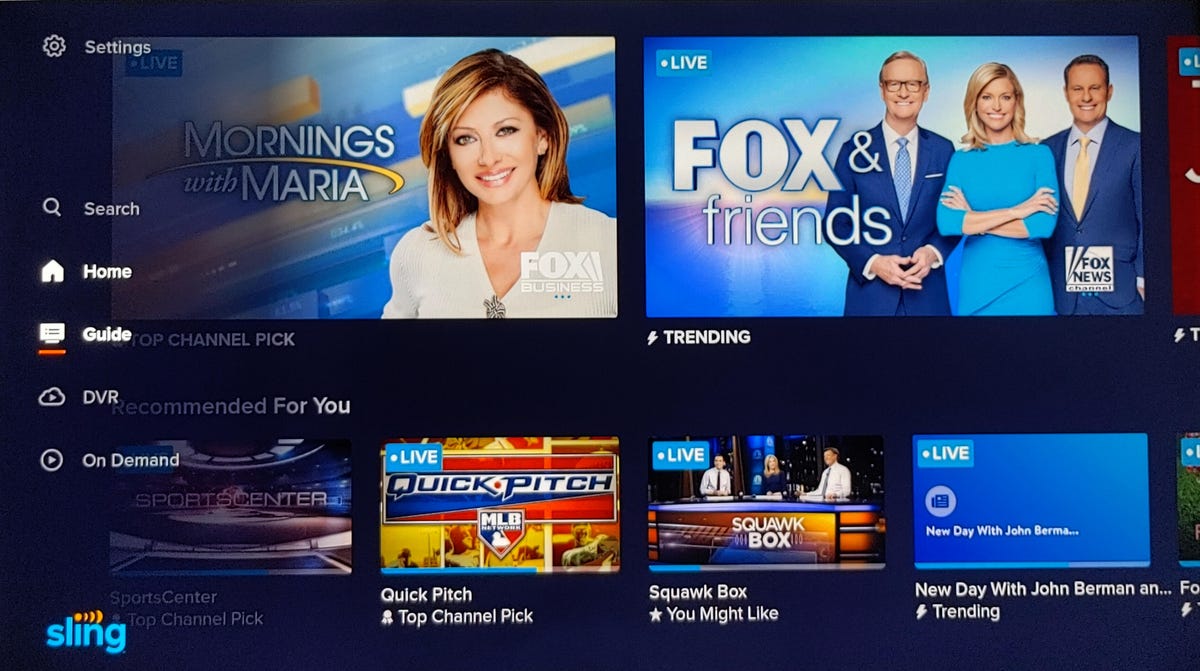
sling-tv-1

Sling TV’s new interface has a side-mounted menu which lets the larger thumbnails shine.

Ty Pendlebury/CNET

Until now, the user interface has been the worst part of the experience, it simply lacked the sophistication of its rivals. The new menu system looks similar to Disney Plus in that it organizes your content horizontally on the left hand side. While the previous interface had way too many options, the menu has now been whittled down to Search, Home, Guide DVR and On-Demand. It’s more aesthetically pleasing in addition to being easier to use.
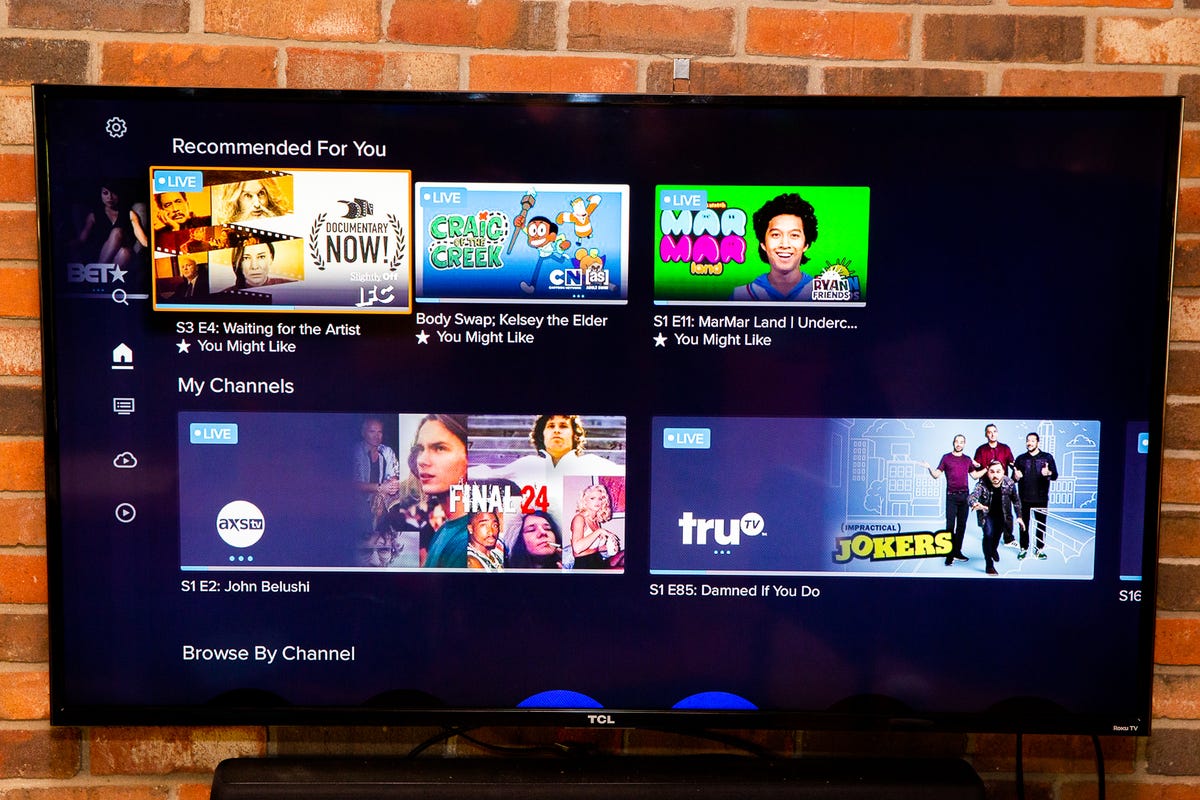
Sling TV on Roku Ultra 4K 2021

The Home screen replaces the old My TV

Sarah Tew/CNET

Regardless of which version you are using — new or old — navigation is zippy, and I found it was easy to find the shows I wanted to watch and record. With the multiple discovery screens, including the main Home screen, there was plenty of programming available even when I didn’t know what I was in the mood for.

Sling has made numerous upgrades to its cloud DVR since launch, such as the bump to 50 hours of recording space. In addition it now allows you to record and live-pause channels you couldn’t before, including the Disney and ESPN channels bundled with the Orange packages. Of course, there’s also its…

Integration with AirTV 

img-5313.png

Remote streaming local channels from the AirTV 2 on an iPhone.

Screenshot: Ty Pendlebury/CNET

While they’re not the most elegant OTA solutions I’ve seen, the AirTV 2 and higher-end AirTV Anywhere are still solid options for integrating local channels into Sling TV. They will let users tune in to all of the available channels in the area and, in my own tests in New York, I was able to view and record 75-plus different stations. 

While the AirTV Anywhere incorporates four tuners and an integrated 1 terabyte drive, the AirTV 2 requires a compatible external hard drive to turn it into a DVR. The company says, “Hard drives must be larger than 50GB, AirTV 2 currently supports recording up to 2TB of storage for DVR.” I connected a WD 2TB Elements Portable without issue.
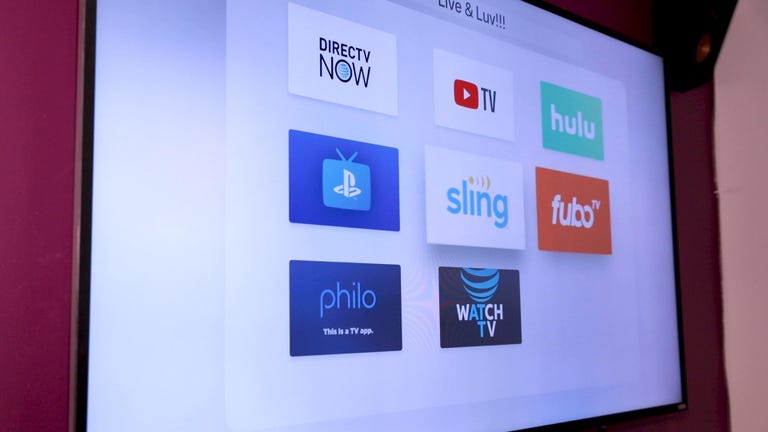
Watch this: Live TV streaming services for cord cutters: How to choose the best one for you

During my initial tests with the AirTV 2 I was unable to pause live TV, and while I am unable to test the device again, I can confirm that the AirTV Anywhere will enable you to freeze the action for up to 60 minutes.

The AirTV recorders have one main limitation that stunt their usefulness, however. The AirTV doesn’t work on Apple TV or via a browser — you won’t be able to see any of the OTA channels or watch any of the recordings provided by AirTV. To use the tuner, you’ll need to use the Sling TV app on Roku, Amazon Fire TV, Android TV, iOS or Android, or via the AirTV mini or AirTV player.

Also, be aware that the AirTV can’t record streaming channels, just local ones, and so you’re still limited to either the 50- or 200-hour recording times there.

Setup of the AirTV devices has also been streamlined and users can now access them from within the Sling TV app’s settings: It’s called Over the Air Channels. There is no longer any need to download a separate app.

Should you subscribe to Sling TV?

While you can save some money with Philo ($25), it is definitely worth spending a bit more on Sling TV Blue. The upgrade to the DVR alone makes even the recent $5 upcharge seem justified, especially when other rivals cost almost twice as much. The experience is better than Philo overall; it’s zippier and it offers more channels. It’s not perfect, but it’s getting better as a cable replacement, and it should save you a chunk of change in the long term. In the absence of LoCast just be sure to have a local channel contingency in place before you start. 

The chart below compares the top 100 channels on Sling to its two budget rivals as well as YouTube TV. “Yes” means the channel is available on the cheapest pricing tier, “No” means the channel isn’t available at all on that service and “$” means the channel is available for an extra fee, either a la carte or as part of a more expensive package or add-on.

Top 100 channels

Channel Philo ($25) Sling Orange ($35) Sling Blue ($35) Hulu with Live TV ($65) YouTube TV ($65)
Total channels: 41 25 37 73 78
ABC No No No Yes Yes
CBS No No No Yes Yes
Fox No No Yes Yes Yes
NBC No No Yes Yes Yes
PBS No No No No Yes
CW No No No Yes Yes
MyNetworkTV No No No Yes Yes
Channel Philo ($25) Sling Orange ($35) Sling Blue ($35) Hulu with Live TV ($65) YouTube TV ($65)
A&E Yes Yes Yes Yes No
ACC Network No $ No Yes Yes
Accuweather Yes No No No No
AMC Yes Yes Yes No Yes
Animal Planet Yes No No Yes Yes
BBC America Yes Yes Yes No Yes
BBC World News Yes $ $ No Yes
BET Yes Yes Yes Yes Yes
Big Ten Network No No $ Yes Yes
Bloomberg TV Yes Yes Yes Yes No
Boomerang No $ $ Yes No
Bravo No No Yes Yes Yes
Channel Philo ($25) Sling Orange ($35) Sling Blue ($35) Hulu with Live TV ($65) YouTube TV ($65)
Cartoon Network No Yes Yes Yes Yes
CBS Sports Network No No No Yes Yes
Cheddar Yes Yes Yes Yes Yes
Cinemax No No No $ $
CMT Yes $ $ Yes Yes
CNBC No No $ Yes Yes
CNN No Yes Yes Yes Yes
Comedy Central Yes Yes Yes Yes Yes
Cooking Channel Yes $ $ $ No
Destination America Yes $ $ $ No
Discovery Channel Yes No Yes Yes Yes
Disney Channel No Yes No Yes Yes
Disney Junior No $ No Yes Yes
Disney XD No $ No Yes Yes
DIY Yes $ $ $ No
E! No No Yes Yes Yes
EPIX $ $ $ No $
ESPN No Yes No Yes Yes
ESPN 2 No Yes No Yes Yes
ESPNEWS No $ No Yes Yes
ESPNU No $ No Yes Yes
Channel Philo ($25) Sling Orange ($35) Sling Blue ($35) Hulu with Live TV ($65) YouTube TV ($65)
Food Network Yes Yes Yes Yes Yes
Fox Business No No $ Yes Yes
Fox News No No Yes Yes Yes
Fox Sports 1 No No Yes Yes Yes
Fox Sports 2 No No $ Yes Yes
Freeform No Yes No Yes Yes
FX No No Yes Yes Yes
FX Movies No No $ Yes Yes
FXX No No $ Yes Yes
FYI Yes $ $ Yes No
Golf Channel No No $ Yes Yes
Hallmark Yes $ $ No No
HBO/HBO Max No No No $ $
HGTV Yes Yes Yes Yes Yes
History Yes Yes Yes Yes No
HLN No $ Yes Yes Yes
IFC Yes Yes Yes No Yes
Investigation Discovery Yes Yes Yes Yes Yes
Lifetime Yes Yes Yes Yes No
Lifetime Movie Network Yes $ $ Yes No
Channel Philo ($25) Sling Orange ($35) Sling Blue ($35) Hulu with Live TV ($65) YouTube TV ($65)
MLB Network No $ $ No Yes
Motor Trend Yes Yes No Yes Yes
MSNBC No No Yes Yes Yes
MTV Yes $ $ Yes Yes
MTV2 Yes $ $ $ Yes
National Geographic No No Yes Yes Yes
Nat Geo Wild No No $ Yes Yes
NBA TV No $ $ No Yes
NBC Sports Network No No Yes Yes Yes
NFL Network No No Yes Yes Yes
NFL Red Zone No No $ $ $
NHL Network No $ $ No No
Nickelodeon Yes No No Yes Yes
Nick Jr. Yes Yes Yes Yes Yes
Nicktoons Yes $ $ $ Yes
Olympic Channel No No $ Yes Yes
OWN Yes No No No Yes
Oxygen No No $ Yes Yes
Paramount Network Yes $ $ Yes Yes
Channel Philo ($25) Sling Orange ($35) Sling Blue ($35) Hulu with Live TV ($65) YouTube TV ($65)
Science Yes $ $ $ No
SEC Network No $ No Yes Yes
Showtime No $ $ $ $
Smithsonian No No No Yes Yes
Starz $ $ $ $ $
Sundance TV Yes $ $ No Yes
Syfy No No Yes Yes Yes
Tastemade Yes $ $ No Yes
TBS No Yes Yes Yes Yes
TCM No $ $ Yes Yes
Telemundo No No No Yes Yes
Tennis Channel No $ $ No No
TLC Yes No Yes Yes Yes
TNT No Yes Yes Yes Yes
Travel Channel Yes Yes Yes Yes Yes
TruTV No $ Yes Yes Yes
TV Land Yes $ $ Yes Yes
USA Network No No Yes Yes Yes
VH1 Yes $ $ Yes Yes
Vice Yes Yes Yes Yes No
WE tv Yes $ $ No Yes
Channel Philo ($25) Sling Orange ($35) Sling Blue ($35) Hulu with Live TV ($65) YouTube TV ($65)

2023 Genesis GV60 Review: Sprightly and Stately

The GV60’s look is youthful without being too over-the-top.

Andrew Krok/CNET

Hyundai Motor Group managed to strike gold three times in a row. The Hyundai Ioniq 5 and Kia EV6 are both brilliant midsize electric crossovers with unique styling and fun driving dynamics. Surely Korea can’t develop a third car on the same platform that stands out enough to warrant attention, right? Wrong. The 2023 Genesis GV60 is that third car, and it rocks.

Like


  • Killer aesthetics inside and out


  • Drives wonderfully


  • Better-than-expected efficiency

Don’t like


  • Touchy brakes


  • Tires get overwhelmed easily


  • Small car, big price tag

The GV60 immediately pulls me in thanks to its styling. Smooth lines are the name of the game here, a contrast to its sharply angled siblings. My tester is clad in a $575 coat of white paint, which does make it look like an egg, but a cool egg. Genesis’ giant-ass maw is lower on the front fascia than on its gas cars, but it’s still there, and the dual-layer headlights and taillights also help keep the GV60’s looks within the family. There are a few crazy angles, but they’re used in limited amounts; the zag in the C-pillar looks pretty slick, and my tester’s 21-inch alloy wheels are among my favorites in the industry.

The GV60’s interior is even funkier. The Ioniq 5’s trick sliding center console may not be here, but you know what is? A metric boatload of blue Nappa leather and neon-green contrast stitching and piping. Most touch points are soft, or knurled, or otherwise visually interesting. The GV60 isn’t a car that takes itself too seriously, and I like that. And better yet, this stuff is all standard on the Performance trim, not an options package in sight.

There are some really neat elements inside the GV60, like the shift dial that flips over when the car is shut off, giving you an orb to ponder. The door handles are circular, but unlike a Mini’s, they’re ergonomic. The steering wheel has an enticing bright green “BOOST” button on it (more on that later). The rear seat cup holders are integrated cleanly into the doors’ armrests. The whole thing feels very well thought out.

Genesis and its parent company have long had one of the best in-car tech setups in the automotive industry, and the jump to electrification didn’t change that one bit. The GV60 comes standard with a pair of 12.3-inch screens. The left display is the digital gauge cluster, offering glances at pertinent information related to the car and its various safety systems. There’s a widget on the right side that lets me look at a few different things, whether it’s a map or vehicle info or whatever’s playing on the radio.

If you don’t like the way the menu is laid out from the factory, you can rearrange all these tiles so that your most used content is right in front of your face.

Andrew Krok/CNET

The right screen runs the latest iteration of Genesis’ infotainment system, which is a fancily reskinned version of what Hyundai and Kia offer. It’s responsive, intuitive, and I like that there’s a dial on the center console, in case you don’t want to gunk up the display. Apple CarPlay and Android Auto are standard, but it’s not wireless, although wireless device charging is standard on both trims, as are four USB-C ports split between both rows.

I saved the coolest bit of tech for last, though. When setting up a driver profile through the infotainment touchscreen, I have the option to include biometric information. A fingerprint reader inside and facial-recognition camera outside combine to provide a two-step authentication that allows the owner to operate the GV60 without a key or phone. It’s easy to use, it’s secure — in that the data never leaves the vehicle and cannot be accessed by anyone, even Genesis — and it frees up space in my pocket.

Whether or not a key is involved, the 2023 Genesis GV60 is a delight to drive. The GV60 is offered in two trims, both of which include two-motor all-wheel drive and a 77.4-kilowatt-hour battery pack. My tester is the sprightlier Performance trim, which puts out 429 horsepower and 516 pound-feet of torque, numbers that generate some exciting action in a midsize crossover. Remember that green “BOOST” button on the steering wheel? Smash it, and the wick gets turned up to 483 horsepower for 10 seconds. Electric torque’s instantaneous delivery is fun in every car, but man, the GV60 really gets going in a hurry.

The GV60’s ride quality could benefit from some slightly thicker tire sidewalls, but it’s still quite plush overall.

Andrew Krok/CNET

The GV60 Performance is a hoot to throw around on back roads, thanks in part to trim-specific upgrades like a mechanical limited-slip differential and an electronically controlled suspension. Spin the steering wheel’s drive mode dial to Sport and the vehicle stiffens up while the throttle adds sensitivity. Body roll is negligible, only really showing up at the ragged edges of grip. Leave the GV60 in the default Comfort mode, and it’s still fun to chuck about, but the suspension adds some give (a necessity in Michigan) and the right pedal takes a much-needed chill pill. I prefer the GV60 in its more sedate settings, where you can really max out the luxury vibe, something Genesis has been nailing for years now.

It’s not all roses and daisies, though. The brake pedal is extremely touchy at all times, no matter if regeneration is at its strongest or weakest, so I advise keeping it in one-pedal-driving mode (which, annoyingly, I have to enable every time I get in the car). For a car with “performance” in its name, the tires are seriously lacking; I understand low rolling resistance improves range, but the Michelin Primacy Tour all-season tires roast themselves under moderate acceleration and spirited driving on curvy backroads. Slap some proper summer tires on the GV60, and while range may take a hit, it should feel much better to drive.

Then again, range is kind of important here, as the GV60’s battery isn’t exactly winning any trophies. The GV60 Performance is rated at 235 miles, which is only a little worse than the 248-mile range on the base Advanced trim. The EPA claims the Performance model’s economy is around 2.71 miles per kilowatt-hour, a figure I’m able to beat without trying too hard. Over a couple hundred miles, I’m seeing between 2.9 and 3.1 miles per kilowatt-hour.

When charging the GV60, the pondering orb will not flip over to display the gear selector, preventing owners from driving off with the charging cable attached.

Andrew Krok/CNET

When it comes time to charge, the GV60 uses an 800-volt architecture, which allows it to utilize more power at high-speed chargers than most other EVs. Granted, it’s still limited to about 225 kW, so I never get the full 350 kW advertised at the fastest charging stations, but 225 is more than enough. Going from 10% state of charge to 80% in just 18 minutes isn’t bad at all, but if you’re one of those owners with an open 240-volt outlet, letting the GV60 charge overnight should provide all the juice you’ll ever need. Also, neat fact: If you hop back into the car while it’s charging and power it on, the orb won’t flip over to show the rotary gear dial. A little idiot-proofing never hurts.

The Genesis GV60’s higher price tag shouldn’t come as a surprise if you’ve seen the mass-market EV6 and Ioniq 5, both of which can be kitted into the mid-$50,000 range. The GV60 picks up a little past that point, starting at $59,985, including $1,095 for destination. My tester’s Performance trim is a fair bit above that; including the sole available option ($595 for fancier white paint), this thing rings in at $69,560. That’s about as much as you’d spend on a fully loaded Polestar 2 or Tesla Model Y. Those two may feature more power, but neither feels as luxurious as the Genesis.

Genesis really found a good niche with its unique take on luxury. Its cars are interesting throughout, with more than enough capability for the average owner, and a lack of confusing packaging makes ordering a much simpler affair. It’s hard not to recommend any Genesis, and the 2023 GV60 is definitely an impressive step as the automaker pushes to electrify its lineup over the next three years.

2022 Mercedes-Benz S500 Review: 6-Cylinder Serenity

What a beautiful beast.

Daniel Golson/CNET

Luxury automakers are all about more is more, stuffing flagship vehicles with big power, high-end tech features and plenty of gimmicky options. The is no different, with the latest generation being the most extravagant and advanced yet. But I’ll let you in on a secret: The base S500 is where it’s at.

Like


  • Fantastic in-line six engine


  • Supreme comfort


  • Great tech features

Don’t like


  • Misses out on a couple of cool features

The S500 shares its turbocharged, mild-hybrid 3.0-liter in-line six with a number of other Mercedes products. In the S500 it puts out 429 horsepower and 384 pound-feet of torque, with the 48-volt integrated starter/generator system adding an extra boost of 21 hp and 184 lb.-ft. That’s 67 hp and 132 lb.-ft. less than the V8-powered S580, but the S500 feels plenty quick, hitting 60 mph in 4.8 seconds (only 0.4-second slower than the S580). The in-line six is ultra smooth and sounds great, and the nine-speed automatic is smooth. The S500 is efficient, too; I have no trouble matching the EPA’s 30-mpg highway rating and I’m doing a few mpg better than the 21-mpg city figure. Like the S580, Mercedes’ 4Matic all-wheel drive is standard.

The 4,600-plus-pound S500 has precise, satisfying steering and surefooted handling characteristics, though there’s a good amount of body roll as well. (Luxurious body roll.) An air suspension with adaptive dampers is standard, and it provides a superb ride despite this S500’s 21-inch wheels (a $1,950 option) that wear Pirelli P Zero summer tires. You can get Mercedes’ road-scanning E-Active Body Control system for $6,500, and while it’s mega impressive, it’s honestly not necessary. My test car is fitted with 4.5-degree rear-wheel steering, a $1,300 option that’s hugely helpful for maneuvering this 17-foot-long sedan around the city. Sadly, the S500 isn’t available with the even crazier 10-degree setup that’s offered on the S580 and EQS, but the 4.5-degree steering is still a boon.

More luxury cars should be green.

Daniel Golson/CNET

The only styling differences between the S500 and S580 are the badges. This S500’s combination of the $4,300 AMG Line styling package, Emerald Green metallic paint and silver multispoke wheels is fantastic, and I appreciate that it’s got all of the standard chrome trim instead of the gloss black parts that the $400 Night package would bring. This S500 isn’t a huge design revolution compared to the old S-Class, or the electric EQS, but even with the AMG Line’s larger intakes, this sedan is beautiful and classy. The pop-out door handles and intricate LED taillights are my favorite design touches.

My S500 has lovely Sienna Brown Nappa leather with diamond-patterned stitching on the seats and door panels, a $2,290 option that looks excellent paired with the $1,300 Flowing Lines piano-black trim. The S-Class is bank-vault quiet as well, thanks to double-pane glass and lots of sound deadening. Its tech-forward interior is off-putting for some, but I’m a big fan. Sure, the touchscreen and shiny surfaces will get covered in fingerprints, but just keep a cleaning cloth in the glovebox. Most metal touchpoints in the S-Class have knurled finishes, like the seat controls and steering wheel stalks, and nothing feels cheap. Mercedes’ animated multicolor ambient lighting remains the most impressive in the biz, too, especially in the super colorful nightclub-like modes.

I love the S-Class’ tech-filled cabin.

Daniel Golson/CNET

The standard Burmester 3D surround-sound system in my test car is fantastic, but the S500 is available with Mercedes’ $6,730 30-speaker Burmester 4D setup that includes subwoofers integrated into the seats. Another must-have option in my eyes — literally — is the $3,000 3D Technology Package that gives you facial recognition tech, a cool 3D gauge cluster and an incredible augmented-reality head-up display, which is one of my favorite pieces of tech available in any car today. It makes Mercedes’ MBUX navigation system even better, and it has mind-blowing graphics for the driver-assist functions like projecting illuminated underlines for cars in your line of sight.

There is one aspect of the S500 that can seriously fall short of the S580, and that’s the backseat. Rear-seat passengers do have tons of head- and legroom and powered sunshades, and an optional $3,800 Warmth & Comfort package adds heating and ventilation to the rear seats. But exclusive to the S580 is the Executive Line trim level, which gives backseat riders an almost Maybach-like experience. That package adds four-zone climate control, reclining and massaging rear seats with a powered footrest for the right seat, a tablet in the fold-down center armrest, more ambient lighting, a wireless charging pad and additional airbags.

Including a $1,050 destination charge, the S500 starts at $111,100, and my well spec’d example comes in at $127,330. The S580 is just $7,650 more than an S500 to start, but a fully loaded version easily crests $150,000. Unless you desperately want a V8 engine or would be regularly chauffeuring fancy people around in your S-Class (or being chauffeured yourself), save your money and buy the lovely S500 instead.

2022 Bentley Continental GT Speed Review: Excessive, Unnecessary Excellence

The fanciest lizard in the desert.

Ben Davis/CNET

There’s something eerie yet serene about driving through Joshua Tree National Park in the desert a few hours east of Los Angeles. It’s vast and quiet, and apart from the occasional work truck or tourist-driven crossover, the stunning roads are typically empty and provide some of the best views in the country. It’s a mix of mountains and valleys, sand and weird greenery, all with a layer of heat shimmer added on top. As I quietly cruise past rows of beautiful cacti with my friends in the car and the windows down, it’s easy to forget that I’m in a $346,260
Bentley
with 650 horsepower.

Like


  • Everything


  • No seriously, everything


  • This car is incredible

Don’t like

To simply evaluate the 2022 Continental GT Speed, I could’ve just stuck to its natural habitat of swanky Beverly Hills just a few miles from my apartment — but that wouldn’t be nearly as fun. This car which lays claim to being Bentley’s fastest and more luxurious car ever, at least until the Speed-based Mulliner W12 comes out, and it deserves to be taken seriously. Beyond just the scenery being incredible, the desert roads around Joshua Tree are spectacular, too, perfectly smooth with a mix of meandering sweepers, long straights and tight corners. My weekend trip turns out to be the perfect adventure with the Speed, which — surprise, surprise — is phenomenal.

The Speed’s twin-turbo 6.0-liter W12 engine has been boosted by 24 hp compared to the normal W12-powered Continental, while torque remains the same at 664 pound-feet. Not too shabby. Bentley also gave the Speed’s eight-speed dual-clutch automatic transmission quicker shifts, the engine and transmission have new calibration for a broader powerband, and the exhaust system is louder on startup and more characterful when downshifting.

The desert is spooky at night.

Maxx Shostak/CNET

The Continental shares its launch-control system with
Porsche
, which is one of the easiest to use and one of the most intense to experience. Hold the brake with your left foot and stomp the gas with your right foot, and the Speed revs to 5,500 rpm. Press your head and body against the seat — you don’t want to get whiplash — release the brake, and the car leaps forward with ferocity. There’s barely a chirp from the tires as the Bentley reaches 60 mph in under 3.5 seconds, and it will do it over and over and over. Absurd acceleration is available in every gear and at any speed, just tap the throttle and suddenly you’re the king of the passing lane. Speed is an apt descriptor for this car, especially as it’ll hit a v-max of 208 mph, but its actual sense of speed is a bit off. The Continental is so cosseting and easy to drive fast that I’m constantly checking my speedometer to make sure I’m not deep in triple digits.

The Speed moniker describes far more than just straight-line performance. Despite weighing more than 5,000 pounds, this Continental absolutely hustles through corners thanks to a number of Speed-specific upgrades. New for the Speed are an electronic limited-slip differential, rear-wheel steering that turns the back wheels up to 4 degrees and a tweaked all-wheel-drive system that can send up to 93% of torque to just the rear wheels. The Speed also comes standard with Bentley’s three-chamber air suspension, adaptive dampers and 48-volt active anti-roll system. The suspension has a max ride height mode that’s equally as good for getting into steep driveways as it is for navigating remote dirt roads when you take a couple wrong turns. Ask me how I know.

The Continental GT Speed pulls like a freight train.

Matthew Groner/CNET

Further helping the Speed disguise its weight are available 22-inch wheels wearing Pirelli P Zero summer tires, sized 275/35 up front and 315/30 in back. My test car also has the optional carbon-ceramic brake setup, which are the largest brakes on sale. The 17.3-inch front discs are clamped by 10-piston calipers, while the rear discs measure 16.1 inches and have four-piston calipers. Bentley says the ceramics save 73 pounds compared with the standard brakes, and there’s none of the squeaking normally associated with carbon-ceramic brakes on road cars, but the brakes can be a bit hard to modulate smoothly.

All of this adds up to create a truly astonishing performer. The Speed’s steering is light and sharper than a normal Continental’s, there’s virtually no body roll or dive under braking and those huge tires provide seemingly endless grip. Linking tight, complex corners together is effortless, and the Speed never loses its composure. That doesn’t mean this big coupe can’t be playful, though. In Sport mode the Speed’s retuned stability control allows for increased amounts of slip, and you can turn it all the way off if you dare. It’s easy to achieve controlled slides in the Speed, and this big coupe is seriously satisfying to throw into a corner.

Normally I go with pink ambient lighting, but…

Ryan Greger/CNET

Only the true Bentley heads out there will notice the Speed’s styling differences compared to a normal , and my car’s spec is about as subtle as a Bentley can get. The Speed has turbine-like wheel designs, darker grille finishes, new side skirts and some Speed badges — and that’s it. My test car adds on a $12,245 carbon-fiber styling package with additional splitter and diffuser elements, but with the blacked-out trim and deep Midnight Emerald paint, this Speed flies under the radar. Personally, I’d go for a bright purple color with chrome grille mesh, a red interior and knurled aluminum trim, but I like to stand out.

At least this Continental has an interesting matching interior. The Speed is offered with a multitude of three-tone color schemes that mix diamond-quilted leather and luxe Alcantara, and this one has Cumbrian green and Portland grey upholstery accented by cream stripes and trim. The standard piano black dashboard finish is pretty tame, but there’s more than enough brightwork and ambient lighting to keep the cabin interesting. The Continental’s highly adjustable seats have massage functions and are supremely comfortable, and the back seat is spacious enough that my friends didn’t complain a single time. That air suspension soaks up any road imperfections, and the only audible perturbances that reach the cabin is a bit of noise from the tires. It’s an experience worthy of the pricetag, apart from the Porsche-derived infotainment tech that’s now a couple generations old.

By the time my weekend in the desert is over and I’ve luxuriously wafted back to LA, the Speed has averaged 18 mpg over nearly 600 miles, 3 mpg better than the EPA’s combined figure — and that includes many full-throttle launches and, ahem, speed. It’ll easily beat the 20-mpg highway estimate, too, thanks to a cylinder deactivation system that shuts down half the engine. Sure, the Continental’s huge tank and California’s always absurd gas prices lead to big winces from my face and my wallet every time I fill up, but it’s still much more efficient and useable as a road-trip car than I expected.

The ingredients to a perfect weekend.

Matthew Groner/CNET

There are a couple things that throw a bit of a wrench in the Speed’s appeal: Namely, other Continental GT models. The new Continental GT S comes with the Speed’s wonderful suspension setup (though it misses out on the Speed’s other performance bits), and its 542-hp twin-turbo V8 engine is more satisfying to wring out and sounds even better than the Speed’s W12. Even a base V8 Continental is nearly as good to drive as this Speed, and it costs almost $100K less than the Speed’s $280,225 starting price. No one is really corner carving in a Continental GT anyway even though it’s fun as hell to do so, and the Speed’s straight-line performance is only half a second quicker than the V8’s, which is not enough to be that noticeable.

But at the end of the day, I still really want the Speed. It’s a lesson in making excess work even when it’s unnecessary. The Speed-specific chassis upgrades really do make a difference — its performance is mind-boggling no matter what type of driving you’re doing, yet the Speed is equally good at being calm and comfortable around town or on a long drive. I can’t think of another high-end car on sale that has the same breadth of ability, apart from Bentley’s own sedan. When you’re playing in the realm of $200,000 cars, people want the best of the best, and the Bentley Continental GT Speed is just that.

My biggest takeaway from this Joshua Tree getaway is that superluxury grand touring cars like the Bentley Continental GT Speed are some of the most compelling candidates for going fully electric. As much as I would miss the W12’s drama and engineering, a similarly powerful EV powertrain would improve the Bentley’s driving experience in basically every way. Noise aside, the W12’s power delivery is so smooth and effortless that it already feels akin to an EV, and going electric would make the Continental even quieter and comfier. Bentley’s first production EV will be out by the end of the decade, and I say bring it on.

This Green 2022 Bentley Continental GT Speed Is Queen of the Desert

See all photos

(If you enjoyed the wonderful photos in this story, please check out my friends Ben, Matt, Maxx, Nathan and Ryan.)

2022 Nissan Rogue Review: Little Engine Makes a Big Difference

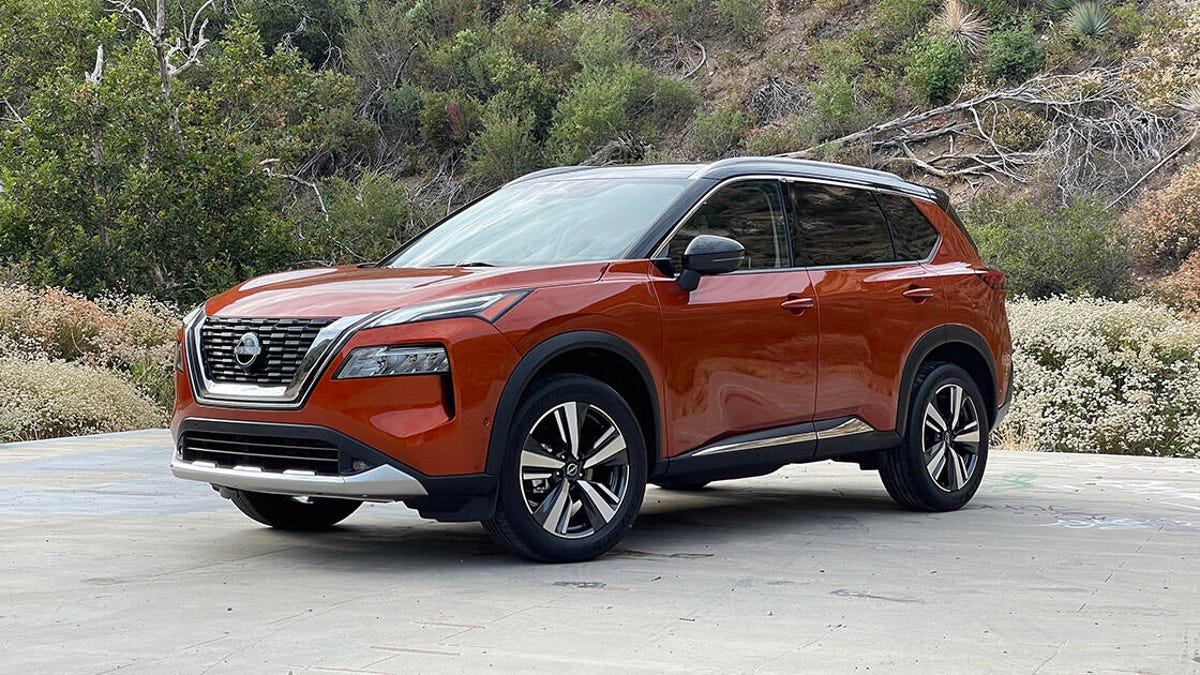
The two-tone orange/black paint job is a $745 option.

Steven Ewing/CNET

The gets a major improvement this year, but it’s not something you’ll notice right away. Peep under the hood and you’ll find a brand-new 1.5-liter turbocharged inline-3 engine — a small but mighty powerplant that gives
Nissan’s
best-selling SUV a nice bump in power while also returning better fuel economy.

Like


  • Excellent turbo engine


  • Solid fuel economy


  • Comfortable interior


  • Good list of standard driving aids

Don’t like


  • No hybrid or plug-in option


  • Outdated infotainment tech

This new triple uses the same variable compression technology as Nissan’s larger 2.0-liter turbo I4, an engine that’s optional in the sedan and standard in the and QX55 crossovers. Basically, varying the compression ratio allows the 1.5T to deliver more power at low revs and operate more efficiently while cruising. It’s a trick bit of win-win tech.

The specs back up these merits: The 1.5-liter I3 is rated at 201 horsepower and 225 pound-feet of torque, increases of 20 hp and 44 lb-ft over the 2021 Rogue’s 2.5-liter naturally aspirated I4. Meanwhile, fuel economy sees a 3-mpg improvement on the combined cycle, with a base, front-wheel-drive Rogue estimated to return 30 mpg city, 37 mpg highway and 33 mpg combined. A loaded, all-wheel-drive Platinum model like my tester drops those figures to 28 mpg city, 34 mpg highway and 31 mpg combined, but that’s still better than top-spec versions of the and .

Nissan reworked the Rogue’s continuously variable transmission to complement the turbo engine, and while the changes aren’t radical, the CVT is both smoother and quieter than before. The Rogue has steering wheel-mounted paddles so you can fake shift through your fake gears if you feel like it, but leave the transmission alone and it’ll do its thing without any fuss. (Those paddles are best left untouched.)

The 2022 Rogue isn’t what I’d call quick, but it certainly accelerates with more authority than the 2021 model. In fact, the throttle might be a little too sensitive, delivering a quick jolt of power while pulling away from stops before mellowing out. Midrange thrust is acceptable — certainly better than the old 2.5-liter engine, at any rate. But the best thing about the 1.5T is that it doesn’t have the 2.0-liter VC-Turbo’s weird power peaks and valleys; the torque delivery is nice and linear aside from that initial jump. Plus, unlike other small-displacement I3s, the Rogue’s engine isn’t prone to harsh noises or unwanted vibrations, both at speed and while idling.

Around town, the Rogue is pleasant to drive. The suspension strikes a nice balance of city comfort without freeway floatiness, and the steering is appropriately tuned — nicely weighted but lacking feedback, not that 99.9% of Rogue buyers will actually care. Instead, these customers will appreciate the Rogue’s long list of standard driver-assistance tech, including forward-collision warning, lane-departure warning, blind-spot monitoring, rear cross-traffic alert and more. All Rogues except the base S come with Nissan’s excellent ProPilot Assist, which combines adaptive cruise control with active lane-keeping tech.

Three mighty cylinders.

Steven Ewing/CNET

The Rogue’s multimedia setup is unchanged, meaning there’s a standard 8-inch touchscreen running Nissan’s sorta-outdated infotainment suite, with Apple CarPlay and Android Auto built in. A larger 9-inch screen is optional on SL and standard on Platinum trims, though the software within isn’t any better. CarPlay does connect wirelessly with the 9-inch screen, however, and the Platinum has a spiffy 12.3-inch digital gauge cluster, plus an optional head-up display.

Obviously my Platinum test car has all the bells and whistles, like quilted leather upholstery wrapping Nissan’s comfy-cushy Zero Gravity seats, a panoramic sunroof, heated seats and a heated steering wheel. But the Rogue’s interior is super nice overall. I love how the rear doors open a full 90 degrees, which is super helpful for people, but also great when I want to put bulky items on the back bench. The relatively boxy shape helps with overall cargo capacity, too, though the Rogue’s 74.1-cubic-foot measurement splits the difference between the smaller RAV4 and larger CR-V.

The interior is nicely appointed and quite spacious.

Steven Ewing/CNET

All 2022 Rogue models are slightly more expensive than before, with a base model coming in at $28,445 (including $1,295 for destination). All-wheel drive is a $1,500 upcharge on all trim levels, and a top-of-the-line Platinum AWD like the one pictured here starts at $39,725. Add $745 for the fetching two-tone orange and black paint job, plus $400 for the head-up display and the Rogue tops out at $40,870. Midgrade SV and SL trims are available in the low-to-mid-$30,000 range, so those will be the ones you’ll see most often.

The third-generation Nissan Rogue is a pretty straightforward SUV. It’s not the best looking, most luxurious or most fun-to-drive crossover in the compact class, and unlike many competitors, there are no hybrid or plug-in hybrid options available. Even so, the Rogue is a solid all-around product that doesn’t really do anything poorly. That’ll likely keep it Nissan’s top-selling product, and the new turbo engine only enhances this SUV’s appeal.

2023 Kia Sportage Hybrid Review: Grow Up, Glow Up

I especially dig the Sportage’s new boomerang-shaped LED light signature.

Antuan Goodwin/CNET

The latest iteration of the  gets a major glow-up. Kia has been aggressively pushing the design of its vehicles to the point that this muscular 2023 Sportage Hybrid SX Prestige looks of a completely different lineage to the cute, small SUV it replaces. (Heck, it’s barely recognizable as a
Kia’s
.) And behind that wild styling is a sweet new hybrid powertrain, vastly improved cabin tech and the automaker’s latest driver-assistance technology.

Like


  • Head-turning, spacious design


  • Smooth and efficient new hybrid system


  • Excellent mix of standard and optional safety tech

Don’t like


  • Upgraded tech loses wireless CarPlay, Android Auto


  • All-wheel drive efficiency penalty


  • Potentially better plug-in model is right around the corner

Head-turning new look

The new Sportage is larger than before at 183.5 inches from bumper to bumper — 7.1 inches longer than the outgoing model — and has an extra 3.4 inches between its axles, bringing the new wheelbase to 108.5 inches. Sharply creased shoulders, more muscular flanks and horizontal grille and rear bumper elements create the illusion of a much broader stance, despite the 73.4-inch wide SUV only being 0.4 inches wider than its forebear. Overall, the new look is more mature with a good balance of proportions familiar to modern
SUVs
in this class with thoughtful and challenging design details that turn heads wherever the Sportage goes.

The growth spurt makes room for a more spacious interior. The Sportage Hybrid now boasts more legroom than the , particularly on the second row where it’s gained a 3.5-inch advantage (41.3 inches versus the 37.8 inches). And even with the battery pack costing a bit of cargo capacity versus the non-hybrid model, the 39.5 cubic feet of cargo space behind the Sportage Hybrid’s optional hands-free liftgate (73.7 cubes with the seats folded flat) is still very generous for this class, beating the RAV4 Hybrid’s 37.5 cubic feet.

Despite being called Shadow Matte Gray, this example’s optional $595 exterior finish is more satin than true matte and, frankly, more premium-looking for it. The top SX Prestige spec feels like it was designed with this finish in mind, complementing the paint with satin chrome accents on the grille and window surrounds and contrasting with glossy black trim around the body and wheel arches. And while the LX and EX trim levels come with machine-finish 17- and 18-inch alloy wheels, respectively, the SX Prestige features practically color-matched matte gray 18s with 235/60 all-season tires.

1.6-liter turbocharged hybrid

The Sportage Hybrid is powered by a 1.6-liter turbocharged inline-4 mated to a 44-kilowatt electric motor and a 1.5-kilowatt-hour lithium-polymer battery. Together, they make a total of 227 horsepower and 258 pound-feet of torque which is routed through a 6-speed automatic transmission to either the front wheels or an optional all-wheel-drive system with a locking center differential for light off-road use. This is essentially the same hybrid powertrain from the outstanding Hyundai Tucson Hybrid, but with one more pony, so if you don’t love the Kia’s look, maybe the
Hyundai
will tickle your fancy.

User-selectable drive modes (Normal, Eco and Sport) allow broad customization of the Sportage Hybrid’s responsiveness. Meanwhile, standard paddle shifters grant more precise control over the transmission’s behavior, but I almost never need them given the hybrid SUV’s comfort-tuned suspension favoring a more relaxed driving style.

Front-wheel drive is more efficient, but EX and SX Prestige models come standard with all-wheel drive.

Antuan Goodwin/CNET

The hybrid is the most powerful Sportage variant (for now), being substantially more potent than the 187-hp 2.5-liter engine in the non-hybrid. I’m impressed with the smooth acceleration and solid passing power. The 1.6-liter engine doesn’t deliver the most pleasant wide-open-throttle auditory experience, but it is a lot less drone-y than most CVT-equipped
hybrids
and, during light cruising and city driving, the Sportage Hybrid is satisfyingly quiet.

It’s also fuel-efficient. The front-drive Sportage Hybrid averages 42 mpg in the city, 48 mpg highway and 43 mpg combined according to the EPA’s estimates. Adding all-wheel drive knocks the numbers for my example down to a tidy 38 mpg across the board. Over a 149-mile mix of performance testing and relaxed cruising, I averaged 35.5 mpg — not too far off the mark.

Wait for the PHEV?

Of course, if you’re as impressed with the Sportage Hybrid’s performance as I am, it may be worth waiting for the upcoming plug-in hybrid model expected to launch later this year. The PHEV swaps in a bigger 7.2-kWh battery pack that can be recharged at an outlet or charging station for up to 32 miles of electric range before reverting to gasoline hybrid operation, which should boost overall efficiency. It should also be a touch more powerful thanks to its 67-kW electric motor.

However, there are potential trade-offs to consider: Making room for more battery will cost the PHEV 1.8 inches of rear legroom and 2.1 cubic feet of cargo space — though, it’ll still finish ahead of the RAV4 by both metrics. There’s also the higher expected price and potentially more limited availability to consider. Still, if it’s anywhere near as good as the Hyundai Tucson PHEV — which it almost certainly will be with the same powertrain and tech — the Sportage PHEV will be worth the wait.

The hybrid is great, but I reckon the plug-in version coming later this year will be worth waiting for.

Antuan Goodwin/CNET

Dual-screen cabin tech

The Sportage’s cockpit is home to Kia’s now-familiar dual-display infotainment system that bonds two screens to a single curved glass panel stretching halfway across the dashboard. This is essentially the same infotainment setup we’ve seen previously in the Kia EV6, but with the EV-specific menus swapped out for hybrid screens.

The left display is home to the standard 12.3-inch digital instrument cluster and information display. The right is where you’ll find the latest generation of Kia’s UVO touchscreen infotainment. The base LX trim features an 8-inch touchscreen, while EX and SX Prestige step up to a 12.3-inch display with navigation. I’m a fan of this system’s logical and familiar menu system, the user-customizable ‘star’ shortcut buttons on the steering wheel and dashboard and its unique, weird features like the ability to record audio memos or listen to nature sounds on the go. 

Apple CarPlay and Android Auto are standard for all models with wireless connectivity on the base LX spec’s 8-inch system, but not the big-screen EX or SX Prestige models. This is an odd omission that makes the wireless phone charger added at these trim levels feel slightly less useful, but not quite a deal breaker.

Inside, you’ll find improved tech, but also much nicer cabin materials like the SX Prestige’s perforated and quilted SynTex seats.

Antuan Goodwin/CNET

Standard Drivewise driving aids

Regardless of trim, all 2023 Kia Sportage Hybrids come standard with the automaker’s Drivewise driver aid suite. This rolls in lane-keeping assist, forward-collision avoidance with braking assist, blind-spot monitoring, auto-braking rear cross-traffic alert and rear park distance sensors. Other optional safety features that come online with the SX Prestige trim include adaptive cruise control with stop-and-go, Kia’s blind spot view cameras and surround-view parking cameras, as well as 360-degree parking distance sensors with collision avoidance brake assist. 

The SX Prestige also adds Kia’s Remote Smart Parking, a feature that allows the driver to move the Sportage straight forward or in reverse while standing curbside. For safety, the system uses the distance sensors to prevent collisions with obstructions or pedestrians and only operates when the driver is close to the vehicle. It’s nowhere near as complex as, say,
Tesla’s
Summon promises, but it’s also extremely simple to operate. Just line the car up with a narrow parking spot, hop out and hold a button on the key fob to guide the Sportage home. As a person living with a garage that mostly goes unused because most cars won’t fit while still being able to open their doors, I’d use this feature every day given the chance.

At the upper trim levels, opting for the hybrid system is almost a no-brainer.

Antuan Goodwin/CNET

The one to get

The 2023 Kia Sportage Hybrid starts at $28,585 (including $1,295 destination) for the base Hybrid LX, a $1,300 premium over the same non-hybrid spec. Add $1,800 if you want all-wheel drive, but only if you think you’ll really need it for your climate; the base Sportage Hybrid is potentially much more cost and fuel efficient without it. EX and SX Prestige models roll all-wheel drive into their respective $32,285 and $37,485 price tags, simplifying packaging somewhat and reducing the hybrid tax to as low as $900 for the top SX spec — choosing the hybrid is almost a no-brainer at this grade.

Including paint and carpeted floor mats, my example comes in at $38,235 as tested — over $4,000 less than RAV4 Hybrid Limited when comparably equipped. So not only is the 2023 Kia Sportage Hybrid one of the top picks in its class with excellent performance and outstanding design inside and out, it’s one of the best values, too.

2022 Maserati MC20 Review: Visceral Excitement

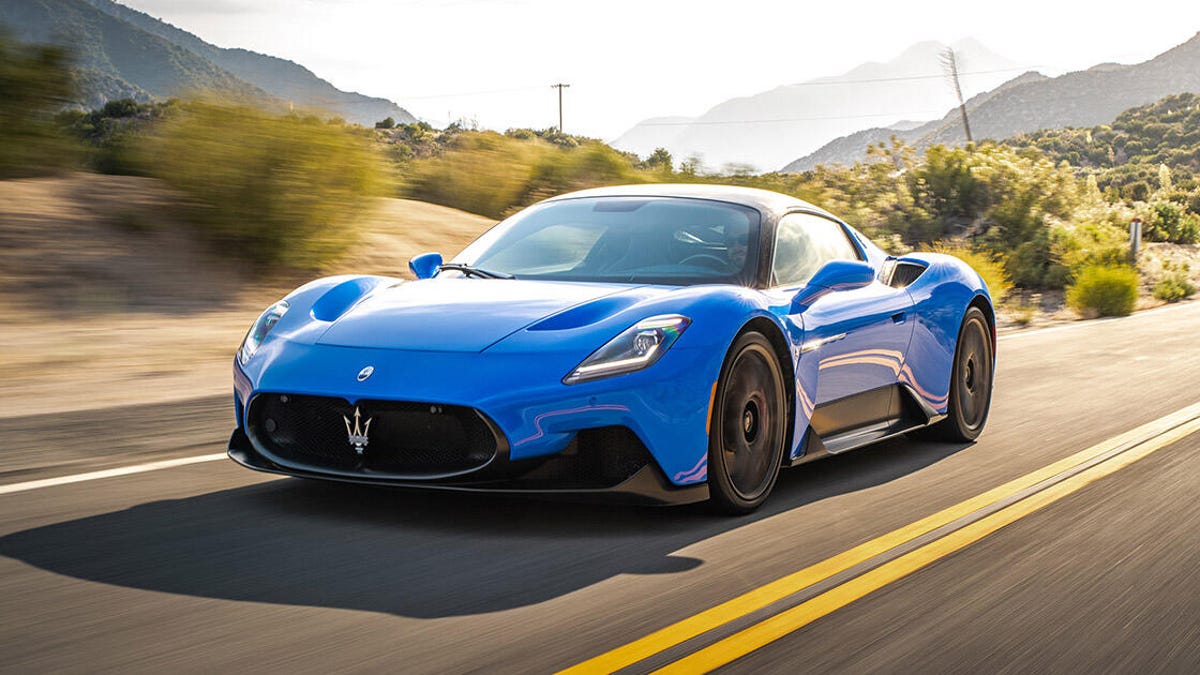
That’s a $4,500 paint job.

Tyler Clemmensen/CNET

While mainstream products like the new Grecale SUV will ultimately be
Maserati’s
bread and butter, what’s an Italian carmaker without an exotic flagship? The MC20 is an incredible return to form for a storied brand left to languish. And if this sort of visceral experience is what Maserati is capable of when it gives 110%, then we have a lot to look forward to in the future.

Like


  • Looks like a proper exotic


  • Perfectly balanced chassis


  • Potent twin-turbo V6 engine

Don’t like


  • So many options should be standard


  • Cramped interior


  • V6 sounds bad

Literally everything about this supercar is new. The single-piece carbon-fiber chassis comes from race car maker Dallara, and combined with lightweight body panels and a polycarbonate engine cover, the MC20 hits the road with a curb weight of just 3,306 pounds. Mounted amidships, Maserati’s new Nettuno 3.0-liter twin-turbo V6 cranks out 621 horsepower at 7,500 rpm and 538 pound-feet of torque at 3,000 rpm, and an eight-speed dual-clutch automatic transmission is perfectly in sync with this dynamite powerplant.

What’s amazing is how little turbo lag there is, especially considering the 3,000-rpm torque peak. The transmission isn’t janky when pulling away from a stop, either; the MC20 just rockets forward with authority, and it’ll hit 60 mph before you can say “three Mississippi.” If there’s a single complaint to register about the engine it’s that there’s no masking the unpleasant sound of a V6, though the loud exhaust and metallic pop-suck-woosh-bang noises directly behind your ears certainly make up for a lot.

Maserati’s new Nettuno V6 is a champ.

Tyler Clemmensen/CNET

Oh, props to Maserati for fitting the MC20 with paddle shifters you’ll actually want to use. Not only are they mounted to the steering column (the correct way), the tactile click they offer is super-satisfying. There’s absolutely no lag between the movement of your fingers and the subsequent gear change, and whether driving at slow speeds or fast, the paddles really do add to the overall experience.

No surprise, the MC20 is an absolute firecracker when driven hard. It almost seems to shrink around you, like you forget that this car is as long and wide as it is when you’re just getting into the groove of driving. The most impressive thing is how light this coupe feels at high speeds, almost like the chassis is hollow or like it’s going to lift off the ground. Never fear, there’s a ton of downforce keeping the MC20 glued to the road at all times, and the 245/35 front and 305/30 rear tires have oodles of grip. Those forged 20-inch wheels are a $5,500 option, by the way.

Speaking of options, if you want an electronic limited-slip differential, that’ll be $2,300, and honestly, this should just be standard. You absolutely want this rear-axle torque distribution to make the most of the MC20’s grip while cornering, especially since this helps rein in any oversteer. The steering itself is great — light and quick with lots of sensations running through your hands — and the optional carbon-ceramic brakes offer immense stopping power without noticeable front-end dive or skittishness.

Tyler Clemmensen/CNET

All of the MC20’s individual performance aspects are great, but it’s the way everything works together that makes this Maserati so special. You feel like you’re part of the car, part of the road, part of the environment. While some supercars can feel clinical to the point of sterility, the MC20 feels alive and emotional. It’s way more than a numbers car designed to look good at Cars & Coffee.

On the other hand, the MC20 in its default GT mode and the ride is actually amicable to “normal car” driving. Keeping the standard sport seats is definitely recommended if you’ll routinely be traveling long distances in the MC20, but I suppose the $7,000 one-piece carbon buckets will give you more cool guy cred while showing off. The dihedral doors will definitely elicit some youthful oohs and aahs, but be careful: The lower sill just behind the door sticks way out. What I’m saying is, don’t immediately turn around after you get out or you’ll slam your foot into that painfully pointy piece of trim. (You bruised me, MC20!)

Living with the MC20 is exactly what you’d expect. There’s basically no storage space inside the cabin and the overall passenger accommodations are pretty tight. The rear window looks super-cool with the Trident logo cutout, but visibility out the back is utterly hopeless, so I’m glad Maserati fits a digital rearview mirror as standard. There’s a $4,000 electronic front suspension lift that you will absolutely need to use all of the time, and the combined frunk and trunk space is kind of weak, but I don’t imagine grocery runs are a regular use case for an MC20.

Such a pretty car.

Tyler Clemmensen/CNET

Cabin tech includes a 10.3-inch digital instrument cluster that is easy to read and packed with information, and there’s a 10.3-inch central touchscreen that runs the finicky Maserati Intelligent Assist software. The icons are small and tough to accurately hit, and responses to inputs are often laggy. Android Auto and Apple CarPlay are standard, thankfully. Just use those.

The MC20 costs $212,000 to start, but good luck keeping your out-the-door price anywhere close to that. This test car has three-layer Blu Infinito paint ($4,500), a carbon fiber engine cover ($5,000), a black roof ($4,000 — seriously), upgraded leather and Alcantara ($1,000), heated seats ($500), a premium audio system ($4,000) and carbon ceramic brakes ($10,000) with red calipers ($1,200). Plus a few other odds and ends, the as-tested price is $256,050.

But who cares? Every other mid-engine supercar is going to cost just as much, and even more practical sports cars like a Porsche 911 Turbo S start above $200,000. Nobody is buying a Maserati MC20 because it’s a smart value. This is a purchase made out of pure emotion, and that’s what the MC20 is all about.

2023 BMW iX xDrive50 Review: Pleasing Performer, Vexing Design

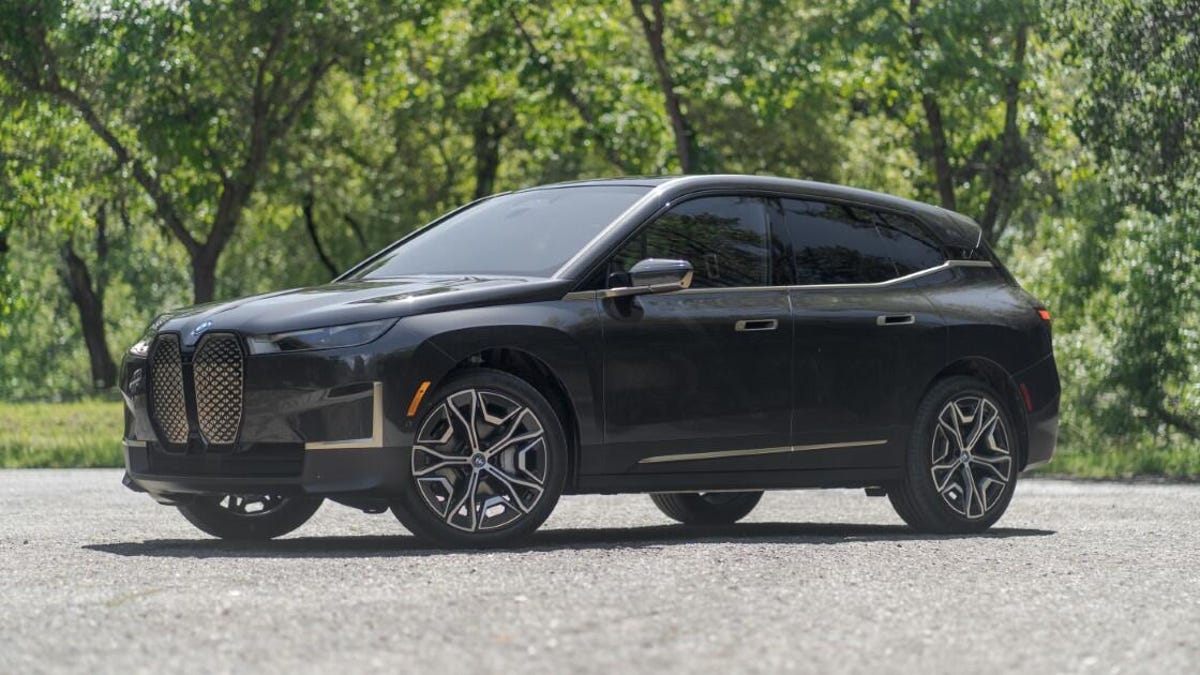
I had a blast tooling around in BMW’s new iX, but I’m not sure I’d want to settle down with it just yet.

Antuan Goodwin/CNET

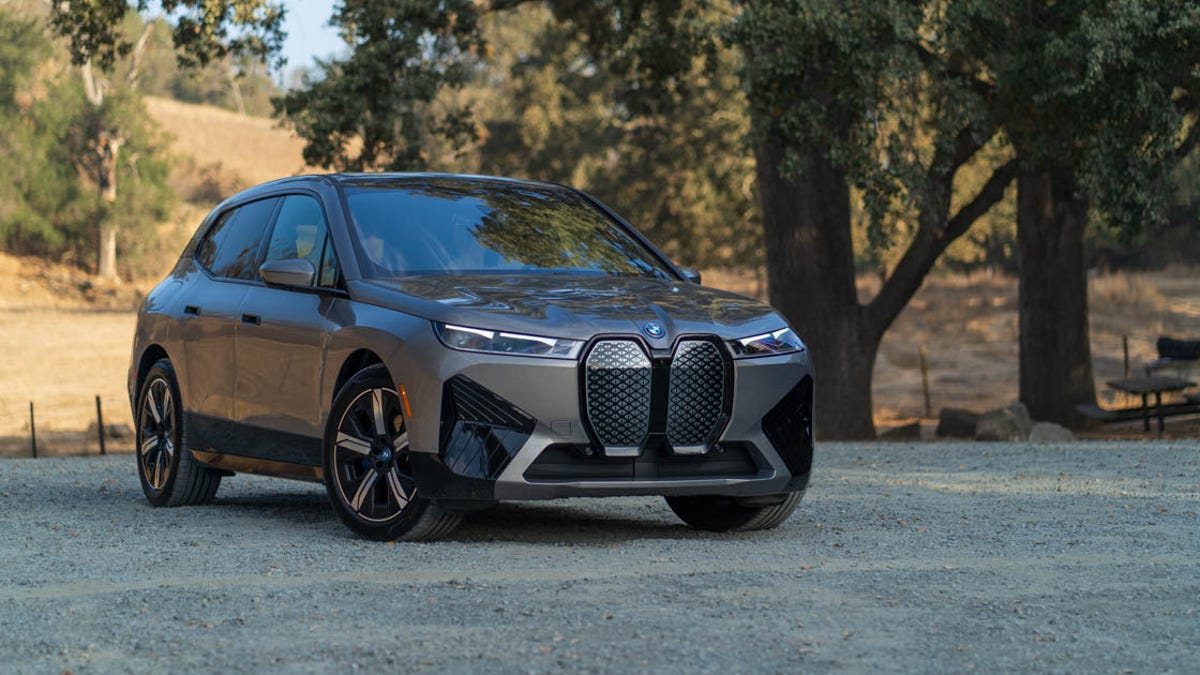
The 2023 iX xDrive50 is one of two new electric vehicles BMW launched this year, alongside the i4 sedan. Of the pair, the iX xDrive50 is the bolder play: a completely new vehicle from the ground up, rather than a battery-powered version of an existing model. It also takes much larger risks. Many of those risks pay off in the form of excellent driving dynamics, comfort and range, but some of them don’t. The electric SUV is plagued by some strange and interesting design decisions, and I’m not just talking about its polarizing exterior.

Like


  • Powerful and responsive electric motors


  • IRL range easily meets EPA estimates


  • Gorgeous interior design

Don’t like


  • It’s kind of weird looking


  • Steep tech learning curve


  • One of the priciest in this class

xDrive50 electric powertrain

The iX comes standard with all-wheel drive, pairing a 190-kilowatt electric motor on the front axle with a more powerful 230-kW rear unit. Combined output peaks at 516 horsepower and 564 pound-feet of torque, enough oomph to silently launch the iX from 0 to 60 mph in 4.4 seconds. The surge of g forces under hard acceleration is impressive, but the benefits of instant, precise electric torque can also be felt when merging on the highway or just casually pulling away from a traffic light. It’s a well-rounded, confidence-inspiring powertrain.

The xDrive50 feels more than potent enough for driving on public roads, but if you need more power (or just have money burning a hole in your pocket),
BMW
 added the 610-hp iX M60 to the lineup for the 2023 model year. That’ll pull off the 0-to-60 sprint in just 3.6 seconds — not quick enough to wipe the smirk off of a Tesla Model X Plaid, but it’ll run neck-and-neck with a Model Y Performance or a Mustang Mach-E GT

The driver has two tools to customize the iX’s performance to their liking: My Modes and regenerative braking. The three My Modes — Personal, Sport and Efficient — primarily control accelerator responsiveness (and by extension, how much energy is used), but they also affect the steering and other vehicle systems. For example, when equipped with the optional Dynamic Handling package, Sport mode can lower the suspension by 0.4 inches for, well, more dynamic handling.

The selected My Mode also affects the optional Iconic Sounds generated by the iX’s speakers. Designed by German film score composer Hans Zimmer, this artificial powertrain noise fills the cabin as the EV accelerates, making use of Shepard tones — an illusion of overlapping sound that seems to infinitely rise in pitch — to create a sci-fi feeling of increasing speed. Sport mode sounds a bit deeper and louder than the other two settings. Alternatively, Iconic Sounds can be disabled altogether for those who prefer silent cruising.

There are four regenerative braking levels with the default being what BMW calls Adaptive Recuperation. This mode uses navigation data, battery level and the distance to the car ahead to determine how much regeneration to apply when lifting off the accelerator. This should net you the most efficient energy recapture but, in practice, it just makes deceleration feel inconsistent, difficult to predict and, at times, jerky. I prefer to choose one of the more consistent static regen modes: low, medium or high. Also, tapping the transmission from D to B mode with high regen enables one-pedal driving, where the iX can slow to a stop without touching the brake pedal — my favorite EV braking method overall.

Sport is the only customizable My Mode — neither Efficient nor, ironically, Personal can be personalized.

Antuan Goodwin/CNET

Range and charging

The iX is powered by a 111.5-kilowatt-hour battery, of which a net 105.2 kWh is usable. Interestingly, the EPA breaks out separate range estimates based on the size of the wheels equipped. The smallest 20-inch wheels earn the best 324-mile rating. Range drops to 305 miles with the 21-inch wheels, but oddly climbs again to 315 miles for the larger 22s. My best guess as to why is the 275/40R22 tire’s stiffer sidewall reduces rolling resistance just enough to make up for the additional rim mass.

Starting with an 80% charge, I cruised for 209 miles before stopping to recharging with 17% remaining. That’s about 10 miles better than I should have based on the EPA’s numbers — still within the margin of error, but even more impressive given my testing including a good chunk of Sport mode driving up twisty mountain roads. Not too bad.

This is about as open as the iX’s hood gets unless you’re a BMW service technician.

Antuan Goodwin/CNET

When it comes time to recharge, the iX pulls up to 195 kW at an appropriately powerful DC fast-charging station. That’s not as fast as a 250-kW Hyundai Ioniq 5 or the 270-kW Porsche Taycan, but it’s quick enough to add 90 miles of range with just a 10-minute session, or to go from a 10% to 80% state of charge in 40 minutes. BMW partnered with EVgo, providing buyers and lessees $100 of charging credit at its stations. 

The most cost effective place to charge is at home during off-peak evening hours. On a Level 2 plug, the iX can pull 11 kW, meaning it will charge from flat to full in around 11 hours.

Ride and handling

Extensive use of lightweight materials — like the aluminum and carbon-fiber composite chassis (which are visible when you open the doors or rear hatch) and aluminum suspension components — help keep weight down. Still, the iX is a very heavy machine, tipping the scales at 5,769 pounds as optioned here. Fortunately, much of the weight is beneath the floor in the battery pack. This low center of mass helps the iX stay nice and flat around corners, which means BMW’s engineers could tune the double-wishbone front and five-link rear suspension to be a bit softer for comfort. The SUV soaks up bumps well even on the optional 22s, and this is likely thanks to BMW’s lift-related dampers — hydraulic shock absorbers that progressively vary their damping force as the wheels travel up and down.

This example is equipped with the optional Dynamic Handling package, which adds an auto-leveling air suspension good for preventing sag when towing a braked trailer up to 5,500 pounds — though who knows what havoc that will wreak on your range. As mentioned before, the air suspension automatically lowers to improve stability at high speeds and in sport mode and can be manually raised for 0.8 inches of additional ground clearance at very low speeds. Additionally, this package adds rear-wheel steering that both helps with low-speed agility and highway stability.

The seats could use more lateral support, but the heated and ventilated buckets are quite comfortable for long hauls and commutes.

Antuan Goodwin/CNET

Polarizing design

I’m willing to concede that the eye of another beholder may find beauty somewhere in the iX’s tall wagon proportions, but I don’t find the design very cohesive. For example, the severe L-shaped trim on the front bumper doesn’t seem to line up with any other element of the fascia and feels tacked on in a way that annoys me even more than BMW’s new corporate grille. Most days, I simply don’t enjoy looking at the iX, but sometimes I catch an odd angle and it’s not so bad. (Some of my colleagues have more positive opinions about BMW’s styling.)

I do like that the buck-toothed grille hides a very cool technology: It’s made of a self-healing polymer. Pick up a rock chip or a scratch on its glossy finish and the surface will gradually work its way back to shiny and flush again. Heat accelerates the process, so on a hot summer day (or with some coaxing from a hair dryer), you can watch it heal before your eyes. The BMW roundel just above the grille pops open to reveal a hidden washer fluid reservoir, which would be neat if it weren’t necessary because the iX’s hood requires a service technician to open — a double bummer because it means there’s no frunk. Still, this a more elegant solution than
Mercedes-Benz’s
weird washer fluid fender slot on the EQS and EQE.

The iX’s cabin, on the contrary, is absolutely gorgeous. It makes great use of materials that look fantastic and are tactilely interesting to touch, from the crystal cut glass iDrive control knob and seat adjustment controls to the unique wood veneer capacitive buttons on the center console — all optional. The bucket seats are quite comfy with an upright position that offers great visibility in all directions around the airy greenhouse. Also optional is this model’s electrochromic glass roof that boosts the feeling of spaciousness and goes opaque at the touch of a button to keep the sun off of your head.

The iX’s cabin looks so good I’m willing to forgive the awkward exterior.

Antuan Goodwin/CNET

But all is not well in this aesthetic paradise and a few ergonomic nitpicks stand out. There’s the electronic door release, which is positioned too far forward and high on the door to get good opening leverage. I had to elbow and shoulder the door open awkwardly to get out, while my smaller copilot needed to shove with both hands to muscle it open.

BMW also simplified the iX’s steering wheel controls significantly, using glossy capacitive touch pads surrounding a thumb wheel instead of discrete physical buttons for the cruise control, infotainment and whatnot. Additionally, there doesn’t appear to be a toggle to disable cruise control; the system is always armed and ready for one tap to set or resume your cruising speed. So far so good, but twice when chucking the iX around a corner, my palm contacted the pad while turning the steering wheel 90 degrees, causing the cruise control to unexpectedly resume mid-turn, lurching forward while I scrambled for the brakes. I was able to catch it both times, but it left a sketchy mark on an otherwise exemplary driving experience.

Aside from this ergonomic gripe, the rest of the iX’s optional and standard driver aid features work pretty well. Optional adaptive cruise works in stop-and-go traffic and integrates nicely with the lane-keeping steering assist and the hands-off Traffic Jam Steering Assist that works at speeds below 40 mph. Parking Assistant Professional is also available and can automatically guide the SUV into parallel and perpendicular parking spaces at the touch of a button. There’s standard forward-collision avoidance that can be upgraded to add optional side collision avoidance, too.

Keep scrolling; there are dozens more nigh-identical looking icons on just this menu screen.

Antuan Goodwin/CNET

iDrive 8

The iDrive 8 multimedia software is a step forward from the previous generation, but also two steps backward. The system is still built around a pair of huge displays that now seem to float above the dashboard on struts. The left screen is the 12.3-inch digital instrument cluster while the right is a larger, 14.9-inch main touchscreen. iDrive 8 is a responsive system and, like the rest of the iX’s cabin, the high-resolution screens look fantastic and are customizable with themes featuring nature-inspired imagery.

Unfortunately, the menu is a mess of tiny icons. I counted nearly 30 of them on the main screen in no particular order and with extremely flat organization. Rather than, for example, combining FM and Sirius XM radio into one audio sources menu, they both have separate buttons on the home screen that must be found amongst dozens of others at highway speeds. My colleagues reminded me that I could organize the menu myself by dragging the icons around and eight shortcuts can be saved to a favorites menu for quick access, so most users will be able to customize their way around the problem with a bit of tinkering, but it’s a steep learning curve and I think the curated organization of iDrive 7 was a better out-of-the-box experience.

Back in the pros column, there’s standard Apple CarPlay and Android Auto compatibility with wireless connectivity for both. The iX even supports the latest quick pairing tech for either, so you don’t even need to fiddle with the menus to get paired up and running. There are also six USB type-C charging ports scattered around the cabin (two in the front and four for second-row passengers) and neat little slots perfectly sized to hold mobile phones on the center console and in the doors.

One of the iX’s coolest features is its self-healing grille. What? I didn’t say it was the best looking feature.

Antuan Goodwin/CNET

Price, competition and final thoughts

The 2023 BMW iX xDrive50 starts at $85,095 including the required $995 destination charge. This example rolled into my driveway wearing a $101,075 sticker thanks mostly to $3,500 worth of premium leather upholstery on $1,600 upgraded seats, plus $1,900 for the 22-inch wheels. I’ve also got the $7,700 Ultimate package that rolls nearly every bell and whistle left to get — including the Dynamic Handling upgrades, Iconic Sounds, the glass and wood interior trim, the iX’s complete driver aid suite and more — into one line item.

At that price range, the BMW iX skews more premium than most of its electric SUV competitors. The BMW is significantly more expensive than an Audi E-Tron SUV and Sportback, but it’s also more powerful with nearly 100 miles of additional range. The iX also slots somewhere between Tesla Models X and Y. 

Judged solely on the driving experience, range and handling, the all-new iX is a spectacular new entry in BMW’s electric car portfolio. However, BMW then went and made so many weird little design decisions — from the steering wheel controls to the weird door openers, the complicated menus and, yes, my aesthetic hang ups — that it doesn’t quite stick the landing as one of my favorites in this class.

Your mileage may vary.

2022 Bentley Flying Spur Hybrid Review: Your Mileage Will Vary

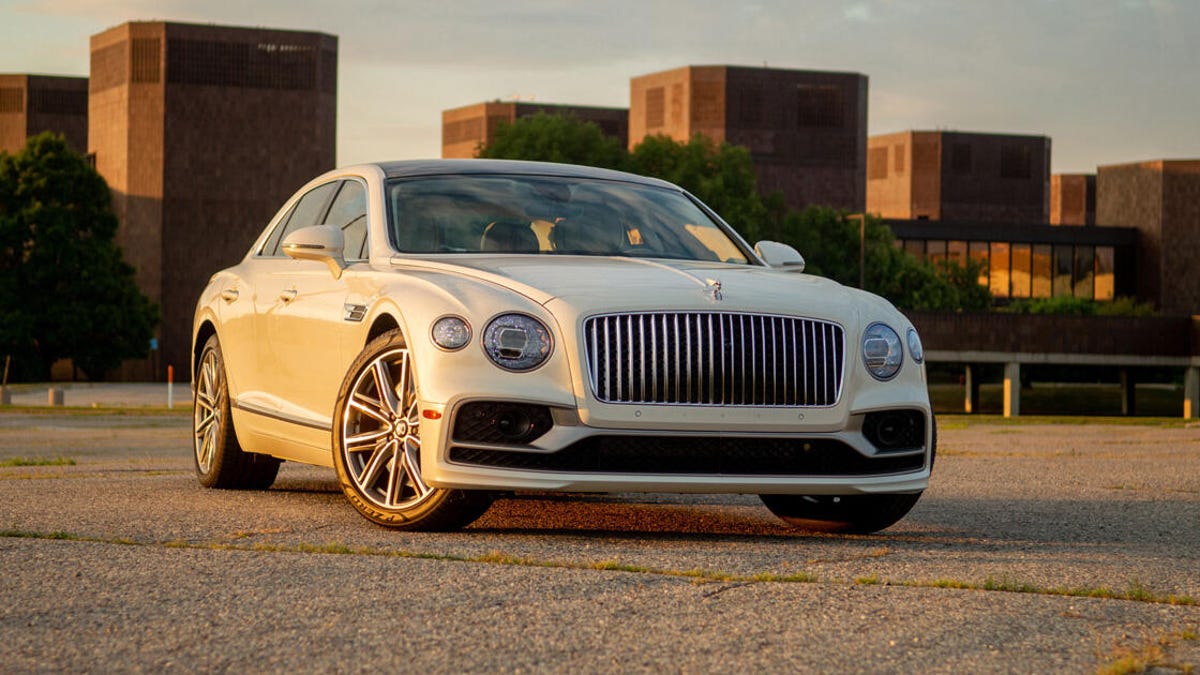
The Flying Spur Hybrid is very large and very much in charge.

Andrew Krok/CNET

Six-figure ultra-luxe sedans are usually perfect from top to bottom. Every detail is painstakingly pored over and the result is something that feels like it was born from a book of Victorian poetry. But when these pillars of perfection butt up against the specter of zero-emissions mandates and regulations, the result is something that feels like it’s still a few hours of climbing away from the top of the mountain. Such is the case with the 2022 Bentley Flying Spur Hybrid.

Like


  • Exquisite attention to detail


  • Rides like a dream


  • Naim speakers can pump

Don’t like


  • Questionable hybrid execution


  • Annoying brakes


  • Bleh exhaust note

The great

First impressions always matter, and the Flying Spur Hybrid makes one hell of a splash. A sedan this large stands out everywhere, even in my tester’s normcore white paint. When the sun lands at the right angles, the brightwork in the grille and on the Flying B hood ornament can be seen from space, and that light also brings out the impressively strong body lines above both wheels. If you want something flashier, go for it — as my esteemed colleague notes in his first drive, there are 56 billion different ways to configure this car — but even a subtle spec like this one still leaves its mark.

By comparison, the Flying Spur Hybrid’s interior is anything but subtle. My tester includes the Odyssean Edition specification, a $50,050 (!!!) package that ramps up the visual drama with a leather headliner, diamond quilting on the seats, 3D diamond leather on the door panels and some outright stunning open-pore Hawaiian Koa wood trim.

Every single millimeter of material is carefully executed, and the result is the best automotive interior I’ve ever experienced. Everything looks and feels top-notch, and I really dig the nautical blue/white/brown colorway throughout. It’s so nice, I’m constantly hiding the infotainment screen (thanks, Bentley Rotating Display) just to see more wood. If I had to find a complaint, it’s that all this real metal can introduce some gnarly sun reflections, but if you can afford this car, I assume you can also afford sunglasses.

Brand geeks might notice the Audi switchgear on the steering wheel, a hint that Bentley leaned on its VW Group parentage for the cabin tech. A 12.3-inch touchscreen runs a modified version of Porsche’s PCM software; it’s the last-gen stuff, though, so boot times are a little lazy, but the dock on the left side makes it easy to swap between the various menus when everything is up and running. Four USB-A ports are split evenly between the two rows, and both Apple CarPlay and Android Auto are standard. A tweaked version of Audi’s Virtual Cockpit resides in the gauge display, so you can bounce between all sorts of things to display, but I prefer the classy old-school gauge cluster layout.

My tester’s interior color combo is basically yacht rock come to life. Somebody call Christopher Cross, stat.

Andrew Krok/CNET

If you don’t spec your Flying Spur Hybrid with Bentley’s $8,970 Naim audio upgrade, you’re a dum-dum. This 2,200-watt system absolutely bumps, providing brilliant audio clarity across a range of frequencies, so fans of either Bach or Death Grips will have an unparalleled listening experience.

Unsurprisingly, Bentley’s next high-water mark comes by way of the chassis. An air suspension with adaptive dampers provide one of the softest rides around. The Flying Spur is unbelievably cushy in Comfort mode, and it does stiffen up a smidge in Sport, but the best-of-both-worlds Bentley mode is where I prefer to keep it, since the ride remains almost illegally plush. I don’t find myself missing the active sway bars and rear-wheel steering found on non-PHEV models, but it is a bummer that they can’t be optioned on this variant. Then again, I can’t exactly say I’m in a hurry to hustle through the corners.

You’ll never guess what this B stands for.

Andrew Krok/CNET

The not-so-great

The Bentley Flying Spur Hybrid combines a 2.9-liter twin-turbo V6, an 18.9-kWh lithium-ion battery and an electric motor for a net 536 horsepower and 553 pound-feet of torque. By itself, the e-motor puts out 134 hp and 295 lb-ft, and it’ll cruise for an EPA-estimated 21 miles on electrons alone.

In the default EV mode, this big-body boss baby carries me around in hushed brilliance, but once it runs out of juice, the 2.9-liter V6 elbows its way into the conversation with a harsh exhaust note that sounds fine in a Porsche — the original source for this powertrain — but awkward in a Bentley. It never gets too loud in the cabin, though, so a little extra speaker bumpage will thankfully silence that uncouth V6 yowl.

The V6 underhood sounds OK in other vehicles, but it doesn’t really scream “Bentley” under load.

Andrew Krok/CNET

Operating in its hybrid modes is where the Flying Spur Hybrid’s execution falls off a cliff. Full-fat acceleration requires electro-involvement, and if that half of the equation is run dry, this hefty hauler feels a little underpowered. Hybrid mode is fine, although the crossover to internal combustion can be jarring under heavier throttle applications.

Trying to keep some electrons in the Bentley’s battery is a surprisingly frustrating affair, too. Hold mode is perhaps the most vexing, because as far as I can tell, it doesn’t actually hold anything. Over the course of two days of driving exclusively in this mode, I watched the lithium-ion pack drop from 40% state of charge to just 10%. In heavy traffic, I never depress the gas enough to kick the V6 to life, so even with Hold activated, I get to sit there and watch my electrons disappear into the ether.

Pro tip: Keep the Flying Spur Hybrid in pure EV mode as often as possible. You won’t regret it.

Andrew Krok/CNET

Regenerative braking exists, but I cannot suss out its programming for the life of me. Whether or not the coasting feature is activated in the vehicle menu, the Flying Spur Hybrid loves to do nothing when I lift off the gas — but only sometimes. Other times, regen will kick in, but not at a level that feels like it’s really doing anything. This happens whether the battery is at a high or low state of charge, and it’s truly confounding. The brake-pedal feel also leaves a lot to be desired, with a very obvious crossover point between regeneration and friction. It is surprisingly hard to brake smoothly in this car, which is a little point-defeating, being a luxo-barge and all.

Most owners will likely have homes with charging solutions, and it only takes 2.5 hours to juice up to full with a standard Level 2 setup, so I recommend keeping that bad boy topped off as much as possible. Although the braking issue is present across all modes, operating on pure electricity is where the Flying Spur Hybrid truly shines, and it leaves me incredibly optimistic that the first battery-electric Bentley will slap harder than Will Smith.

No matter where you park it, expect to draw some serious attention.

Andrew Krok/CNET

Down to brass tacks

Is this PHEV expensive? You betcha. A base Flying Spur Hybrid will set you back $217,525, including $2,725 in mandatory destination fees. My tester’s Odyssean Edition spec brings the window sticker up to a spit-take-friendly $267,575, including destination. Go crazy on the custom touches, and it wouldn’t be hard to spend even more. The 2022 Bentley Flying Spur might be five times more expensive than the average new car in the US, but hey, it’s still $130,000 less expensive than the average home price, so there’s a feather for your cap.

There are so many things to like about the 2022 Bentley Flying Spur Hybrid. Sadly, the powertrain isn’t really one of them. But that’s an easy fix, because the available V8 and W12 engines are both fantastic and less complex from an end-user standpoint. If you really want an electric Bentley, and I think you might, you’re better off waiting for the real thing.

2023 Toyota Sequoia Review: Ups and Downs

The 2023 Sequoia picks up some bulky good looks.

Andrew Krok/CNET

Truck-based SUVs allow for far more capability when it comes to towing or traversing certain kinds of terrain, but their construction also introduces some detriments to ride quality, economy and other things. Hot on the heels of a new Tundra pickup, the 2023 Toyota Sequoia is a great reminder that life is full of tradeoffs, and it’s up to you to figure out whether the juice is worth the squeeze.

Like


  • Surprisingly thrifty


  • Beefy new aesthetic


  • Plenty of V6 power

Don’t like


  • Mediocre ride quality


  • No fold-flat third row


  • Plastic-fantastic interior

The Sequoia was almost 10 years old when it was finally overhauled, and the quantum leap in styling certainly makes that known. Just like its Tundra sibling, the 2023 Sequoia carries some beefy new aesthetics that I really like. Interesting angles and curves abound, like the strong indentations at the fenders, or the cool shape of the headlights. It has a real presence — and not just because it completely fills every single parking spot it occupies.

The interior looks cool, too, but it’s far from perfect. While I understand the need for durable materials in something geared to be a little more rugged, I am surprised at the sheer amount of rock-hard plastic in my $70,000 Sequoia Platinum tester. Everything that looks like metal isn’t, although this trim’s extensive use of leather across the most common touch points does elevate things a bit. The third row’s smooth plastic surroundings can leave way-back passengers feeling more like suitcases than people.

Speaking of the third row, here’s where compromises really start to come into play. The Sequoia’s standard hybrid system lives under the way-back bench, pushing the seats close enough to the ceiling where grown occupants will constantly graze the headliner — and the second row isn’t much better, because the panoramic sunroof’s hardware creates a sizable bulge right where your head goes. The second row offers no fore-aft movement, but the third row slides to balance between cargo capacity and legroom; however, if you need to store both stuff and people, that legroom condenses down to a few barely usable inches. The rearmost bench also won’t fold flat into the floor, since that’s where all the high-voltage bits hang out.

Yet there are still plenty of good things about the Sequoia’s cabin. It is practical as heck, with a couple tiers of storage on the door panels, a massive front tray with a vertical wireless device charger and a positively honkin’ center armrest cubby with multiple moving trays and methods to access what’s inside. The rear cargo area offers some clever shelving to make up for its general lack of space, but it’s not going to swallow as much as, say, a Chevy Tahoe, no matter how hard you try.

Toyota’s latest infotainment system really zhushes up the joint, bringing capability and graphics quality well beyond its predecessor.

Andrew Krok/CNET

The Toyota Sequoia’s tech is pretty solid, as well. The latest version of Toyota’s infotainment system lives on a 14-inch touchscreen, and I really dig it. The interface is fresh, the embedded navigation relies on Google Maps data and looks far more modern than before, and both Apple CarPlay and Android Auto can be enjoyed wirelessly. Perhaps unsurprisingly for Toyota, its complement of active and passive safety systems is also great, with a bunch of standard kit including full-speed adaptive cruise control, automatic emergency braking, lane-departure warning, lane-keeping assist and blind-spot monitoring.

Every 2023 Toyota Sequoia is a hybrid, and a pretty stout one at that. A 3.5-liter twin-turbo V6 mates to an electric motor to produce a net 437 horsepower and 583 pound-feet of torque, and all that hooks up to a standard 10-speed automatic transmission. The fake V8 soundtrack piped through the speakers sounds pretty good as the Sequoia pushes off the line with potency, and all that motive force helps the SUV achieve a damn fine tow rating of 9,310 pounds. However, my tester isn’t the smoothest operator on the block, with more than a few shudders every time the engine cuts in or out. The tachometer needle also briefly disappears on the gauge cluster when the V6 deactivates, which is weird. The 10-speed’s upshifts are generally pretty invisible, but certain low-gear downshifts under braking are quite noticeable. The brakes themselves are strong and plenty easy to manipulate, though.

Toyota’s hybrid system produces some impressive fuel economy, but you’ll have to exchange that for a fold-flat third row (and any chance of fitting tall people back there).

Andrew Krok/CNET

All that complex electro-trickery results in some surprising fuel economy for a vehicle of the Sequoia’s size. The feds rate 2WD models at 21 mpg city, 24 mpg highway and 22 mpg combined. Those numbers aren’t hard to achieve, either, and I’m regularly seeing 70-mph freeway cruising pushing toward the 30-mpg mark, an impressive feat for a Brooklyn studio apartment on wheels.

Sadly, the Sequoia’s coil-spring suspension and live rear axle put to rest any notion of smoothness extending to the ride quality. This SUV drives like an unladen truck, and that is not a compliment. Every minor pockmark on the road is sent through the suspension and into the cabin, resulting in way more shuddering and bobbing than I’d like in a family vehicle. Considering the Sequoia’s pricing can stretch from about $60,000 all the way up to almost $80,000, I’d really like to see some adaptive dampers or air suspension here, which would dramatically improve day-to-day use. Sure, the Sequoia is relatively smooth when the pavement is practically glass, but how many of you live in an area like that? Throw in some overly light steering and a body that’s nearly as wide as most lanes themselves, and the result is a bit of a hot handling mess.

The Sequoia’s meaty tires don’t do much to the SUV’s princess-and-the-pea suspension, where every small road imperfection seems magnified as it’s conveyed into the cabin.

Andrew Krok/CNET

Such is the nature of a compromise, though. The Sequoia will pull half the stuff you own without so much as breaking a sweat, but so can the Chevy Tahoe, Ford Expedition and Nissan Armada, although their economy can’t compete with Toyota’s. If you don’t actually need this sort of baked-in capability, you may want to consider cross-shopping with a car-based three-row SUV like the Hyundai Palisade, Kia Telluride or Subaru Ascent, which are leagues better on the road — and given their dramatically lower starting prices, you can equip them to hell and back and still come out on top financially. Including the $1,595 destination charge, my 2023 Sequoia Platinum 4×2 asks a yowza-inducing $72,495.

Toyota die-hards and tow addicts will find plenty to enjoy in the 2023 Toyota Sequoia. It’s big, it’s sufficiently quiet, it’s capable and it’s loaded with plenty of modern tech. But if you don’t exactly need everything this three-row SUV offers, the competition will leave you feeling a bit more comfortable and composed.

2022 Ford Bronco Everglades Review: Form Begets Function

It’s all about that winch.

Andrew Krok/CNET

With just a few key changes, the 2022 Ford Bronco Everglades adds even more overlanding-ready capability than a standard Bronco. But these aren’t tweaks destined for mall crawling; this thing begs to be run muddy and put away wet, and you’ll be doing a disservice if you buy this trim and don’t do precisely that.

Like


  • Will traverse nearly anything


  • Surprisingly comfortable on-road

Don’t like


  • Could use a front camera


  • Top rack impedes removable roof

The stock Bronco is no slouch off-road, but the Everglades model really leans into this prowess with a few key upgrades. The vent tubes for the transmission, transfer case and axles have all been raised between 2 and 3 inches, which improves the SUV’s wading depth to an impressive 36.4 inches of water, nearly 3 inches more than a Bronco Sasquatch. A new snorkel ensures that air is the only thing reaching the engine, and it has the pleasant side effect of adding some throaty intake noises. Throw in some beefy 315/70R17 Goodyear Territory mud-terrain tires wrapped around dark 17-inch wheels, an exclusive sandy shade of paint and some unique squared fender flares, and the Bronco Everglades looks ready for business.

But the real piece de resistance hangs out up front, protruding some 8 inches off the modular front bumper. This Warn winch carries a 100-foot synthetic line, is capable of pulling 10,000 pounds, and looks absolutely freakin’ awesome. It comes standard from the factory on the Everglades, which means it had to be crash tested, and I truly pity whatever dares smash into it. While I never got into enough trouble to need the winch, it pervades my every thought, turning every tall or heavy object into a game of, “Oh, I bet I could pull that down.” Ford doesn’t yet have a front camera solution for the Everglades, but it desperately needs one — not only for overlanding, but for parking, too. It’s easy to forget that winch is there.

The addition of the Warn winch compromises the Bronco’s approach angle, which is just 37.8 degrees here — not bad, but not as good as modular-bumper models without it. The breakover angle is 26.3 degrees, the same as any other thick-tired Bronco, while departure is a respectable 37.1 degrees. There’s 11.7 inches of ground clearance, and without any side steps, shorter folks will definitely need that dashboard-mounted grab handle to hop aboard.

If you do head off the beaten path — and honestly, how could you not? — the Bronco Everglades is ready for it. The vinyl flooring has drain plugs to keep any splashing waterways from giving passengers trench foot, and the marine-grade seat material is both comfortable and easy to clean, as is just about every bit of the plastic-heavy interior. If you prefer an open-air experience, the hardtop detaches in three pieces, and it stores easily enough in the cargo area, but the Everglades’ standard roof rack makes those panels surprisingly difficult to remove without some manhandling.

Even though the Bronco Everglades tips the scales at a chonky 5,212 pounds, the four-cylinder turbocharged engine under the hood has no problems providing plenty of motive force. The 2.3-liter EcoBoost I4 makes 300 horsepower and 325 pound-feet of torque, and it’s sent to all four wheels through a 10-speed automatic transmission. Whether on the road or off, this is more than enough power to get the job done, enabling 3,500 pounds of towing, like most other non-Raptor Bronco variants. The 10-speed can occasionally take a spell to get to the right gear, but most of the time it stays out of its own way.

The cabin is full of tech and easy to clean.

Andrew Krok/CNET

The Bronco is not a fuel-efficient vehicle by any stretch, but the Everglades upgrades thankfully don’t make it worse. As with other Sasquatch-based models, the EPA rates this SUV at 18 mpg city, 17 mpg highway and 18 mpg combined. A light foot shows me closer to 20 mpg on the highway, but don’t expect much more than that.

Despite the Everglades’ position as a proper overlanding model, most of its components are the same as what you’d find on other Broncos, which means it carries some surprisingly sedate on-road manners. An independent front suspension gives the Bronco solid handling characteristics, and while most bumps and humps do elicit traditional body-on-frame jitters, it never feels discombobulated. The standard mud tires don’t cause any tracking issues on the highway, and the slab-sided silhouette offers excellent visibility in all directions, although the two aforementioned qualities do generate a fair bit of wind and road noise at higher speeds.

Some off-road vehicles sacrifice creature comforts for… I don’t know — the appearance of ruggedness, I guess? But not the Bronco Everglades. As befitting a five-seat SUV that starts at nearly $55,000, the Everglades carries a good number of standard features, like heated seats, keyless entry and dual-zone climate control. It also picks up the largest possible infotainment screen, filling the dashboard with 12 inches of Sync 4 goodness. It’s a great system, with wireless Apple CarPlay and Android Auto in addition to split-screen capability with embedded navigation. Charging is never an issue, thanks to a USB-A and USB-C port in each row, and the back row also gets a 110-volt plug.

If you buy this and don’t take it off-road, you’re doing it wrong.

Andrew Krok/CNET

Safety tech doesn’t take a backseat in the Bronco Everglades, either. Standard kit includes forward-collision warning, automatic emergency braking, lane-keeping assist, blind-spot monitoring and a backup camera with decent resolution. The Everglades can’t be equipped with Ford’s surround-view camera system or adaptive cruise control, however, which is a bit of a bummer.

The 2022 Ford Bronco Everglades is the second-most expensive variant behind the Raptor at $54,595, including $1,495 in destination charges. My tester rings in at $56,535, thanks to a few basic add-ons: Desert Sand paint is $295, connected navigation is $695, door bags add $350 and a slide-out tailgate tacks on another $600. It’s a pricey proposition, but considering the Warn winch sells on Ford’s website for $3,500 before installation, it’s not like you’re throwing all of that extra scratch straight into a volcano. While you can get a for less, the Bronco provides a better overall experience, and
Jeep
doesn’t offer a factory-fitted winch anywhere in its lineup.

It’s that sort of baked-in capability that puts the Ford Bronco Everglades in a unique position. It is truly built for the rough stuff, yet it doesn’t make a driver suffer for choosing a little extra beefcake. The Everglades is yet another brilliant variant in an already impressive Bronco lineup.

2022 Ford Bronco Raptor Review: The Unstoppable Force

Smells like a steak and seats 35.

Andrew Krok/CNET

The Ford Bronco is an eminently capable SUV that’s impressive off-road without feeling like a hot mess on the pavement. But there’s always room for a little more — or, in the case of the Bronco Raptor, a lot more.

Like


  • Peppy twin-turbo V6


  • Over-the-top capability


  • Aggro looks

Don’t like


  • As wide as the road


  • Save some gas for the rest of us, bud

Three amber lights in the middle of the grille are all you need to see to know the Raptor is no ordinary Bronco. Those lights are required on vehicles of a certain width, and the Bronco Raptor’s body is about 10 inches wider than the standard SUV. It practically blots out the sun as it sails down the road, casting one seriously imposing shadow. Of course, that also means it’s practically the size of a highway lane, and even with standard lane-keep assist, it takes a conscious effort to keep one of those 37-inch BF Goodrich K02 all-terrain tires from dipping over the dashed white lines. Thankfully, when it’s time to park this brute, standard parking sensors and a surround-view camera make it easy to maneuver.

Despite its size, the Bronco Raptor is every bit as easy to drive on-road as its smaller siblings. The off-road-ready Fox shocks offer more than a foot of travel when it’s time to hit a jump or traverse some rocks, but it doesn’t make the Raptor bounce around carelessly on the highway. Even without switching the damping stiffness to Sport, the Raptor is nicely composed in daily driving, transferring only a few jostles from the road to the cabin. The steering weight is also adjustable, and while it’s generally pretty direct, I find it a bit too loosey-goosey in its most-boosted Comfort setting.

2022 Ford Bronco Raptor Is Built for Just About Everything

See all photos

The Raptor’s twin-turbocharged 3.0-liter V6 provides a meaty 418 horsepower and 440 pound-feet of torque, and combined with a quick-shifting 10-speed automatic, I’m certainly not lacking for motive force. The Bronco may not have the full-fat output of the 450-hp F-150 Raptor, but the V6 offers more than enough power to blast past traffic and get up to speeds that leave me scrambling to remember what the tires are rated for. The V6 sounds great through a standard multimode exhaust, which I constantly leave in its loudest Baja setting, even though the dashboard screen constantly reminds me that it’s for off-road use only. (I won’t tell anyone if you don’t.)

Besides, a loud exhaust is a great reminder that I am absolutely destroying gasoline in the course of my enjoyment. The EPA rates the Ford Bronco Raptor at 15 mpg city and 16 mpg highway, numbers that I would certainly call possible, but if you’re like me and you enjoy noise and using more than 10% of the throttle, expect something lower.

Inside, the Bronco Raptor provides plenty of livability — and let’s be honest, it needs to, since a hefty chunk of these brutes will more often find themselves traversing asphalt than Appalachians. Ford’s comfortable marine-grade vinyl seats are standard, but my tester picks up $2,495 leather-trimmed replacements. Further zhuzhing up the cabin is a $1,725 carbon fiber trim pack, as well as the $2,695 Lux Package, which adds a heated steering wheel, a 10-speaker audio system, dashboard-mounted USB ports, wireless device charging, adaptive cruise control and embedded navigation.

Top of the line in utility sports.

Andrew Krok/CNET

But even without that upgrade, the Raptor offers plenty of standard equipment, including heated seats, dual-zone automatic climate control, remote start, keyless entry, a surround-view camera system, blind-spot monitoring and automatic emergency braking. That massive 12-inch center display is also standard, running Ford’s Sync 4 system and carrying both wireless Apple CarPlay and Android Auto. If you do need some juice, both rows get a USB-A and USB-C port. There’s no sunroof on offer, but the removable hardtop panels take just a few seconds to detach and stow, and they’re not so heavy that you need a partner to tag-team the job.

In the event you’re one of those cool Bronco Raptor owners who lives to leave the beaten path, rest assured, this rig is mighty capable. That steel bash plate up front gives you a pretty good idea that the Raptor means business, and it also enables an impressive 47.2-degree approach angle (departure is 40.5 degrees, while breakover is 30.8 degrees). In addition to the foot of travel that the live-valve Fox shocks offer at each corner, the Raptor itself rests some 13.1 inches off the ground. Throw in a front sway bar disconnect, front and rear locking differentials and a two-range transfer case with a decent crawl ratio of 67.9:1, and you will have no problem scaling rocky inclines and digging deep into the mud. And, don’t forget, you’re sacrificing no or very little on-road prowess for all this capability.

The Bronco Raptor can also do a little bit of truck stuff if needed. It’ll tow up to 4,500 pounds, which is more than the average Bronco can muster. However, the Raptor’s payload rating of 1,100 pounds is a hair lower than its more pedestrian brethren. That’s fine, though, because if you take the roof panels off, it’s not like you’ll have much extra space in the cargo area anyway.

Twelve yards long, two lanes wide, 65 tons of American pride.

Andrew Krok/CNET

All this capability and standard equipment comes at a price. The 2022 Ford Bronco Raptor starts at $70,095 including $1,595 for destination. Throw in the aforementioned creature-comfort packages, in addition to $1,075 for a cool Raptor graphic, $1,995 for 17-inch beadlock-capable wheels and $110 for the numerical keypad on the door, and my tester balloons to $80,190. That’s barely touching the starting price of the Jeep Wrangler 392, however, and while the Ford doesn’t have a V8, it drives better than the
Jeep
and it doesn’t look like the same old Wrangler you’ve seen on roads for decades.

If you want to have your dirt cake and eat it, too, there’s no better choice than the 2022 Ford Bronco Raptor. It’s capable of handling the rough stuff, but when it’s time to kick back and live a more suburban lifestyle, it’s not going to disappoint.

2022 Chevy Silverado Trail Boss Review: Diesel Brawn Meets Google Brains

Chevrolet’s full-size Trail Boss balances a rugged exterior with the smart dashboard tech powered by Google.

Antuan Goodwin/CNET

The 2022 Chevrolet Silverado Trail Boss is as brash a pickup as its name implies, what with its diesel engine, lifted suspension and meaty mud tires. However, this brawny brute is packed to the brim with brainy tech as well, including a massive infotainment overhaul powered by Google Assistant and Android.

Like


  • Excellent Google-powered tech


  • Comfortable ride on and off`road


  • Multiple engine options, including a diesel

Don’t like


  • No Super Cruise for Trail Bosses


  • Louder, rougher ride than competing models

Google Assistant-powered cabin tech

Last year’s 8-inch display and physical gauges have been replaced by the massive 13.4-inch Chevrolet Infotainment 3 system and a 12.3-inch fully digital instrument cluster. The entire dashboard has been reshaped around these larger screens, but the Silverado manages to keep nearly all of its physical controls for climate, volume and various other functions intact.

Chevrolet Infotainment 3 is based on Android Automotive OS and integrates various Google services, such as the Google Play app store and Google Assistant voice commands. Android Automotive OS is different from the more common Android Auto. The latter runs on your phone and is projected to the dashboard’s display; Android Automotive OS is baked into the hardware and uses the vehicle’s onboard OnStar Services connection for data, so it works even if you leave your phone at home. Of course, wired and wireless Android Auto and Apple CarPlay connectivity are still supported, which is great for multiple users who share a vehicle, prefer Apple’s software, or just don’t want to fuss with setting up various user accounts.

Chevrolet Infotainment 3 with Google Built-in puts Google’s Maps and Assistant front and center in the dashboard.

Antuan Goodwin/CNET

Speaking of user accounts, the system works best when you’re logged into Google, which you can do directly on the touch display. The login process is similar to setting up an Android account for the first time and even supports two-factor authentication via SMS, authenticator app, a notification sent to an Android phone or, most surprisingly, even hardware security keys via the Silverado’s USB ports. Once logged in, users can opt to give Google access to your location and data for destination suggestions, personalized reminders and other functions. You can also set a PIN to secure that private information from other drivers.

Logging into the system also grants access to Google Maps, which is the primary onboard navigation app for the Silverado. This syncs recent and saved locations, contacts and more automatically. Map and traffic data are pulled from the cloud, but can be cached offline just like the familiar phone app. The system will automatically download and periodically update map data for areas that you frequently drive, like near your home or office, or you can manually download street data for off-the-grid areas where you plan on driving.

Of course, you can still run Android Auto (or Apple CarPlay) inside of this Android Automotive OS suite.

Antuan Goodwin/CNET

One of the core benefits of baking Android into the dashboard is installing applications from the Play Store. This is a curated version of the Store showcasing vehicle-appropriate media apps, such as music, news and podcast players. Apps can be downloaded and stored onboard, appearing in the list of audio sources alongside satellite radio, terrestrial radio, Bluetooth and USB media for easy access.

In the same way that Google Maps serves as the primary navigation software, Google Assistant handles all of the Silverado’s voice command functions. The software works with or without a data connection — though it’s able to handle much more complex, natural voice commands when connected to the cloud — with either the tap of a steering wheel button, the Google Assistant icon that’s persistent on the left edge of the touchscreen, or by speaking the “Hey, Google” command. Google Assistant can be used to initiate phone calls, send text messages, set destinations for navigation, access Google Home smart devices and control many of the Silverado’s creature comforts. Just say, “Hey, Google, set the temperature to 69 degrees” or “listen to 88.5 FM.”

The Google Assistant integration is so cleverly thought out that, if the cabin fans are blowing at full speed, saying “Hey, Google” will temporarily quiet them so the microphones can more clearly understand your command, resuming the previous speed when you’re finished talking. Neat.

2022 Chevy Silverado 1500 Trail Boss: Offroad and Online

See all photos

Creature comforts and driver-assistance tech

In the Silverado’s cabin, you’ll find a standard wireless phone charger on the center console and both USB Type-C and Type-A ports on the dashboard. In the bed, there’s a 120-volt AC inverter that can power tools and small appliances. Remote start allows drivers to precondition the cabin on especially hot or cold mornings.

Upgrading to the Trail Boss Premium package ($4,000) adds leather trim, spray-on bed liner, perimeter lighting, a power lift and release tailgate and more. However, my example has the $445 Multiflex tailgate, which requires the removal of the power option. Heated seats are standard and my example should have featured a heated steering wheel, but supply chain shortages meant that it shipped without it. Chevy includes a $25 credit for the trouble with a provision for a retrofit once parts stock returns to normal levels.

The Chevy Safety Assist driver-aid suite is also standard for 2022. That gets you automatic emergency braking with pedestrian detection, lane-keeping assist, automatic high beams and a following distance indicator. However, opting for the aforementioned Premium package steps the game up with a surround-view camera system, rear cross-traffic alert with auto braking and pedestrian alert, and helpful trailering features, including a hitch-view camera, hookups for a dedicated trailer camera and extended blind-spot monitoring that covers the length of a trailer.

Buyers can also spec adaptive cruise control as a $500 a la carte option. It works remarkably well with the lane-keeping system, which is surprising on a vehicle this large with a lifted suspension. Adaptive cruise works in stop-and-go traffic and does an excellent job maintaining a consistent distance at low and moderate speeds. It can even smoothly handle drivers cutting in without jerky braking. Sadly, the Trail Boss is not available with General Motors’ new Super Cruise hands-free highway assist system; that top-spec tech can only be had on the High Country trim.

You can still get the Silverado Trail Boss with a torquey, turbocharged diesel engine.

Antuan Goodwin/CNET

Duramax 3.0-liter turbodiesel

The Trail Boss comes standard with four-wheel drive but can be optioned with any engine available for the 2022 Silverado — that includes the 5.3-liter or 6.2-liter V8s, and even the 2.7-liter turbo four-cylinder. My example has the 3.0-liter Duramax turbodiesel I6 under the hood mated to a 10-speed automatic transmission. This inline six-cylinder makes 277 horsepower and 460 pound-feet of torque. That’s the lowest horsepower of the available engines, but it ties with the 6.2L V8 for the most torque. That said, the turbodiesel delivers torque much more linearly, peaking at just 1,500 rpm versus the gasoline engine’s 4,100 rpm.

The increased curb weight of the beefier block technically lowers the maximum trailer rating by 100 pounds versus the big V8, but it’s still a respectable 9,000 pounds in total. Payload, on the other hand, is up 200 pounds to 2,385. Cranking out max torque so close to idle, the diesel is still the preferred engine for more relaxed and efficient trailering of heavy loads. Its performance should also give the diesel an advantage for low-ratio rock and trail crawling.

The EPA estimates the diesel’s fuel economy at 21 mpg combined, breaking out to 20 mpg city and 23 mpg highway. I averaged 21.3 mpg during my nearly 250 miles of easy highway testing. That’s a touch short of the Ram 1500 EcoDiesel’s 24 mpg combined, but also better than the gasoline-only Ford F-150 Tremor’s 18 mpg combined figure.

Like a boss

The Trail Boss has a number of enhancements over the Silverado LT, including chassis, suspension and rolling stock upgrades aimed at making it more off-road ready. That starts where the rubber meets the road with standard 18-inch wheels wrapped with LT275/65R18 Goodyear Wrangler Duratrac mud-terrain tires. Optional 20-inch wheels are available, but that feels more like a Trail Middle-Manager than a Boss.

Ground clearance is boosted with a 2-inch lift on Z71 off-road monotube shocks, while the undercarriage receives protection in the form of standard skid plates. The 4×4 system upgrades with an auto-locking rear differential and an electronically controlled two-speed transfer case. Hill-descent control helps keep the shiny side up when coming down from a big climb. The Trail Boss also features a heavy-duty air filter that should last longer in dusty conditions and, of course, bright red recovery hooks.

The Z71 off-road suspension with a 2-inch lift and big, mud-terrain tires are standard Trail Boss equipment.

Antuan Goodwin/CNET

The Silverado’s solid axle rear suspension is very truck-ish and bouncy over uneven surfaces, but pretty decent steering feel and a surprisingly street-friendly tune on the lifted dampers make for an even and comfortable ride around town and on the highway. Road noise from the knobby rubber is noticeable enough that I probably wouldn’t pick this spec as a dedicated commuter, but not so much that it’d be a deal-breaker for weekend warrior types. Overall, the Trail Boss’ off-road upgrades don’t compromise too much in the way of daily livability.

Pricing and competition

The 2022 Chevrolet Silverado 1500 LT Trail Boss 4WD starts at $53,695 including a $1,695 destination charge. With the diesel engine, premium package and a handful of upgrades, the as-tested price climbs to $63,070. That’s quite a bit more than the cheapest $36,395 regular-cab WT base model, but also a fair bit cheaper than the $72,870 High Country we tested earlier this year.

More importantly, the Silverado is less expensive than a comparably equipped Ram 1500 Rebel with its diesel engine (around $66,030 with options). The Tremor is even more expensive at around $70,005 comparably equipped, and it isn’t available with a diesel. That said, Ford’s 3.5-liter EcoBoost V6 is a peach of a petrol power plant and, for around $1,995 more, the Tremor can also be had with BlueCruise, Ford’s hands-free answer to Super Cruise — a feature even Trail Bosses must live without. 

Even die-hard fans of the Bow Tie badge will want to at least test drive the Ford — but don’t dismiss the Chevy too soon. The updates to the cabin and, more importantly, the Google-powered dashboard tech make the 2022 Chevrolet Silverado 1500 Trail Boss a more competitive pickup than ever before for light off-road and daily driving duties.

2023 Cadillac XT6 Review: Super Cruising Into the Spotlight

The XT6 looks about the same, but the addition of Super Cruise is a game changer.

Antuan Goodwin/CNET

Of all the premium luxury SUVs you can buy today, the Cadillac XT6 is definitely one of them. It’s not the best, but you could certainly do worse. For 2023, however, Caddy has a particularly compelling trick up its sleeve that makes the XT6 a more compelling option in this highly competitive class: the addition of Super Cruise hands-free highway assist.

Like


  • Super Cruise is finally available


  • Smooth operating V6 engine


  • CUE infotainment checks all the right boxes

Don’t like


  • Not the latest generation of Super Cruise


  • Turbo I4 is more expensive to operate


  • Most driver-aid features cost extra

Visually, the XT6 hasn’t changed much since I last found myself behind the wheel of the 2020 model. The SUV is as handsome as ever with the automaker’s angular aesthetic and hallmark vertical LED light signatures at either end. Updates for the 2023 model year include new Latte and Rosewood metallic paint colors, optional 21-inch wheels for the more agile Sport trim level and standard Brembo brakes with red calipers for that same spec. This Premium Luxury model showcases exactly none of those changes, but is noteworthy as the sweet spot in the XT6 lineup.

3.6-liter V6 engine

The entry-level XT6 Luxury is powered by a 2.0-liter, turbocharged inline four-cylinder engine. Its 237 horsepower and 258 pound-feet of torque are adequate, but I’d recommend bypassing this trim entirely in favor of the Premium Luxury model with its torquier V6 engine, as it feels like a better match for this 198.8-inch long, three-row SUV.

Cadillac’s 3.6-liter LGX V6 — shared with other GM SUVs, including the GMC Acadia and Chevrolet Blazer — makes 310 hp in this application as well as 271 lb.-ft. of torque. It’s a solid performer with good passing power and smooth, quiet operation around town and on the highway. There’s nothing to write home about, but the V6 also doesn’t draw attention to itself, which is fine for a comfort-focused SUV such as this. 

Both engines are offered with a standard nine-speed automatic transmission and front-wheel drive, but can be had with optional on-demand all-wheel drive for Luxury and Premium Luxury trims, or torque-vectoring Sport Control AWD for the Sport model. A drive mode selector allows the XT6’s performance to be tuned for different conditions, including Sport, Snow/Ice or, for AWD models, Off-Road mode, but I don’t think most drivers will ever need to switch out of the default Touring setting.

The V6 receives an EPA estimate of 21 mpg combined on regular gas, breaking out to 19 mpg city and 26 mpg highway for front-wheel drive or 18 mpg city and 25 mpg highway for all-wheel drive. The more efficient four-cylinder is estimated at 23 mpg combined — 21 city and 27 highway, 21 city and 26 highway for FWD or AWD, respectively — but sips more expensive premium fuel. That means the I4 is more expensive to operate annually than the V6, according to the EPA’s cost calculation tools.

The XT6 comes standard with 18-inch wheels. Premium Luxury (pictured) upsizes to 20s with up to 21-inch rims available.

Antuan Goodwin/CNET

Cadillac Super Cruise

The 2023 XT6 is now available with Cadillac’s most advanced driver-assistance technology — but with a catch. The new $2,500 Super Cruise system is still only the first generation of the hands-free highway steering assist and not the latest Super Cruise 2.0 tech capable of automatic lane changes or hands-free towing, as seen on the new Escalade and Chevy Silverado. That means that the XT6 also won’t get the recently announced update for use on undivided highways.

That’s a bit of a bummer, but Super Cruise 1.0 is still a very impressive piece of technology. On the over 200,000 miles of North American highways laser-scanned by GM, Super Cruise can be activated to provide automated steering, braking and acceleration to a preset speed, keeping the SUV centered in its lane while the driver relaxes hands-free. The Level 2 driver-aid tech requires the driver’s attention to operate, so an infrared camera on the steering column makes sure their eyes stay on the road. Look away for too long and the XT6 will ask you to pay attention — first by flashing red lights on the steering wheel, then with audible alerts — before eventually handing control back to the human in the hot seat.

Super Cruise works as well here as it did when it debuted back in 2018 on the CT6 sedan, rounding bendy highway segments confidently and reacting predictably to changes in traffic. However, the larger XT6 feels like it crowds the left edge of the lane, which makes it difficult to get truly comfortable in the heavy traffic situations where the tech would be most useful. Admittedly, the lanes around my neck of the woods are a touch narrow, but I’d love it if a future version of Super Cruise allowed me to tweak or trim lane-keeping margins on either side.

Color-coded steering wheel lights indicate Super Cruise’s state: Green for hands-free, blue for manual control and red means grab the wheel immediately.

Antuan Goodwin/CNET

A stacked driver-aid suite

Before even getting to Super Cruise, the 2023 XT6 boasts a modern suite of driver-assistance technologies, though many of the best features are bundled into packages at additional cost. The SUV comes standard with forward-collision mitigation with pedestrian detection and a following distance indicator that helps prevent unintentional tailgating. 

Stepping up to the $1,300 Driver Assist package adds more robust forward automatic emergency braking, reverse braking assist and automatic seat belt tightening. Upgrade again to the $2,350 Technology package to add a surround-view camera system with onboard digital video recording, rear pedestrian detection, automated parking assist and a rear camera mirror.

Cadillac User Experience

That Technology package also swaps in an 8-inch digital instrument cluster and adds onboard navigation to the standard 8-inch touchscreen Cadillac User Experience (CUE) infotainment. CUE is essentially a reskin of the excellent GM Infotainment 3 software with a smartphone-like icon-based interface that has an easy, intuitive learning curve. The system makes use of OnStar LTE Services for features like connected destination search, integration with onboard apps like Spotify or Amazon Alexa, and user profile syncing between vehicles, and which works best when the data subscription is maintained beyond the initial trial period.

Android Auto and Apple CarPlay are standard with wireless connectivity for drivers who prefer to stream their apps from a smartphone and a snug wireless phone charger integrated into the center console keeps the handset charged on the road.

The 8-inch Cadillac User Experience tech isn’t flashy, but it’s intuitively organized and easy to use.

Antuan Goodwin/CNET

An interesting choice

The 2023 Cadillac XT6 starts at $48,790 for the base front-drive Luxury spec, including the $1,195 destination charge. I’d recommend starting at the Premium Luxury trim level with its better V6 engine and optional Super Cruise, starting at $54,190 or $56,190 with all-wheel drive. 

My example has nearly every option listed above and a $5,000 Platinum package upgrade that adds, among other creature comforts, premium leather and an adaptive suspension. (Mine also includes a $50 credit to compensate for the lack of heated rear seats due to supply-chain shortages with a provision for a retrofit once parts stock returns to normal levels.) The bottom line, as tested, sits at $72,790.

The XT6 is a quiet and comfortable cruiser with a solid suite of standard cabin tech and optional driver aid options. But overall, it feels like a middle-of-the-pack player when stacked against the formidable competition in this price range, including the BMW X5, Mercedes-Benz GLE-Class and Acura MDX — any of which would deliver a better overall driving experience. That said, the addition of Super Cruise this year shakes things up significantly. Even without the latest and greatest generation of the tech, the Caddy is now the only vehicle in its class that can go hands-free at high speed. That makes the 2023 Cadillac XT6 at least one of the most interesting vehicles in this class.

2022 Toyota Tundra TRD Pro Review: Fierce Looks, Gentle Demeanor

If you’re worried about visibility, Toyota’s Solar Orange paint job should help.

Andrew Krok/CNET

Pavement and dirt are two different beasts, so it’s not a stretch to assume that trucks engineered for more extensive off-road use might make some sacrifices to on-road comfort. But the 2022 Toyota Tundra TRD Pro does both with aplomb, shrinking the gap between this oft-overlooked Japanese pickup truck and its egregiously popular American counterparts.

Like


  • Composed, comfortable on the road


  • Good cabin and safety tech

Don’t like


  • Still a lot of hard plastic for $69k


  • Middling economy for a hybrid

From a distance, though, the Tundra TRD Pro doesn’t exactly scream subtlety. In fact, it screams more like a teenager who’s had one too many cans of birthday-cake-flavored Bang. My tester’s $425 shade of Solar Octane paint ensures you can see this truck from across a dense parking lot, or perhaps even from space. Throw a billion chunky design elements into the mix, along with some slick digital camouflage trim and matte-black 18-inch alloy wheels, and the TRD Pro looks ready to start an argument if you look at it the wrong way. There’s a lot of character here.

Two-c thicc design elements make their way inside, as well. The chunky-funky dashboard looks sufficiently truckish, and many of the controls have a nice, bulky tactility to them. Being the second most expensive trim, the TRD Pro does add leather in a few key spots, but by and large, it’s mostly the same interior you’ll get on other Tundras, as well as its platform-mate, the Sequoia SUV. It’s nice, but it’s hard to gel the TRD Pro’s $67,000 starting price with the quantity of hard, scratchy plastic across many touch points, especially the center armrest’s sliding components.

2022 Toyota Tundra TRD Pro Gets All the Attention in Orange

See all photos

It should come as no surprise that something this large would carry a good amount of daily-driving practicality. Clutterbugs will love just how many places you can throw junk in the Tundra TRD Pro’s cabin. The front doors have two tiers of pockets, which is good since the cup holders have trouble holding larger Nalgenes. Ahead of the cup holders, there’s a stand for upright wireless device charging (a nice touch), along with a sizable cubby. The center armrest opens traditionally, but there’s also a sliding tray in the middle for quicker access to the cubby below, which is large enough to hold a small animal. (Don’t do that, though.) In the TRD Pro’s sole CrewMax configuration, the back half of the cabin is spacious as all get-out, with ample space to splay out. Put a small mattress on the floor and bam, now it’s an Airbnb.

The Tundra TRD Pro is only available with Toyota’s top-shelf powertrain, comprising a 3.5-liter twin-turbo V6 and a single electric motor between the engine and its 10-speed automatic transmission. Its output of 437 horsepower and 583 pound-feet of torque makes this Tundra ever so spicier than the Ford F-150 Hybrid. The hybrid system isn’t designed for efficiency so much as it is for creating a diesel-like torque curve, and it feels every bit as strong as you’d think when tooling around town. You can keep it in electric-only operation for small bits of time, but most throttle applications from a stop will get the gas engine to kick in pretty quickly. The fake sound piped through the speakers gives it a more V8-like attitude, even if it’s mostly smoke and mirrors.

This V6 puts in some serious work.

Andrew Krok/CNET

I had an easier time living with the Tundra TRD Pro than I did the Sequoia, arguably the more family-friendly of the two vehicles that share this frame and powertrain. The shudders from activating and deactivating the gas engine are far less pronounced in the Tundra, which is good. Fuel economy, on the other hand, takes a plunge in the TRD Pro. The EPA rates this four-wheel-drive truck at just 18 mpg city and 20 mpg highway, numbers I find a little difficult to achieve. Stick with a two-wheel-drive hybrid if you’re really trying to stretch out those trips to the gas station. Thankfully, my tester’s 32.2-gallon gas tank helps alleviate some range concerns.

The Tundra TRD Pro also gives me a much better ride quality than the Sequoia did. The TRD Pro rides 1.1 inches higher, and its 2.5-inch Fox internal-bypass coilover shocks with rear remote reservoirs do an impressive job of eating up bad roads and returning little perturbation to the cabin. The 285/65R18 Falken Wildpeak all-terrain tires love dirt, but thankfully, they’re also pretty chill on pavement, with a relatively low amount of tire noise and almost no lateral tracking. Those chunky sidewalls likely bolster the ride quality a bit, too.

Toyota’s unique take on digital camouflage looks excellent on the Tundra TRD Pro.

Andrew Krok/CNET

The TRD Pro doesn’t give up much, if any of its truck-stuff capability, either. This Tundra variant can tow 11,175 pounds, the most of any 4×4 CrewMax configuration, and it’s bested only by 4×2 CrewMax models. Its 1,600-pound payload capacity is also near the top of the Tundra lineup, again only bested by two-wheel-drive trucks.

Toyota’s infotainment tech used to be hot garbage until the US team wrestled control of the telematics away from the mothership. What started as Lexus Interface has now made its way to Toyota’s vehicles, and the improvement is dramatic. A standard 14-inch touchscreen rises from the dashboard, and it’s so much easier to use than before, with fresher graphics, better response times and Google-based navigation mapping. Wireless Apple CarPlay and Android Auto are included, and the also-standard 12-speaker JBL sound system provides some damned decent bumpage. A 12.3-inch digital gauge cluster keeps the relevant information at the forefront, even if I think the aesthetics are a little dated.

Getting used to the Tundra’s new infotainment system won’t take long.

Andrew Krok/CNET

Given the giant Toyota badges everywhere, absolutely nobody should be surprised that the Tundra TRD Pro carries some solid safety systems. Every Tundra, not just this version, comes standard with a suite of active and passive driver aids, which includes automatic emergency braking with pedestrian detection, adaptive cruise control, lane-departure warning, lane-keep assist, automatic high beams and traffic-sign recognition. These hands-on systems are nice and smooth in their operation.

Like every other full-size pickup truck in 2022, the Tundra TRD Pro is not cheap. Available in a single 4×4 CrewMax configuration with a 5.5-foot bed, this hybrid pickup rings in at $69,300, including $1,795 in destination charges. Throw in the paint job and that brings the total to $69,725. It’s not the cheapest hybrid Tundra you can get — that honor goes to the $62,885 Platinum 4×2, about the same as a Ford F-150 King Ranch hybrid — but it occupies a unique spot as the only hybrid pickup truck billed as being off-road-friendly.

It’s nice to see the 2022 Toyota Tundra TRD Pro holding its own against the Americans. The truck’s aesthetics and capability are up there, the pricing is relatively competitive and its on-road demeanor is just as good as its Stateside counterparts. Whether or not the hybrid is what brings you in the door, there’s plenty to like that should keep you there.

2023 BMW i4 M50 Review: Treat Yo’ Self

You don’t need the extra power, but it sure is nice.

Antuan Goodwin/CNET Cars

The full-electric
BMW
i4 is essentially a 4 Series Gran Coupe four-door liftback sedan without a tailpipe. From the curbside, it is indistinguishable from its combustion-powered siblings. Unlike the iX, which screams “weird electric SUV!” with its avant garde design, the i4 flies under the radar. The 2023 BMW i4 M50 builds on this formula with a more powerful dual-motor electric powertrain and M Sport handling. The M50 may not quite be an electric M car, but with better whisper-silent performance, it’s possibly the best Q car in BMW’s lineup.

Like


  • Great power and acceleration


  • Nicely balanced chassis


  • Liftback utility and generous cargo space


  • Flexible iDrive 8.0 tech

Don’t like


  • iDrive’s learning curve is a steep one


  • Much more expensive than competition

Up front, the i4 features a unique grille with the same self-healing tech found on the iX SUV. Small rock chips and scratches disappear from the glossy surface after a few warm days or a few minutes exposed to a hair dryer. Break out the measuring tape and you’ll note that the i4 M50 is 0.2-inch taller than the M440i with a 0.1-inch wider front track — barely any difference at all. That sounds simple enough, but is actually quite remarkable considering BMW has crammed an 83.9-kWh battery into the low-slung, coupe-like silhouette.

The battery lives under the i4’s floor, which costs it a bit of cabin space but, again, not too much. The biggest changes are 0.4-inch less headroom (36.6 inches) and 0.7-inch less legroom (34.2 inches) on the second row and a cut to 10 cubic feet of trunk capacity (down from 16.6 cubes) due a loss of space under the load floor. Space above the floor is nearly identical and the i4 M50 retains its 40/20/40 split-folding rear seat, so most owners probably wouldn’t notice when loading items into the power liftback.

Range and charging

The i4 even uses the same fuel door as the combustion-powered 4 Series — look closely and you can even see the spot where the gas cap goes when filling — but instead of a filler neck, there’s a combined charging system port. Connected to an 11-kilowatt AC charger (Level 2), the 80.7-kWh of usable capacity (the rest is reserved) is restored in around 8.25 hours. At a 200-kW DC fast charger, the battery can be rapidly charged from 10 to 80% full optimally in around 31 minutes.  That charge time syncs nicely with the two years of complimentary 30-min charging sessions with Electrify America that BMW includes for new i4 owners. Of course, there are faster-charging EVs around, but until 200-kW-plus stations are much more common, the BMW’s quick enough.

If you’re really in a rush, the i4 M50 can add 97 miles of range in just 10 minutes at a 200-kW charger.

Antuan Goodwin/CNET Cars

Sadly, the i4 has no front trunk — usually a nice bonus feature on purpose-built electric vehicles — so you’ll have to store the portable charging cable in the trunk. However, unlike BMW’s iX SUV, the Gran Coupe’s hood can be opened by the owner. Though, there’s not much under there to see besides a gigantic plastic cover hiding the electric hardware and two filler caps for wiper fluid and coolant.

The M50 performance variant of the i4 comes standard with 19-inch double-spoke M wheels, but my example upgrades to 20-inch wheels with staggered high-performance Pirelli P Zero tires — 255/35 R20 in the front with 285/30 R20 rears. This change affects the look of the sedan, its handling and, more importantly, the range. On the standard 19s, owners can expect up to 270 miles of range per charge. With the stickier, heavier 20-inch wheels and tires, that estimate drops to 227 miles. That’s still a comfortable amount of range for commuting and a bit of B-road fun, but frequent road-trippers looking to roam further should consider the less powerful, 282- to 301-mile i4 eDrive40 configuration.

During my week of testing the i4 M50 on the 20-inch wheels, I never charged past 80%, recharged once well before empty to test charging speed, and spent most of my time in Sport mode. After around 175 miles traveled in total, the trip computer reported an average of 2.6 miles per kWh used, slightly better than the EPA’s converted estimate of 2.4 miles per kWh.

xDrive electric all-wheel drive

The i4 M50 upgrades to a dual-motor xDrive electric all-wheel drive setup. Powering the front axle is a 190-kilowatt motor; the rear wheels share a 230-kW unit. Total output climbs to 536 hp, which is a fair bit more than the eDrive40’s 335 hp. The four-door coupe will scramble from 0 to 60 mph in just 3.7 seconds with its Sport Boost mode taking full advantage of the 586 pound-feet of instantaneous torque.

Going from 0 to 60 in 3.7 seconds looks good on paper, but the way the i4 M50 effortlessly surges forward as you roll onto the accelerator has to be experienced to truly be appreciated. It’s a totally different sort of thrill ride than even the M4 Competition xDrive Coupe’s 3.4-second sprint. There’s no drama, no wheelspin or even much sound at all, save for the whoosh of the wind and rumble of the tires — only pure, eye-popping acceleration as the i4 M50 rockets forward like a bullet train.

Silent by default, the M50 features M-specific versions of BMW’s Iconic Sounds — generated sound played through the cabin speakers in concert with acceleration or deceleration. I’m usually not a fan of fake engine noise, but I found the M50’s Sport sound theme to be a pleasant, surprisingly engaging rendition of a futuristic combustion engine. Designed by film composer Hans Zimmer and BMW Creative Sound Director Renzo Vitale, the system makes use of overlapping Shepard tones to create a sense of constantly rising urgency as the i4 builds speed.

In addition to customizing the sound, I was also able to tweak the performance of the i4 M50 via drive and regeneration modes. The EV features Eco Pro, Sport Boost, Comfort and Individual drive modes, which are toggled directly via a dedicated physical buttons. There are also multiple regeneration modes starting with the default Adaptive setting that uses the distance to the car ahead, navigation data and the battery’s state of charge to determine how much regen to apply every time the throttle is lifted. This should net you the most efficient energy recapture, but I found it inconsistent and, at worst,  difficult to predict, not to mention jerky. I prefer to choose one of the static regen modes: low, medium or high. Disable low-speed creep in a menu to enable one-pedal driving where the i4 can slow to a stop without touching the brake pedal — my favorite EV braking method overall.

The M50 comes standard with dark Shadowline trim and aerodynamic bits. Carbon-fiber trim is optional.

Antuan Goodwin/CNET Cars

The i4 M50 also features standard M Sport physical brakes that work well in tandem with the regeneration system during dynamic driving and hard stops. The rest of the handling department is manned by the standard Adaptive M Suspension with electronically controlled dampers and variable sport steering. BMW’s engineers have nailed the M50’s driving dynamics. The EV is about 850 pounds heavier than the M440i xDrive, and that weight makes itself apparent on switchbacks and serpentine mountain roads. Still, the chassis still feels well-balanced; the new 48:52 front-to-rear weight distribution is actually reversed relative to the slightly nose-heavy M440i, which makes the steering feel lighter and more playful, while retaining a nice fingertip feel. (At least, it does in Sport mode; the Comfort steering setting feels a bit numb and overly light for my taste.)

BMW iDrive 8.0

The i4 uses, essentially, the same iDrive 8.0 software and hardware as the iX but tucks that tech into the 4 Series’ more conventional cockpit. That seemingly small difference makes the i4 M50 much easier to live with than its more highly designed, minimalist sibling. For starters, the i4 features many more physical buttons and knobs on its dashboard and center console. The console itself sits closer to the dash and steering wheel for an easier reach when it’s time to, say, pop into Sport mode, and there’s less overall reliance on the touchscreen for simple tasks.

The i4 slots iDrive 8.0 tech into a more conventional dashboard and console.

Antuan Goodwin/CNET Cars

There are still big, bright screens to enjoy. The i4 features the same 12.3-inch digital instrument cluster and curved 14.9-inch central touch display powered by its user-customizable iDrive software. As with the iX, I’m not a fan of the icon-heavy main menu with its grid of well over 30 little icons that can be difficult to navigate, scroll and precisely poke while driving. Thankfully, the icons can be reorganized for faster navigation and there’s also a shortcut menu that can be populated with your eight most commonly used functions, accessible at any time via a swipe from the top of the screen. Alternative control methods — including BMW’s physical iDrive control wheel on the center console, “Hey BMW” hot-word voice input and search and air gestures — give the driver even more flexibility and freedom from reaching over to the screen. Take the time to set it up to your needs and iDrive 8.0 becomes fairly easy to navigate, but that first week’s learning curve is a steep one.

One of iDrive 8.0’s biggest advantages is its always-on
BMW Connected
services and telematics data connection. This enables features like using your phone as a key, remotely monitoring the EV while charging or sending destinations to the car before hitting the road, but these advanced remote features — as well as a number of in-vehicle features like intelligent voice assistant commands — require a BMW User account and an active data subscription. 

Alternatively, users can take advantage of standard Android Auto and Apple CarPlay connectivity to power their maps and media with their phone. Both technologies support wired and wireless connectivity and feature the latest generations of their respective fast pairing tech for more seamless setup. Around the cabin, passengers will find three USB Type-C charging ports (two on the second row and one in the center console), a single USB Type-A data port for media playback or phone connections and an optional wireless phone charger at the base of the dashboard.

You can pop the i4’s hood, but there’s not much to see or service.

Antuan Goodwin/CNET Cars

Driver-aid tech

BMW’s standard suite of driver aid technologies persists here, inherited from the gasoline 4 Series. There’s standard adaptive cruise control, lane-departure warning, blind-spot monitoring and forward collision warning with automatic city speed braking. Also standard are a rear-view camera and automatic high beams. The electric i4 also adds low-speed pedestrian protection external sound generation to the 4 Series’ bag of tricks.

My example upgrades with a $700 Parking Assistance Package that adds a surround view camera, front and rear parking distance sensors and Parking Assistant Plus hands-free parallel and perpendicular parking assistance. Additionally, the box was checked for the $1,700 Driving Assistance Professional Package, which upgrades to lane-keeping steering assistance, adds a number of evasive and cross-traffic steering aid technologies and includes Traffic Jam Steering Assistant. This feature enables hands-free steering in low-speed (below 40 mph) traffic. It’s a neat party trick, but considering the restrictive speed limitation — which leads to almost constantly handing control back and forth in all but the most gridlocked jams — I don’t think it’s worth the cost of entry.

Pricing and competition

The 2023 BMW i4 M50 starts at $68,295 including the $995 destination charge. That’s $11,400 more than the i4 eDrive40 which many of CNET Cars’ staff think is the sweeter spot in the lineup, with better value, excellent performance and better range, but it’s hard to argue with more power and speed — i4 M50 is a hoot and a half, so go ahead and treat yourself. That said, the BMW is also one of the priciest models in a class that includes the Tesla Model 3 Performance starting around $64,190 and the $58,800 Polestar 2 with Performance Pack, but the slightly larger i4 somewhat justifies its higher price with a higher level of luxury, fit and finish. With options and close to fully loaded, my example arrived wearing an $84,370 price tag.

Unlike the iX, the BMW i4 is not a purpose-built EV, so I expected the i4 to be full of compromises that come with cramming a big battery into an ICE platform. On the road, I was pleasantly surprised by how seamlessly and naturally the 4 Series Gran Coupe has handled the transition to full-electric. The i4 M50 is now my favorite version of this 4 Series chassis and one of the most fun
electric cars
I’ve driven this year.

Blink Mini Review: A Low-Cost Camera With Pan-Tilt Mount Now Available

At $35, the Blink Mini cam is one of the most affordable home security cameras to date. In addition to its reasonable price, this power adapter-tethered indoor cam has decent features and performance, but it’s missing free cloud storage aside from a free 30-day Blink Subscription Plan. 

Like


  • Good price


  • Solid performance

Don’t like

That makes the Blink Mini a fine choice if you don’t mind paying a few bucks per month for cloud storage. Another initial drawback to the camera was the fixed position view, but full 360 pan and tilt is now available with the addition of a $30 Pan-Tilt Mount. The camera and mount accessory are currently available for $60, a $5 savings versus purchasing them separately.

The Blink Mini has a reliable 1080p HD live video feed, responsive motion alerts and two-way talk that was perfectly clear when my husband and I tested it out on day 3,982 of our home quarantine due to the coronavirus pandemic

It also has motion-detection zones that successfully blocked out motion activity in the areas I designated and an extensive settings section in the Blink app with lots of customizability. Some of your options include adjusting the length of the recorded clips, customizing the intensity of the infrared LEDs for night vision — and adjusting the sensitivity of the motion sensor. 

Smart device compatibility, Blink app and video storage

You can adjust a number of settings in the Blink app to suit your home setup. 

Screenshot by CNET

This camera is supposed to work with Alexa-enabled smart speakers and displays, but I didn’t test the display because we don’t have any smart displays. In theory, you should be able to use a smart display to view a Blink Mini’s live feed or saved clips — but we confirmed you can use a smart speaker to arm and disarm the camera for motion detection. The Blink Mini doesn’t support Google Assistant or Siri via Apple HomeKit

As you can see in the screen shot, the Blink app allows you to set Activity Zones to monitor, adjust the alert sensitivity and set to automatically switch between day and night views. The app is available on Apple and Android devices.

If you want cloud video storage on your Blink camera, you can opt in for a free, 30-day Blink Subscription. After that, you’ll have to chose between no cloud service and paying for the subscription plan, starting at $3 a month (or $30 a year).

Pan-Tilt Mount accessory now available

Amazon Blink Mini Pan Tilt security camera

Screenshot/CNET

The Blink Mini comes with a little stand for placing it atop a shelf or counter, plus a couple screws if you want to mount it a wall or ceiling. Once it’s set in place, you’ll have a fixed view of the direction is facing. You can zoom and set Activity Zones to pay closer attention to specific spots, but there is no pan or tilt functionality. 

If you want to be able to pan or tilt the view on your Blink Mini, the Blink Mini Pan-Tilt Mount will help with that. The new accessory, now on sale for $30, upgrades you camera with full 360 view capabilities. 

It also complements the Blink Mini’s design and — what I consider best of all after testing a series of indoor cameras — there’s no swiping (and swiping and swiping) to move the view. The app features an up/down/left/right pad so you can press the direction you want the camera to move without swiping.

Overall, the Blink Mini is a fine camera that delivers on expectations, especially for its low price. It’d be nice if the camera came with ongoing free cloud storage and pan or tilt functionality, but those drawbacks can be overcome with a Blink Subscription and the new Pan-Tilt Mount. 

securitycameraspic

Watch this: How to choose the right outdoor security camera for you

LG C2 OLED TV Review: Best High-End TV for the Money

In the last few years LG’s “C” series OLED models have risen to the top of my list as the best high-end TV for the money and C2 is the latest example. The C2 offers image quality that’s a clear step above any non-OLED TV I’ve seen, a bigger range of sizes than ever — including a new 42-inch option — and a price that’s not too steep.

Like


  • Better picture quality than any non-OLED TV

  • Superior contrast and off-angle image

  • Best-in-class gaming features

  • Sleek styling with ultralight, thin panel

Don’t like


  • Expensive

  • No major picture quality improvements over the C1 from 2021

This year, however, the OLED TV competition is tougher than ever. LG’s archrival Samsung has an OLED TV too, promising better color with an all-new QD-OLED panel. Sony offers two different kinds of OLED, including a QD-OLED of its own that looks pretty sweet in person. And in 2022 more TV-makers sell mini-LED models, which promise excellent image quality for much less money than OLED.

And while it’s excellent, the C2 isn’t a huge leap compared to previous models. In my side-by-side comparisons, the C2 and last year’s LG C1 OLED TV looked very similar despite the C2’s new “Evo” panel, one of the 2022 upgrades LG touts.

I haven’t reviewed other 2022 OLED TVs yet but from what I’ve seen so far I’d be surprised if they were significantly better than the C2. The C2 is also cheaper and available in more sizes than models like the LG G2 and those QD-OLED TVs. It also outperforms QLED TVs like the Samsung QN90B and TCL 6-Series. That’s why I consider the LG C2 the best high-end TV for the money of 2022.

LG C2 sizes, series comparison

I performed a hands-on evaluation of the 65-inch OLED C2, but this review also applies to the other screen sizes in the series. All sizes have identical specs and, according to the manufacturer, should provide very similar picture quality. The exceptions are the 42- and 48-inch sizes, which lack the “Evo” panel and might be slightly dimmer than the others as a result (although the difference is minimal, if my comparisons to the non-Evo C1 are any indication). 

The C2 series sits in the middle of LG’s 2022 OLED TV lineup, with the widest range of screen sizes and all the features I expect from a high-end TV. Spending more for the G2 gets you a slightly brighter panel according to LG, as well as the wall-friendly “gallery” design. The less-expensive A2 lacks the HDMI 2.1 gaming features, 120Hz refresh rate and fancier processing found on the other 2022 LG OLEDs. 

LG C OLED TV

David Katzmaier/CNET

Lighter weight, nearly all picture

The C2 is a very nice-looking TV, with a minimalist appearance similar to past LG OLEDs, but the company made some changes for 2022. When a colleague and I set it up, we actually felt the first such change: it’s lighter than the C1 by a noticeable amount, up to 47 percent lighter depending on size. The 65-inch version I reviewed weighs just 41 pounds with its stand, compared to 72 pounds for the 65-inch C1. 

New carbon-fiber materials are responsible for the reduced weight, according to LG, and I noticed it on the TV’s backside. The edges of the panel are slightly more squared-off as well. I also appreciated the narrower bezel, 6mm slimmer than the C1, leading to even more of an all-picture look, although if I didn’t have the two TVs side-by-side I probably wouldn’t have noticed. The stand has a much smaller footprint than last year and raises the panel a bit more over the table, both improvements in my book.

LG C OLED TV

David Katzmaier/CNET

LG kept the same remote, unfortunately. In my old age I’ve grown easily annoyed by too many buttons, and I much prefer the streamlined, simple layout of Samsung and Roku/TCL remotes, for example. As always, you can wave LG’s remote around to move the cursor, or scroll quickly through menus with the built-in wheel.

Smart TV, crowded menu

LG’s WebOS menu system is not my favorite, in part because of the clutter. You’ll see notes and notifications along the top, a box that displays the weather, a prompt to sign in to LG’s system, a seemingly random collection of stuff labeled “Trending Now,” then (finally) the list of apps below. Signing in unlocks a new 2022 feature, customized recommendations and additional user accounts. LG touts the fact that you can set up favorite sports teams, for example, but most people will just go straight to the app and skip the clutter. As usual, I prefer a simpler interface like Roku, and if you like customizations and options Google TV is a better bet. On a TV this expensive you should just attach a good streaming device instead. 

LG C OLED TV

David Katzmaier/CNET

Also new for 2022 is something LG calls “always ready.” Instead of turning the screen off when you press power, the TV displays your choice of art wallpapers, a clock, “sound palette” art or your own custom photos. Designed for people who would rather have something on their big screens rather than a big black rectangle, it’s similar to the ambient mode Samsung TVs have offered for the last few years. Personally I’d rather save the power, so I’d leave this feature (and my TV) turned off.

The elements of the always-ready feature and LG’s screensaver move around so as not to risk burn-in. Here’s where I remind you that, like all OLED TVs, the C2 is more subject to both temporary and permanent image retention, aka burn-in, than LCD TVs. The risk is small, which is why I don’t consider burn-in a reason for most people to avoid buying an OLED TV. Check out our guide to OLED burn-in for more.

LG C OLED TV

The new “always ready” feature puts something on the screen even after you turn it “off.”

David Katzmaier/CNET

LG also added a new multiview feature that puts two sources side by side or picture-in-picture, but unfortunately it’s quite limited. You can’t show two HDMI inputs on-screen and the main thing you can do — share a screen from your phone side-by-side with an input — didn’t work with Apple AirPlay. LIke most TVs, the C2 does support Apple’s phone-mirroring feature, and it also lets you issue Google Assistant or Amazon Alexa voice commands by speaking into the remote or, new for 2022, hands-free when you say the wake word like “Alexa.”

Well-connected, especially for gamers

LG continues to excel at connection options. All of LG’s 2022 OLED models (aside from the A2) include the latest version of the HDMI standard: 2.1. That means their HDMI ports can handle 4K at 120 frames per second and variable refresh rate (including Nvidia G-Sync and AMD FreeSync), as well as enhanced audio return channel and automatic low latency mode (auto game mode). In other words, they can take advantage of the latest graphics features available from PlayStation 5 and Xbox Series X and S consoles as well as high-end graphics cards. The C2 is rare among high-end TVs in that all four of its HDMI ports support 4K/120 — great for hard-core gamers with multiple next-gen devices. 

  • Four HDMI inputs with HDMI 2.1, HDCP 2.2
  • Three USB 2.0 ports
  • Optical digital audio output
  • RF (antenna) input
  • RS-232 port (minijack, for service only)
  • Ethernet (LAN) port

LG C OLED TV

All four of the C2’s HDMI inputs support HDMI 2.1 features.

David Katzmaier/CNET

LG OLED C2 picture quality comparisons

My side-by-side comparisons involved the best TVs I had on-hand, but the only other OLED was the LG C1 from last year. Since it’s early in 2022, the C2 was the only current model-year television in the group – I’ll compare it to other 2022 TVs as soon as I get the chance. Here’s the lineup:

TV and movies: The LG C2 has a spectacular picture but watching it next to the C1 from 2021, any improvements were really tough to see. And measurements backed up my initial impressions: Both TVs delivered essentially equal numbers, and both were extremely accurate in their best modes. Both outperformed the TCL TVs in my comparison overall, as expected.

TV comparison lineup: 4 screens side-by-side

The comparison lineup with the LG C2, center, on the gray TV stand and the C1 to its right.

David Katzmaier/CNET

I started my comparison with familiar (to me) high dynamic range material, namely the demo montage from the excellent Spears & Munsil HDR benchmark 4K Blu-ray. Both OLEDs showed equally pleasing images. The perfect black levels and lack of blooming (stray illumination) in areas like the honey dripper and cityscapes created superior punch to the LCD-based TCLs. And while the snowscapes, deserts and other full-screen bright scenes from the TCL TVs outshined the OLEDs, smaller highlights in areas like the ferris wheel at night were actually brighter on the LGs. Spot measurements using a light meter revealed the C2 as being slightly brighter than the C1 on the ferris wheel, but with the naked eye I couldn’t really see the difference. I also saw more saturated, natural color on the LGs, in particular reds like the strawberries and flowers.

Switching to TV content, I put Severance from Apple TV Plus on all four sets and the results were similar. During Helly’s brain surgery in Episode 2 the dark areas looked more true and realistic on the OLEDs, without the blooming — in the letterbox bars near the operating lights, for example — I saw on the TCLs. The brightness advantage of the LCDs in the office training scene later was obvious, but the faces of Mark and Helly looked flatter and less defined. Again, however, the C1 and C2 were very difficult to tell apart.

LG C OLED TV

The new overlay for Game Optimizer shows vitals like frames per second and variable refresh rate, at a glance.

David Katzmaier/CNET

Gaming: As with nongaming content, the OLEDs looked better than the LCDs in my side-by-side comparisons, although the two LGs again looked very similar. The C1 was my favorite gaming TV last year, and the C2 improves it just a bit. 

LG’s Game Optimizer mode offers myriad adjustments and the updated overlay menu surfaces them in a more logical way, putting VRR next to FPS and offering a few more shortcuts on the bottom, including to the new Dark Room mode. That mode dims the image and is designed to reduce eyestrain, but even though I game in the dark a lot, I don’t have much use for it. Playing Horizon Forbidden West in HDR on PS5, for example, Dark Mode made the moonlit forest less dazzling and the mountain snowscape duller, but if you’re someone who’s bothered by bright sequences in games it might be useful.

A new Sports mode joins the litany of picture modes, but as I found last year, I liked Standard best for most games with its balance of shadow detail and contrast. FPS is best if you want more visibility into shadows, or you can just crank the Black Stabilizer control up (at the expense of a washed-out image). I appreciate the separate adjustments just for gaming, which most other TV makers don’t have.

LG C OLED TV

The full Game Optimizer menu shows even more options.

David Katzmaier/CNET

Buried within Game Optimizer is another setting labeled “Reduce input delay (input lag)” with two options, Standard and Boost. The former, which is the default for any game, serves up an excellent input lag result similar to past LG OLED models: just 13.5ms for both 1080p and 4K HDR sources. Engaging Boost cuts lag even further, to just under 10ms for both. The catch is that Boost is only available for 60Hz sources, so you can’t use it with 120Hz games or VRR. And no, I don’t think many humans would notice the extra 3ms of lag.

Bright lighting: Although LG touts the C2 as 20% brighter than non-Evo OLED TVs like the C1, my measurements didn’t back that claim up. Yes the C2 was a bit brighter, about seven percent on average, but the difference wasn’t visible in just about anything I watched. In my experience those differences are slight enough to vary from sample to sample.

Below are my measurements in nits for select comparison TVs in their brightest and most accurate picture modes, using both standard dynamic range (SDR) and high dynamic range (HDR) test patterns.

Light output in nits

TV Brightest mode (SDR) Accurate mode (SDR) Brightest mode (HDR) Accurate mode (HDR)
Hisense 65U8G 1,619 1,612 2,288 2,288
Samsung QN65QN90A 1,622 1,283 2,596 1,597
TCL 65R635 1,114 792 1,292 1,102
Sony XR65X90J 951 815 945 847
LG OLED65C2 413 389 812 759
LG OLED65C1 409 333 790 719

The C2 is plenty bright enough for just about any viewing environment, but as usual it’s not nearly as bright as competing LCD-based models. As with most TVs, the brightest mode for HDR and SDR (Vivid on the C2) is horribly inaccurate. For the accurate results listed above on the C2, I used ISF Expert Bright picture mode (Peak Brightness: High) for SDR and Filmmaker mode for HDR. I recommend C2 owners do the same to get good color in bright rooms. Note that with SDR, you’ll need to disable the Auto Energy Saving setting (Support > Energy Saving > Energy Saving Step > Off) to get full brightness.

LG C OLED TV

The screen of the C2 was excellent from off-angle but didn’t seem to reduce reflections quite as well as the C1.

David Katzmaier/CNET

Like all OLED TVs, the C2 gets quite a bit dimmer than LCDs when showing full-screen white — a snow field, for example — but even in those situations it’s hardly dim. The C2’s screen finish was excellent at preserving black levels, better than the TCLs’ more matte finishes, which beat both LG’s at rejecting reflections. The screen of the C1 seemed slightly more reflective than the C2, but the difference was minimal.

Uniformity and viewing angle: Like all OLEDs I’ve tested the C2 was exemplary in this area compared to LCD-based TVs, with no significant brightness or color variations across the screen and nearly perfect image quality from off-angle. Comparing the C2 and C1 I saw a very slight color shift toward blue and magenta on the C2 that wasn’t visible on the C1, something that could be caused by the new Evo panel structure. It was only visible from very extreme angles, however, and has no real impact.

LG C OLED TV

The C2 has myriad picture settings, but if you just want to set it and forget it, use Filmmaker Mode.

David Katzmaier/CNET

Picture setting notes

The most accurate settings were Cinema and Filmmaker mode for both HDR and SDR, as well as the two ISF modes available in SDR. For SDR viewing I went with Cinema for dark rooms (because it was closer to my 2.2 gamma target) and ISF Bright for brighter environments, and for HDR I used Filmmaker (which was very slightly brighter than Cinema HDR). Game Optimizer is best for gaming, thanks to its processing, but quite blue; for the best color accuracy for gaming you should adjust the color temperature control all the way toward red (Picture > Advanced Settings > Color > White Balance > Color temperature > Warm50).

Like most TVs the C2 offers settings that engage smoothing, aka the soap opera effect, as I prefer to turn it off for TV shows and movies (and it’s off in Game Optimizer mode because it increases input lag). You can experiment with the settings (Picture > Advanced Settings > Clarity > TruMotion) and it’s off by default in the Cinema and Filmmaker modes.

Geek box

SDR Result Score
Black luminance (0%) 0.000 Good
Peak white luminance (10% win) 389 Average
Avg. gamma (10-100%) 2.16 Good
Avg. grayscale error (10-100%) 1.34 Good
Dark gray error (30%) 0.67 Good
Bright gray error (80%) 1.66 Good
Avg. color checker error 0.95 Good
Avg. saturation sweeps error 1.00 Good
Avg. color error 0.81 Good
Input lag (Game mode) 13.47 Good
HDR10
Black luminance (0%) 0.000 Good
Peak white luminance (10% win) 759 Average
Gamut % UHDA/P3 (CIE 1976) 99.62 Good
ColorMatch HDR error 5.93 Poor
Avg. color checker error 2.94 Good
Input lag (Game mode, 4K HDR) 13.47 Good

See How We Test TVs for more details.

Portrait Displays Calman calibration software was used in this review. 

2023 BMW iX M60 Review: Electric Excess, Not Necessarily the Best

The iX M60 turns up the wick with more power, but at what cost?

Antuan Goodwin/CNET Cars

Mere weeks after evaluating the BMW iX xDrive50, the dedicated battery-electric SUV has returned to my driveway and it’s brought more power to the party. The 2023 BMW iX M60 is, for now, the most potent version of the iX hitting the road with up to 610 horsepower and more standard equipment than the base model. However, that straight-line speed comes at a cost — to both wallet and quality of life — that I’m not sure is worth the bragging rights and a shiny “M” badge.

Like


  • Excellent power and acceleration


  • More cohesive M Sport design


  • iDrive 8 tech is starting to grow on me

Don’t like


  • Significantly more expensive


  • Harsher ride, even in Comfort mode


  • Less range than more modest specs

More power

The M60’s electric powertrain is based around the same 111.5-kilowatt-hour (105.2 kWh usable) battery as the xDrive50 spec with the same DC and AC charging speed estimates. The iX M60 can accept up to 195 kilowatts of juice, adding around 90 miles of range in roughly 10 minutes or refilling from 10% to 80% in 40 minutes. BMW includes two years of complimentary 30-minute Electrify America sessions to get drivers acquainted with the network. At an 11-kW home or Level 2 public AC charger, owners can expect to spend up to 11 hours to fill the battery.

The biggest difference between the M60 and xDrive50 variants is the power output of the dual-motor electric powertrain. M60 drivers command up to 610 rear-biased horsepower in Sport mode and, when activating launch control, up to 811 pound-feet of torque with a wiggle of their right foot, a gain of 94 ponies and 247 twist units over the xDrive50. Stomping the accelerator, the M60 makes a case for its nearly $25,000 price premium over xDrive50 with exhilarating acceleration. The extra oomph shaves nearly a second off the SUV’s 0-to-60 time, at just 3.6 seconds versus 4.4. It’s a hoot, to be sure.

Yes, the iX M60 is nearly a second quicker to 60 mph than an Audi E-Tron S. On the other hand, well, it looks like this.

Antuan Goodwin/CNET Cars

Top speed climbs from 124 mph to 155 mph (or 130 mph with all-season tires), although that’s mostly just for bragging rights over xDrive50 owners. Despite the iX M60’s impressive performance upgrades, this is not a track car; most of its miles will be logged on public roads with pesky speed limits.

Firmer ride

The iX M60’s destiny as a hotted-up commuter that will spend its entire life bouncing over highway expansion joints and dodging surface street potholes feels at odds with the SUV’s overly firm suspension tuning. Standard equipment at this trim level includes rear axle steering, an air suspension (both of which are optional on the xDrive50) and M Sport brakes with blue calipers (which aren’t).

However, the M60’s air suspension has been recalibrated and mated with thicker stabilizer bars for more dynamic handling and a firmer ride. Of course, that’ll cost you a bit of comfort, which isn’t so bad when the road is glass-smooth. However, around my neck of the woods, the best driving roads are off the beaten path where the iX M60’s suspension proved more punishing over bumps and imperfections than BMW’s low-slung i4 M50 sedan, limiting my enjoyment and my speed, even in its most compliant Comfort setting.

Less range

Wheels measuring 21 or 22 inches are available. My example is equipped with the former, mated with performance summer tires, though all-seasons are also available as a no-cost option. I’d recommend sticking with the smaller rollers; the iX’s ride is firm enough that you’ll need all of the rubber you can get between your spine and the road. 

The bigger wheels also come with a hit to range, dropping from 288 EPA-estimated miles with the 21s to a 274-mile range on the double-deuces. Of course, iX drivers looking to maximize range between road trip pit stops are probably better off sticking with the xDrive50, which gets between 305 and 324 miles depending on its wheel-and-tire combo.

M Sport design

Visually, the M60 spec differentiates itself with a unique front fascia that’s much more aggressive than the xDrive50. It’s almost too aggro, but in its defense the stronger angles and bold techno-cheekbones are a better balance with BMW’s new vertical kidney grille design. I’m not a fan of the iX’s design, but this is its best, most cohesive look.

Inside, the iX M60’s spacious, minimalist cabin is also largely unchanged compared to the xDrive50. BMW doesn’t outfit its performance variant with sport seats, an omission I don’t really mind for daily driving comfort, but also kind of missed when testing the SUV’s improved cornering capabilities.

My example features $300 blue seat belts and the $3,000 Executive package, which adds glass and open-pore wood controls to the center console. The wood is a nice natural touch in isolation, but there’s no wood anywhere else in the iX’s cabin, and it seems weirdly out of place the more I look at it. The Executive package also adds advanced driver-assistance features like hands-free Traffic Jam Assist, hands-free parking assist, adaptive cruise control, and lane-keep assist plus convenience features like soft-close doors. Overall, it’s an option box worth checking, even if you don’t want the aesthetic “upgrades.”

The wood controls are a nice touch, but they also don’t match anything else in the iX’s cabin.

Antuan Goodwin/CNET Cars

iDrive 8, Iconic Sounds

Drivers can glide along silently or enable BMW’s Iconic Sounds to fill the cabin with artificial powertrain noise. The M60 features a unique Sport mode tone that’s throatier and louder than the base model’s for a more engaging experience when accelerating. Since my last stint behind the wheel, Relax and Expressive Iconic Sounds themes have been added to the iX’s My Mode menu, allowing me to accelerate and brake to the sound of an angelic chorus or a sci-fi soundtrack. These modes are entertaining and fun to show off to passengers, but ultimately too weird for sustained use.

My thoughts on BMW’s new iDrive 8 multimedia software have mellowed somewhat now that I’ve crested its steep learning curve and embraced its complicated but customizable interface. The system is built around a pair of huge displays that seem to float above the dashboard on struts. The left screen is the 12.3-inch digital instrument cluster while the right is a larger, 14.9-inch main touchscreen. iDrive 8 is a responsive system and, like the rest of the iX’s cabin, the high-resolution screens look fantastic and are customizable with themes featuring nature-inspired imagery.

OK, that’s just too many icons. Fortunately, iDrive 8 is very customizable.

Antuan Goodwin/CNET Cars

When you first meet the main menu, it’s an overwhelming mess of almost 30 tiny icons, arranged in no particular order. Fortunately, these icons can be dragged, dropped and organized to your liking, so take a minute to do that before hitting the road. Additionally, eight shortcuts to almost any menu screen or infotainment function can be saved to a favorites menu for quick access by swiping down from the top of any screen; once I’d chosen these, I rarely needed to wade back through the main menu again. I still think the curated organization of iDrive 7 was a better out-of-the-box experience, but I can see how iDrive 8 has the potential to be more flexible over time.

Plus, there’s standard wireless Apple CarPlay and
Android Auto
compatibility, so drivers can simply bypass BMW’s tech and use the navigation and streaming apps on their phone. The iX even supports the latest quick-pairing tech for both ecosystems, so you don’t even need to fiddle with the menus to get paired up and running.

You won’t hear me say this often, but think twice before splurging on the more powerful variant.

Antuan Goodwin/CNET Cars

More expensive

The 2023 BMW iX M60 starts at $109,895 including the $995 destination charge — a $24,800 premium over the xDrive50 spec. A more apples-to-apples comparison with an xDrive50 with the Dynamic Handling package upgrades, brings the delta down to a still-considerable $17,700. Add my example’s Executive package and blue belts to bring the as-tested price to $113,195, which feels like an even tougher pill to swallow.

Factor in the comfort compromises and the big hit to range and it feels like you’re paying a lot more for a fair bit less. The iX M60 is undoubtedly faster and more exhilarating. But unlike the BMW i4 eDrive40 and the i4 M50 where the extra performance enhances the sport sedan, here the power comes at too great a cost. Most people shopping for a vehicle in this class will find the BMW iX xDrive50’s 516 hp and 4.4 second 0-to-60 sprint exciting enough and a much better value.

Epson Home Cinema 5050UB: Big, Bold and Beautiful

The Epson Home Cinema 5050UB is a serious home theater projector for serious home theater enthusiasts. It features a motorized lens with horizontal and vertical lens shift, plus ample zoom. Its 4K enhancement technology offers lots of detail. Its biggest benefit over less expensive 4K projectors, however, is an excellent contrast ratio for deep, dark shadows and bright, popping highlights.

Like


  • Superb overall picture quality


  • Excellent contrast ratio


  • Motorized lens


  • Ample lens shift and motorized zoom

Don’t like


  • Could be quieter


  • Chonkers

There are only a few disappointments, and they’re minor. It doesn’t quite have the color or razor-sharp detail of its direct competitor, the LG HU810P. That’s not to say the 5050 isn’t sharp and colorful. It is, just a bit less so — although I liked the Epson’s overall picture quality a lot more than that of the LG. The 5050UB is also an absolute unit, several times larger than most of the projectors I’ve reviewed in the last year (including the LG).

In sum, the Home Cinema 5050UB is an excellent all-around projector that looks fantastic with all content. It offers a significant step up in picture quality over less expensive projectors, like the Optoma UHD35, and costs a lot less than something like the Sony VPL-VW325ES. It even gives its more expensive, laser-powered sibling, the LS11000, a run for its money. More on that below. Overall, the Epson 5050 is my go-to choice for anyone with a dedicated home theater who wants a projector worthy of the space.

Editor’s note, November 2022: For its excellent picture and value, we’re once again giving the 5050 our Editor’s Choice award. While the laser-powered LS11000 offers some additional benefits and performance over the 5050, it’s also a lot more money.

Geoffrey Morrison/CNET

Specs 4(K) days

  • Native resolution: 4K enhancement (1,920×1,080 x2)
  • HDR-compatible: Yes
  • 4K-compatible: Yes
  • 3D-compatible: Yes
  • Lumens spec: 2,600
  • Zoom: Motorized (2.1x)
  • Lens shift: Motorized H/V
  • Lamp life (Medium mode): 4,000 hours

The 5050UB is a 4K- and HDR-compatible projector. As such, it can accept 4K and HDR signals, though keep in mind that no projector can do HDR very well

Like all Epson projectors the 5050UB uses an LCD light engine, not the DLP that’s found in most other projectors. The ones used on the 5050UB are not technically 4K native resolution. Instead, they’re a technology called “4K enhancement” that “shifts each pixel diagonally to double Full HD resolution,” according to Epson. This is done very quickly, so it’s just a higher-resolution image to the eye. Here’s a deeper dive into the technology. The short version: It looked plenty sharp to me, if not quite as razor-like as the DLP-powered LG; see below for details.

One of the 5050’s most notable features that sets it apart from less expensive projectors is a motorized lens. This offers ±96.3% vertical and ±47.1% horizontal movement, which should be enough to let the 5050 fit in just about any home. There’s also a significant motorized zoom of 2.1x. 

6thingsprojectorstill.jpg

Watch this: Six things to know about home theater projectors

Epson claims the 5050UB can produce 2,600 lumens. I actually measured slightly more than that… in the less accurate Dynamic color mode. In the more accurate Bright Cinema mode I measured roughly 192 nits, or about 1,732 lumens. This puts it among the brightest projectors we’ve ever measured. 

Lamp life is on the low side. Even in the Eco mode, Epson rates it at up to 5,000 hours. Some projectors of similar brightness we’ve reviewed in the last year were capable of upward of 15,000 hours in their most lamp-conserving modes. That said, 5,000 hours is still over three years of use at four hours a night.

epson-5050-9-of-10

Geoffrey Morrison/CNET

Connectivity

  • HDMI inputs: two HDMI 2.0
  • PC input: Analog RGB
  • USB ports: 2
  • Audio input and output: No
  • Digital audio output: No
  • Internet: LAN
  • 12v trigger: Yes
  • RS-232 remote port: Yes
  • Remote: Backlit

Both HDMI inputs are HDMI 2.0 and can accept up to 4K60. As you might expect from its intended use as a projector for a dedicated theater, it lacks an audio out. Epson assumes, rightly in my opinion, that anyone getting a 5050 would have a traditional projector arrangement with either a receiver or at least a soundbar for audio.

Along the same lines, there are lots of control options for home automation systems, including a 12-volt trigger, RS-232 and a LAN port.

The remote is a big boy (just like the projector it controls) and has a pleasant amber backlight. If you have a 2.35:1 screen, as I do, you might reach for this remote for more than just on and off, since you can zoom the projector and fill the screen with 2.35:1 content without getting off the couch. That’s always a bonus.

epson-5050-6-of-10

Geoffrey Morrison/CNET

Picture quality comparisons

LG HU810P

The LG HU810P is the most notable competition for the 5050. They’re the same price but the HU810P uses newer technology, namely two lasers and a phosphor instead of the 5050’s more traditional lamp. I connected both using a Monoprice 1×4 distribution amplifier, and viewed them side-by-side on a 12-foot-wide 1.0-gain screen.

Right off the bat, both are great projectors, but their strengths and weaknesses are almost polar opposites.

As far as light output goes, they’re very similar. In their respective most accurate modes, the LG can do 166.3 nits to the Epson’s 192. Objectively, that’s a fair bit of difference, but subjectively, side-by-side, they both just look bright. So we’ll call that more or less a tie.

Color, though, goes to the LG. The lasers, with help from a phosphor, are absolutely deeper and richer. Throw on some HDR content and the deep crimson reds and vibrant purples are far beyond what the 5050UB can produce. This is sort of like saying a Porsche is slower than a Ferrari, however, since the 5050UB is no slouch in the color department. On its own it looks great, the LG in this regard looks better. 

epson-5050-8-of-10

Geoffrey Morrison/CNET

It’s a similar story with detail. The LG uses a 4K DLP chip to create an image, and detail is that technology’s main strength compared to LCD with pixel shifting, which is what Epson uses. The image just looks a little sharper, especially with motion. However, if you’re not watching them side by side, I’m not sure you’d notice. The 5050UB certainly doesn’t look soft, it’s definitely 4K to my eye. 

The next aspect of picture quality is where the tide turns toward the Epson by a lot. In a word, or technically two: contrast ratio. Even without using its iris, the native contrast of the 5050UB’s three LCD chips is significantly higher than the LG — 10 times higher. So the image has significantly more punch and is less washed out. Even if you dial the LG’s lasers and iris back as much as possible, it only just matches the Epson’s black level while that projector is in its brightest and most color temperature-accurate mode. 

Which is to say, the Epson’s black levels are roughly the same while at the same time (in the same mode) it is capable of having highlights or bright parts of the same image that are seven times brighter than when the LG’s lasers are dialed all the way down and the iris is closed. Flipping that around, if you match their light outputs, the Epson’s black levels in the same mode are nine times darker. 

epson-5050-10-of-10

Geoffrey Morrison/CNET

What does this look like? An easy example is watching any movie with letterbox bars. If I set the projectors to be roughly the same brightness overall, the letterbox bars on the LG are gray. If I match their letterbox bars by reducing the LG’s laser power and closing its iris, it ends up looking dim compared to the Epson.

So when watching any content, the deep blacks of the 5050UB, while maintaining bright highlights, make for an extremely pleasing image. 

Comparison to the Epson Home Cinema LS11000

While reviewing Epson’s own LS11000, I compared it to the 5050. The LS11000 is $1,000 more expensive, and uses a laser instead of the 5050’s UHP lamp. Since there will be no lamp replacements for the life of the projector, the total ownership cost difference between these two projectors is less than it initially appears.

A front view of Epson LS11000 projector

The Epson LS11000.

Geoff Morrison/CNET

Sharpness is one of the most noticeable differences between these two. The LS11000’s pixel shift quadruples the pixels from its 1080p chips, so it’s 1080pX4 compared to the 5050’s 1080pX2. So between those two projectors the LS11000 is definitely sharper, which makes sense because it has twice the resolution. Both are less detailed than a 4K DLP, but sharpness is that technology’s biggest strength.

Contrast is a different story, and a surprising one. I measured the 5050’s contrast ratio at 5,203:1 vs. the LS11000’s 1,808:1, which is significantly worse. Even the LS11000’s dynamic contrast is lower, where the laser power tracks the brightness of incoming video signal and adjusts accordingly. However, this mode is more useful on the LS11000, since this adjustment happens pretty much instantly, far faster than the mechanical iris on the 5050. So even though the numbers suggest the 5050 blows the LS11000 away, subjectively and side-by-side they’re fairly comparable. That’s impressive, especially since the 5050 is cheaper and far older.

With SDR the LS11000 looks a little better and has more natural color. With HDR the LS11000 does a better job reproducing a wider color gamut. However, the difference isn’t huge in either case.

Epson Home Cinema LS11000

Geoff Morrison/CNET

All told, the LS11000 is a diagonal step from the 5050. Overall it does look better, but not the 25% better implied by its price. However, if you include the “total cost of ownership,” which in this case means $330 lamps every 2.5 years or so with the 5050, the price is eventually roughly the same. So with a bit better performance and that laser keeping the ownership costs in check, the LS11000 is worth considering if you’re looking at the 5050, despite being, on paper, $1,000 more expensive.

For more, read our in-depth Epson Home Cinema LS11000 4K laser projector review.

Charge your friends admission

The Home Cinema 5050UB is an excellent projector. At $3,000 it’s certainly not cheap, but for those looking to buy a PJ for a dedicated home theater or a light-controlled living room that can do its black levels justice, the image quality is definitely a step above less expensive projectors. Is it, say, over twice as good as the $1,300 Optoma UHD35? Perhaps. The Optoma is very good for the price, but that’s certainly the caveat: “for the price.” It holds its own, but it has a way worse contrast ratio and doesn’t handle HDR nearly as well as the Epson. 

I think most people would be perfectly content with the UHD35. But for enthusiasts looking for a more “home cinema” experience the… oh wait, I just said the name of the thing in the thing. Let me try that again. For those looking for a more “home theater” experience, the Epson Home Cinema 5050UB does just about everything right and looks fantastic.

Geek Box

Test Result Score
Black luminance (0%) 0.046 Average
Peak white luminance (100%) 192.3 Good
Derived lumens 1732 Good
Avg. grayscale error (10-100%) 7.624 Poor
Dark gray error (20%) 6.223 Average
Bright gray error (70%) 7.432 Poor
Avg. color error 3.636 Average
Red error 3.527 Average
Green error 2.199 Good
Blue error 4.345 Average
Cyan error 5.111 Average
Magenta error 2.461 Good
Yellow error 4.173 Average
Avg. saturations error 8.34 Poor
Avg. color checker error 8.5 Poor
Input lag (Game mode) 28.4 Good

Measurement notes

I found the Bright Cinema color mode offered the best combination of light output and accuracy. In the six-color temperature mode, the 5050UB was pretty spot on D65 across the grayscale range. In addition, all primary and secondary colors were spot on their Rec. 709 targets. This is one of the most accurate projectors we’ve reviewed in the last year. 

The native contrast ratio was excellent for a projector, with an average of 5,203:1 across various modes. For comparison, the second best contrast ratio we’ve measured recently was the BenQ HT2050A with a native contrast ratio of 2,094:1.

With the lamp mode (called Power Consumption) set to High and the iris off, the 5050UB puts out an impressive 192.3 nits, or roughly 1,732 lumens. The Eco mode drops the light output by about 30%. If you turn on the iris, which opens with bright images and closes with dark images, the dynamic contrast ratio rockets up beyond 100,000:1.

While the Bright Cinema mode looked better overall, the Cinema mode offered wider colors for HDR content. However, it was also much dimmer. I didn’t find the ~10% greater color gamut for ~60% less light to be a worthy trade-off, but feel free to check it out. The contrast ratio was about 40% better in this mode as well, which was only slightly noticeable. 

If you need even more light, the Dynamic color mode puts out an impressive 323.6 nits, roughly 2,914 lumens, though the overall image isn’t as good or accurate. 

BenQ HT2050A Review: Great (Big) Picture for the Money

If you’re shopping for a projector between $500 and $1,000, prepare to face a sea of clones. Sizes, designs and even button layouts are often nearly identical from one brand to the next. But there’s something different about the BenQ HT2050A. Although it has a similar price to the competition, it’s larger and there’s a more aesthetically pleasing, curvy design. It looks less like the repurposed business projector and more like something you’d want in your house. And the difference is more than skin deep: This projector’s performance is a step above as well. 

Like


  • Bright picture with great contrast


  • Accurate, realistic colors


  • Lens is shift a rarity at this price

Don’t like


  • Lens shift and zoom don’t adjust far


  • Rainbows, if they bother you

Better
contrast ratio
and color than its counterparts create some of the best picture quality we’ve seen in this price range. Darker blacks, paired with bright whites, all with accurate color, make for a pleasing image. The cherry on top is a small amount of vertical lens shift, which is rare in this price range and almost nonexistent in single-chip
DLP projectors
. This means more people will be able to fit the projector in their homes. In short the BenQ HT2050A is one of the best projectors you can get for the price. 

Editors’ note November, 2022: Despite being several years old, the HT2050A still offers great picture quality for a great price, and remains one of the best deals going for home projectors. It once again earns our Editors’ Choice award.

Geoffrey Morrison/CNET

BenQ HT2050A basic specs

  • Native resolution: 1080p
  • HDR-compatible: No
  • 4K-compatible: No
  • 3D-compatible: Yes
  • Lumens spec: 2,200
  • Zoom: Manual (1.3)
  • Lens shift: Manual
  • Lamp life (Normal mode): 3,500 hours

Like the other projectors in this price range, the HT2050A lacks 4K and HDR. It is 3D capable, though the glasses aren’t included.

BenQ claims 2,200 ANSI lumens. I measured approximately 1,591. It’s normal for projectors to measure lower than their claimed specs. This is a bright image, similar to the Epson HC2150 and only slightly less than the newer Epson HC2250.

Lens shift in this price range is rare, and rarer still with DLP projectors, so its inclusion here would be one of the HT2050A’s main selling points even if it didn’t look as good as it does. That said, the lens shift isn’t a lot. BenQ says it adjusts the vertical range by 10%. So depending where you place the projector, you’ll have a few inches of vertical leeway, but that’s it. Still, it definitely helps and is better than the nothing you get with most single-chip DLP projectors.

6thingsprojectorstill.jpg

Watch this: Six things to know about home theater projectors

The zoom range is only average however, falling behind the Epson. So you won’t be able to place it quite as close, or as far, from the screen. In that way it’s similar to many other DLP projectors in this price range.

Also average is the lamp life, at 3,500 hours in Normal mode. This goes up to 7,000 hours in the SmartEco mode, which maintains the maximum brightness of the Normal mode but drops lamp power during dark scenes for a better black level. Though you can occasionally see this happen, it’s fast enough that it’s fine to leave in this mode (unless you notice and hate it).

benq-ht2050a-18-of-12

Geoffrey Morrison/CNET

Connectivity and convenience

  • HDMI
    inputs: 2
  • PC input: Analog RGB
  • USB port: 1 (1.5A power)
  • Audio input and output: Yes
  • Digital audio output: No
  • LAN port: No
  • 12-volt trigger: Yes
  • RS-232 remote port: Yes
  • MHL: Yes
  • Remote: Backlit

Both HDMI inputs have HDCP 1.4, meaning you can send each input any video source you want. This isn’t the case with some competitors, which only have HDCP 1.4 on one of the HDMI inputs. The USB connection has a claimed 1.5 amp output, letting you power a streaming stick directly with no external power adapters. 

The HT2050A has several legacy analog video inputs, which is a rarity these days. Not only do you get component video, but composite as well. So if you want to directly connect something like a Nintendo Wii, or, I don’t know, a LaserDisc player or something, you can do it with no extra adapters. These connections share RCA analog audio inputs.

There are also 3.5mm audio input and outputs, the latter to connect to an external speaker or
soundbar
.

The RS-232 and 12-volt trigger are useful for those with more elaborate home theater systems.

The remote is backlit with a relatively dim orange backlight. This is a good thing: Many of the current crop of projector remotes have a bright blue backlight. Using them can be like forming your own personal B-type star while you’re just trying to change the inputs in the dark.

benq-ht2050a-20-of-12

Geoffrey Morrison/CNET

Picture quality comparisons

I compared the HT2050A to the Epson HC2150 and the Viewsonic PX727HD. The latter, like the BenQ, is DLP. The Epson, like the majority of Epson’s projectors, is LCD. I connected these via a Monoprice 1×4 distribution amplifier and viewed them all on a 102-inch 1.0-gain screen.

Right away the differences were apparent. Firstly, the Viewsonic was far dimmer, and didn’t have the contrast ratio of the other two. This put it at a distant third, so I spent most of my time comparing the Epson and the BenQ.

Both projectors are far brighter than even high-end projectors from a few years ago. What’s more obvious than the numbers would suggest is how much better the black level, and therefore the contrast ratio, is on the BenQ. This is clear when viewing widescreen movies, with the black bars several shades darker on the BenQ. Because their light output is roughly the same, this gives the HT2050A a bit more dimensionality to the image and more apparent depth. 

A good example of this is the contrasty scene in Avengers: Infinity War where Thor and his pet rabbit help Tyrion Lannister forge the Stormbreaker battle axe. Nidavellir’s colorful neutron star and magical effects are brightly offset compared to the darkness of space and the shadows of the forge. These shots don’t look bad on the Epson, but the shadows are far more gray than on the BenQ, giving the latter a more pleasing look overall.

benq-ht2050a-17-of-12

Geoffrey Morrison/CNET

Color is another point in the BenQ’s favor. It’s just a little richer and more realistic. Greens especially look more natural. The grass in the Battle of Wakanda, also in Infinity War, for example, is just a more vibrant and realistic shade of green. The blue of the shield wall is a stronger, more vivid blue, without the sky looking like candy.

Another place where the BenQ wins out over the Epson is with motion resolution. All LCD-based displays have some degree of motion blur. DLP-based projectors don’t, thanks to the way they create an image. This is most obvious in the way the BenQ maintains detail when things move. Take the camera-panning action of Live Die Repeat: Edge of Tomorrow. When there are closeups of Emily Blunt or Tom Cruise’s faces, you can still see fine details throughout.

benq-ht2050a-13-of-12

Geoffrey Morrison/CNET

On the other hand there’s DLP’s long-standing problem: rainbows. These are multicolored trails left by bright objects on screen. You may also notice them if you move your eyes quickly. Most people either don’t see them, or aren’t bothered by them, so they may not be an issue for you. But people who are bothered by them are really bothered by them. In that case, no single-chip DLP projector is likely to work. You’ll have to go with an LCD option like the Epson HC2150, or a higher priced LCOS projector (
Sony
or JVC) or a much more expensive three-chip DLP projector.

With its high light output, great-for-its-price contrast ratio and accurate color, the HT2050A is a great choice for someone looking to replace their TV, or who wants a projector for the occasional movie night. The icing on the cake is the lens shift, which should allow the 2050 to fit in a lot more homes than most projectors in this price range.

Geek Box

Test Result Score
Black luminance (0%) 0.089 Average
Peak white luminance (100%) 176.7 Good
Derived lumens 1591 Good
Avg. grayscale error (10-100%) 6.608 Average
Dark gray error (20%) 3.43 Average
Bright gray error (70%) 8.499 Poor
Avg. color error 2.759 Good
Red error 5.578 Average
Green error 1.391 Good
Blue error 3.254 Average
Cyan error 3.187 Average
Magenta error 1.871 Good
Yellow error 1.274 Good
Avg. saturations error 2.07 Good
Avg. color checker error 2 Good
Avg. luminance error 3.5 Average
Input lag (Game mode) 16.4 Good

Measurement notes and suggested picture settings

Before calibration the 2050A’s most accurate picture setting was Cinema, which was OK. Its grayscale wasn’t too close to D65, especially with brighter images. This was highly adjustable, however, and was easily dialed in to be accurate. Colors were fairly accurate out of the box: They were all close to their targets except for magenta, which was a little off, but not badly. Colors, just like color temperature, were adjustable. And after calibration, they were far closer.

There’s no iris on the 2050A, but it does have a variable lamp. Eco mode is about 33% dimmer than Normal mode. The contrast ratio in the Normal and Eco modes averaged 2,094:1, which is pretty good for a projector in this price range. The DynamicEco mode, which bases the lamp power on the average picture level of the image, creates a dynamic contrast ratio about 50% higher than the other lamp settings, but the contrast ratio within a single image is still 2,094:1.

Best Picture Mode: Cinema

Expert settings (suggested):

  • Brightness: 51
  • Contrast: 41
  • Sharpness
    : 7
  • Color: N/A
  • Tint (G/R): N/A
  • Color Temp: Normal
  • Gamma Selection: 2.2
  • Brilliant Color: On
  • Noise Reduction: 7
  • Fast Mode: Off

Anker Nebula Mars II Pro Review: Petite Portable Projector Performs Proficiently

The Nebula Mars II Pro by Anker is a cute, tiny portable projector.

Geoffrey Morrison/CNET

Anker’s Nebula Mars II Pro is a surprising little portable mini projector. And I do mean little. It’s small enough to hide completely under a six-pack of Coke. With built-in streaming and a battery good for around three and a half hours of projection, the Mars II Pro is a great companion for a movie night in the backyard or somewhere farther afield. And in addition to being a projector, it’s also a big Bluetooth speaker.

Like


  • Compact size


  • Built-in battery lasts up to 3.5 hours


  • Surprisingly loud speakers

Don’t like


  • Worse brightness and contrast than home projectors


  • Inaccurate color


  • Limited app store


  • Requires charging brick

Video quality will be good enough for many viewers, but compared with a similarly priced home projector it’s far dimmer, with worse contrast ratio and color accuracy. Compared with other tiny, battery-powered projectors however, the image is very watchable and speakers sound surprisingly powerful. 

The main reason to get the Mars II Pro is if you want ultra-portable video, especially outdoors. It’s easy to put near a wall or screen and stream some Netflix within minutes, anywhere. If you plan to use it regularly in the same room inside, however, you’re probably better off with a more traditional projector.

Editor’s note, Dec. 1: Due to its performance, size and price, we’re giving the Nebula Mars II Pro our Editors’ Choice award as our favorite portable projector. While there are newer portable mini projectors that are brighter and easier to use, the ones that outperform this Anker — like the Xgimi Halo Plus — are also more expensive. The Mars II Pro is a great all-around projector for the price.

Basic specs

  • Native resolution: 1,280×720 pixels
  • HDR-compatible: No
  • 4K-compatible: No
  • 3D-compatible: No
  • Lumens spec: 500
  • Zoom: None
  • Lens shift: None
  • Lamp life (Normal mode): 30,000 hours

The Mars II Pro is smaller than you might think. It would fit easily inside any backpack with plenty of room to spare for a water bottle, hoodie or camera. Anker could have made the carrying strap out of cheap-feeling plastic, but has a faux-leather top and is soft underneath. It’s nice to touch.

There are buttons on the top for all the basic functions, but no controls for zoom or focus. This is logical since there’s no zoom and focus is automatic. An integrated slide-open lens cap also turns the projector on and off.

To get a 100-inch image, the Mars II Pro needs to be about nine feet from the screen. Resolution is 720p, which is pretty low for a projector these days and lower than the competing ViewSonic M2, which is 1080p. The LED lamp is rated at 30,000 hours. 

Max brightness is a claimed 500 lumens. I measured about 37 nits, which calculates out to about 337 lumens. For comparison, the ViewSonic M2 produces 349 lumens by my measurements, while the slightly more expensive, but far less portable, Optoma HD146X puts out around 1,146. 

Anker claims the internal 12,500-mAh battery is good for about three and a half hours viewing time, and about that long to charge back up again. If you keep it in the high brightness mode, that drops to one and a half hours. If you’re just using the Mars II as a Bluetooth speaker, Anker claims about 30 hours for audio-only playback.

Though not specifically mentioned as a feature by Anker, some apps treat the Mars II Pro as a mobile device, so you can actually download shows to its 8GB internal storage. 

anker-mars-ii-pro-15-of-11

Geoffrey Morrison/CNET

Connectivity and convenience

  • HDMI inputs: 1
  • USB port: 1 
  • Audio input and output: 3.5mm output
  • Digital audio output: None
  • Wi-Fi: 802.11a/b/g/n
  • Remote: Not backlit

There is one HDMI input, which is plenty on a projector like this. The USB port lets you stream content from a USB memory stick, or you can charge a device (like your phone), using the Mars II Pro’s beefy battery. 

That’s it for physical connections, other than the power port, which requires a separate power brick. That’s a bummer: I’m a hardliner “everything portable should charge via USB.” If you want to charge the projector away from home, you’ll have to pack the brick too.

The Mars II Pro’s runs Android 7.1, which puts all the streaming capability inside the PJ. So all you need is to tether the projector to your phone or connect to some available Wi-Fi. 

You don’t get the full Google Play Store, however, or even Android TV. Instead, it’s Aptoide, a sort of culled or curated version of the Play Store. It’s a bit of a liability with the ViewSonic M2, and it’s no better here. There’s Netflix, YouTube, Amazon Prime Video, Hulu, Disney Plus and others you may or may not recognize. There’s HBO Nordic and HBO Go, but no US HBO or HBO Max. Chromecast is not supported. Overall it’s not bad, but you might not be able to find every service you’re used to.

The remote is wafer thin, but not backlit. That’s fine because you’re probably not going to use it. Instead, there’s the Anker Connect app (Android and iOS), which connects easily and does all the same things. In fact, some of the apps actually require the app. Control in the projector’s menus works fine, but it’s a bit clunky in the Netflix app for instance. Not a big issue, but it could be smoother.

There are two side-firing 10-watt speakers and a rectangular passive radiator in the front. That doesn’t sound like much, but it’s fairly loud and the sound quality is better than I expected from such a small device. This is one of the few projectors I’ve actually turned down to achieve a normal listening level.

anker-mars-ii-pro-20-of-11

Geoffrey Morrison/CNET

Picture quality comparisons

I compared the Mars II Pro to the ViewSonic M2, another portable projector, and the Optoma HD146X, a traditional plug-in PJ. The M2 is very similar to the Anker, can run off a battery and also runs apps from the Aptoide store. The Optoma is a very different projector, and only a direct competitor in one sense: price. 

I have a feeling the Mars II Pro might attract the attention of someone not typically interested in projectors, so the Optoma is here as an example of what similar money can get you in a non-portable, standard projector. I connected these via a Monoprice 1×4 distribution amplifier and viewed all on a 102-inch 1.0-gain screen.

anker-mars-ii-pro-13-of-11

Top view with carrying strap

Geoffrey Morrison/CNET

First up is brightness. The M2 and Mars II are remarkably similar. Their light outputs and contrast ratios are basically identical. In both cases, this amount is “fine.” Considering the size and their ability to run off batteries, somewhere around 300 lumens is acceptable. When creating a 100-inch image that equates to about 37 nits. That’s enough for a watchable, albeit dim, image. You’re better off moving the Anker closer, which will create a smaller but brighter image.

The Optoma, on the other hand, is significantly brighter than either one. On a same size screen I measured over 127 nits, which is over five times brighter than the Mars II. The Optoma is much more watchable at 100 inches. And if you use the Optoma’s most color accurate mode, it’s still twice as bright as the other two. 

And we definitely need to talk about color. The Mars II Pro has some of the least accurate colors of any projector I’ve ever reviewed. Blue is the only color out of the three primary and three secondary colors that is accurate. Green is oversaturated. Yellow isn’t but is quite greenish-yellow. Magenta is oversaturated and too blue. The result looks like you’ve got the color control a few ticks above where it should be. It’s not weird, per se, and overall it still looks better than the M2, but overall it’s definitely more Speed Racer than The Grand Budapest Hotel. 

Side by side with the Optoma, it’s night and day. Or at least Technicolor and Kodachrome. The Optoma isn’t super accurate itself, and actually errs on the side of being undersaturated, but its colors look far more natural than the Anker.

Unlike the Optoma, the Mars II doesn’t have extensive picture settings. It has two. You can adjust the color temperature: Normal, Cool and Warm, and even the most accurate (Warm) is still way too cool. You can adjust the lamp settings: Standard, Battery and Auto. Standard is its brightest. Battery is dim but gets you that three-plus hour view time. Auto switches between the two other modes depending on whether or not the projector is plugged in. That’s it. No brightness, contrast, tint. One result is that you can’t adjust contrast to restore clipped details in bright whites.

anker-mars-ii-pro-12-of-11

Geoffrey Morrison/CNET

Contrast ratio, like the brightness, is acceptable given the category. I measured an average of 354:1 across all modes. That seems low, and it is, but the majority of sub-$1,000 projectors are only two or three times that. The high end of that performance range, the BenQ HT2050A is 2,094:1. The ViewSonic is basically the same as the Anker, at 376:1. The Optoma is 568:1. 

The Anker’s image lacks punch but not as much as you might think. In fact, because the Anker’s black level is a little lower than the M2 it looks a little better. The M2 is very slightly brighter, which isn’t noticeable. That black level is even lower than the Optoma, but that projector is so much brighter this edge isn’t relevant. 

Lastly we come to detail. Both the M2 and HD146X are 1080p to the Anker’s 720p. On a 100-inch screen this is most noticeable if you’re close enough to notice the individual pixels, which are fairly large. If you shrink the image down to 60-80 inches, it looks detailed enough that it doesn’t look soft. 

Conclusion

Honestly, I wasn’t expecting much from the Mars II Pro. I’ve been underwhelmed with most battery-powered portable projectors I’ve reviewed. I’ve also found that companies not known for video gear tend to miss some important things when it comes to projectors. For instance, picture quality. 

Overall I’m impressed that Anker got a lot right with the Mars II Pro. At least when graded on the curve of price, size and battery power. Compared with an average home projector it comes up short in every performance metric, so If you’re looking for something that will never stray too far from an outlet, you’re better off with a more “traditional” projector. But if you want something portable to watch movies outside, the Mars II Pro has a great design, sounds good, is easy to use and has a more watchable image than the ViewSonic M2 — all for less money.


As well as covering TV and other display tech, Geoff does photo tours of cool museums and locations around the world, including nuclear submarinesmassive aircraft carriersmedieval castlesairplane graveyards and more. 

You can follow his exploits on Instagram and YouTube, and on his travel blog, BaldNomad. He also wrote a bestselling sci-fi novel about city-sized submarines, along with a sequel.

Roku Streambar Review: Instant Sound and 4K Streaming Upgrade

Compact
soundbars
like the Vizio M-Series 2.1 and the Yamaha SR-C20A offer improved TV sound in a small package. 4K HDR streamers like the Chromecast with Google TV and Roku Streaming Stick Plus deliver better streaming to any TV. Until now, however, no product has combined the two into a single, do-it-all package under $150. That’s what the Roku Streambar does, and it does the job very well.

Like


  • Compact, easy to set up and affordable


  • Excellent dialogue reproduction


  • Tried and true Roku experience

Don’t like


  • Lacks bass in movies and music

The Streambar follows the footsteps of last year’s Roku Smart Soundbar with a smaller size and more affordable price. Usually the biggest issue with hybrid devices is that they’ve compromised too much in some area, and while the Streambar isn’t sonically perfect — its lack of bass is its biggest weakness — it makes up for that with excellent sound for dialogue and an ability to fill a room that belies its tiny footprint. Sure, it lacks a subwoofer, but even without one it can still beat your TV’s speakers . 

Then again, so can a lot of other soundbars. If you want superior sound and don’t need streaming, the Yamaha SR-C20 or
Vizio V21
are better choices. The Roku Streambar is cheaper than either one, however, and makes perfect sense for people who don’t already have a good streamer hooked up to their TV. If you want to be able to hear your TV better, particularly vocals, and also enhance its streaming capabilities, it’s an excellent value. 

Editor’s note, Dec. 3: Due to its performance, size and price, we’re giving the Roku Streambar our Editors’ Choice award as our favorite budget soundbar. While there are newer soundbars that outperform the Roku, they are also more expensive, and none includes video streaming onboard. This review first appeared on Oct. 14, 2020.

What it is

The Roku Streambar is a 2.0-channel soundbar with side-firing “wide” speakers, and the company says its onboard streaming capabilities are equivalent to those of the Roku Streaming Stick Plus. The system will process 5.1 audio, which means you can upgrade the system at a later date with Roku’s wireless subwoofer and surround speakers or the Walmart-exclusive Onn products

Just 14 inches wide, the Streambar (right)  is dwarfed by this 55-inch TV.

CNET staff

The main differences between the Streambar and the original Roku Smart Soundbar are size and shape. The Smart Soundbar is 32 inches wide, while the Streambar is much more compact at 14 inches. Although I haven’t heard the two side by side, I can pretty much guarantee the larger cabinet generates more bass.

The Streambar includes
Roku’s
voice remote, which lets you issue commands by speaking into the clicker. On the side, the remote includes volume controls and mute. The shortcuts at the bottom include Netflix, Disney Plus and Hulu.

The Streambar offers “simple volume modes” which “lower loud commercials, boost the volume of voices and optimize the sound for night listening” as well as adjusting bass levels — handy for controlling an external sub. It’s worth noting that since I performed this review in October 2020 Roku has added a series of additional sound modes, which now include Music, Movie, Night, and Speech. I aim to test the new sound profiles as soon as I can.

008-roku-streambar-2020

Sarah Tew/CNET

Connectivity includes an optical digital input and HDMI with audio return channel capability. It’s designed to connect to a TV and if you have other devices, such as a game console, you’ll need to use your TV as a switcher. The soundbar is also equipped with
Bluetooth
and Spotify Connect, while Apple AirPlay 2 support is coming soon.

How it performs

The team at CNET has written at length about our experiences with Roku streamers so I won’t dwell on the bar’s streaming capabilities here. Suffice to say it’s our favorite streaming platform and the Streambar is more of the same. The menus were familiar and simple, the response speed and picture quality were as excellent as expected and the voice remote was a joy to use as always.

Instead I’m going to focus on sound quality. The Streambar is smaller than most soundbars but after I plugged it in I was struck by how naturally it performed with dialogue. There was no chestiness on male voices — a problem with some soundbar/subwoofer combos — and dialogue had the articulation that made it easy to follow the story. I had been listening to a pair of Elac Uni-Fi 2.0 speakers immediately preceding the Streambar and it was easy to imagine that I still was. Given that vocal articulation is the Elac speaker’s priority this is probably the highest praise I could give the Roku speaker.

016-roku-streambar-2020

The Streambar’s remote can turn your TV on and off too.

Sarah Tew/CNET

Of course there were differences, almost certainly due to the Roku’s tiny cabinet. When I compared the Streambar with the Yamaha SR-C20 the Roku’s lack of bass or even midbass was immediately apparent. With Mad Max: Fury Road the Roku again made dialogue understandable while also making it appear to come from around the room. The Roku’s side-firing speakers really do help create a large image. In comparison the Yamaha speaker’s Virtual:X software did a similarly good job distributing sound around my listening space, but when Max spins up his Charger’s engines, the Yamaha pulled ahead.

The Roku is so physically tiny that the engines and onscreen explosions in Mad Max had little impact. The Yamaha was able to better capture the roar of the cars and the blast that catapults Max into the air. The Yamaha lacked the oomph that a dedicated sub can bring, but was a better fit than the Roku for people who want to watch more than the news and dramas.

The lobby scene from the The Matrix was next and the Yamaha offered more of a balanced sonic mix, with less high-frequency and more low-end. The Roku sounded a little shrill in contrast, particularly with the falling bullet casings. Changing the sound mode to bass boost helped a little, but the Yamaha was better.

Adding the $130 Onn subwoofer to the Roku helped quite a bit. Finally I could hear the chugging bass score, the shotgun blasts had more impact and the falling shell casings weren’t as piercing or irritating. If you are looking for an easy, economical upgrade to the Streambar, the Onn subwoofer is recommended. 

With music the Roku again lagged behind the Yamaha for the same basic reason — lack of bass response. There isn’t a dedicated music mode, which is a shame for people who want to use the Streambar for listening to tunes from their
phones
or music apps like Spotify. Songs like Doves’ Cathedrals of the Mind sounded hollow on the Roku, despite its excellent vocal articulation, and again the Yamaha made the song fuller and more engrossing.

Should you buy it?

If you want real home cinema thrills you still need to spend more than $130 on a soundbar — although the Roku’s ability to add the subwoofer and rear-channel speakers does give you a clear upgrade path if you want. The $130 Roku Streambar is for people who value small size and simplicity yet still want better sound and streaming for their TV. It’s easy to connect and set up (one cable!), it’s just as easy to use and its streamer behaves like an ordinary Roku in every respect. And that’s a good thing.

First published Oct. 16 2020.

2023 Land Rover Range Rover Review: Running Out of Room for Improvement

If you ever forget what you’re driving, just look at the hood.

Andrew Krok/CNET

There’s no missing a Range Rover. Whether it’s the prominent letters emblazoned fore and aft, or the unmistakable silhouette, this large luxury utility vehicle has capital-P presence everywhere it goes, and its latest generation is no different. The 2023 Range Rover holds true to the tenets that have kept this ute at the top of the luxo-barge pile, and its latest batch of changes will certainly keep it there for years to come.

Like


  • Serene ride


  • Impeccable style inside and out


  • Oodles of capability

Don’t like


  • Not electric… yet


  • Noisy motorized doohickeys


  • Typical JLR infotainment quirks

At first, I thought the 2023 Range Rover’s aesthetic was a bit too close to that of its predecessor but getting up close and personal has changed my tune. The new model looks stunning in person. There isn’t a single overwrought design element on the exterior; the body panels are as smooth as glass and devoid of shouty features. The way the Range’s signature vertical taillights now integrate seamlessly into the tailgate’s horizontal black elements makes the new rear end look like a freakin’ spaceship. I’m especially a fan of my tester’s $7,450 satin-finish gold paint, which plays well against the blacked-out trim ($1,000), black roof ($1,000) and 23-inch black alloy wheels ($900).

The Range Rover’s cabin prioritizes simplicity over the last generation, and it works well. The busiest parts of the interior have all been smoothed over, starting with the vents that now comprise a single unbroken element between the dark and light parts of the dashboard. The window switches have been moved down near the door handles. The center console offers way more accessible storage, no longer shoving the cup holders off to the side while also making room for a cubby and a wireless device charger under the climate controls. The 13.1-inch touchscreen and 13.7-inch digital gauge cluster don’t look like tacked-on afterthoughts. The heated, cooled, massaging front seats are supremely comfortable on longer trips, keeping road fatigue at bay.

My tester is the short-wheelbase variant, so there are only two rows of seats, but those in the back may have it even better than the folks up front. The rear seats offer an impressive amount of recline, and the front passenger seat can be shoved forward so a chauffeured individual can make use of the foldable footrest. The middle seat is actually a mechanized center console, slowly descending and extending to reveal an additional control panel and, with a little extra motor motion, two cup holders. The short-wheelbase Range Rover still offers a meaty 43 cubic feet of cargo space, and the motorized tonneau cover means whatever is stashed back there will remain out of view.

All that serenity stays at the forefront, even when the 2023 Range Rover is in motion. My tester packs a BMW-sourced 4.4-liter twin-turbo V8 engine, making 523 horsepower and 553 pound-feet of torque. It’s enough to shove off from every stoplight with an alarming amount of authority, but the engine note never really rises to a clamor — it stays off in the distance, offering just enough rumble to remind you it’s there. The standard eight-speed automatic transmission does a good job on the upshifts, but it can feel a little janky on the way back down, mostly within the last few feet of stopping. It’s not really a major source of annoyance; if anything, it has me excited for how smooth the upcoming electric variant will be.

The Range Rover’s V8 is quite good, but it’ll be tough to top the outright serenity an electric powertrain will eventually provide.

Andrew Krok/CNET

It’s impressive how every driving input is tailored for outright smoothness. The Range Rover’s gas pedal offers plenty of room for smooth, gradual starts, while the brake pedal’s long, squishy throw makes head-bob-free limo stops easy to execute. The steering is overboosted to high heaven, with a lightweight feel that makes it easy to make small adjustments without jostling the occupants.

The Range Rover’s ride quality is palatial, right up there with the Rolls-Royce Cullinan. The standard air suspension soaks up nearly every road imperfection and returns nothing but softness. Save for a bit of wind noise around the mirror and A-pillar at Michigan’s 80-mph average highway pace, the cabin is free of any clamor that isn’t coming from the standard Meridian surround-sound system. In fact, the noisiest part of the whole Range Rover experience comes at the beginning and end, when the flush door handles retract or extend from the body, which is a surprisingly loud affair. I’m kind of surprised they aren’t quieter.

Not only are the motorized door handles a little loud, the interior handles are surprisingly well hidden. First-time occupants may take a few seconds to figure out how to leave.

Andrew Krok/CNET

The motorized door handles are cool, and while they undoubtedly contribute to better fuel economy, the numbers still aren’t great with a V8 under the hood. The EPA estimates this Range Rover is good for 16 mpg city and 21 mpg highway, numbers I had no problem matching over a few hundred miles of urban and interstate cruising. Then again, considering CNET’s long-term Hyundai Santa Cruz only offers 3 mpg more at freeway speeds, perhaps these numbers aren’t too shabby, given how much luxury the Range Rover drags along with it.

Cabin tech has long been a hit-or-miss affair with Jaguar Land Rover, but the 2023 Range Rover’s infotainment system is firmly in the former category. The 13.1-inch touchscreen runs JLR’s Pivi Pro telematics software. The aesthetics are good, the menus are easy to navigate and the responsiveness is better than it’s ever been. But it’s still not free of random frustrations. Over my week with the Range Rover, wireless Apple CarPlay stopped working mid-drive about a half-dozen times and wouldn’t work again until I turned the SUV off and back on. If you’d rather skip the phone-based software, the Range Rover’s embedded navigation works great.

Pivi Pro looks great, but it can still be a little frustrating at times.

Andrew Krok/CNET

The 2023 Range Rover is also loaded with all the standard safety systems its parent company can whip up. The adaptive cruise control is nice and smooth, and the hands-on lane-keep-assist system dramatically reduces the tedium on longer road trips. The surround-view camera and parking sensors make any parallel parking job a breeze, but you can always ask the car to handle that legwork, too, with available hands-free parking assist. My favorite part comes when reversing; the system will let me know when I’m parked too close to an object for the trunk to open fully.

While the 2023 Range Rover starts just a hair over $100,000, my V8-powered First Edition tester is loaded up with all the bells and whistles as standard, sending that starting price to an eye-watering $159,550, including $1,350 in destination. Throw in the aesthetic packages I mentioned earlier, and you’re staring down a bill of $169,900. The SV trim is still more expensive, nearly cresting the $200,000 mark in short-wheelbase form, but the First Edition isn’t far behind.

But you get what you pay for, and your money is not going to waste on the 2023 Range Rover. This car is, simply put, one of the best luxury-vehicle experiences money can buy right now. Its on-road demeanor is next to none, and it has a style and presence that many other luxury cars can’t match. 

Amazon Fire TV Stick Lite Review: Capable Streamer, Cheap Price

Editor’s Note, Dec. 2022: New releases in the $30 HD streaming category, such as the Chromecast with Google TV HD, have outpaced the Fire TV Stick Lite in terms of both features and value. We have adjusted the rating of this product from an 8.1 to a 6 in order to reflect the changing landscape.

Like


  • Dirt cheap


  • Includes Alexa voice remote


  • Wide range of streaming apps, including Max


  • Integrates well with Echo speakers

Don’t like


  • Voice commands don’t work with every app


  • More complex menus than Roku


  • HDR without 4K is kinda pointless

Roku
is the biggest name in streaming hardware, with multiple different streamers available right now, and even more TVs and soundbars. Amazon has been gunning for Roku’s slice of the pie ever since the first
Fire TV
appeared. The $30 Amazon Fire TV Lite is the company’s cheapest streamer, an answer to the $30 Roku Express and as you’d expect its biggest advantage over Roku is the Alexa voice assistant.

Amazon also has a $40 Fire Stick but I would argue that the Fire Stick TV Lite is the better deal. The main difference is that the more expensive Stick has a different remote with power, volume and mute buttons to control your TV. If you’re only using this streamer on a cheap TV anyway, it’s worth saving the money, unless you really want TV control.

So is the $30 Fire TV Lite better than the $30 Roku Express? They mostly have the same selection of apps, now that Fire TV has Peacock, so the important differences are in the menu systems and voice support. The Lite’s built-in access to Alexa is a big advantage if you like speaking instead of typing when you search for shows and launch apps. In the end, I liked the Fire TV Lite a bit better, although the Roku Express is still an excellent choice too. If your TV has an 
HDMI
 port, the Fire TV Stick Lite is a great way to equip it with a wealth of streaming for not much money.

What is it?

Sarah Tew/CNET

The Fire TV Lite is a USB stick-sized device which plugs into a spare HDMI port on your TV. For 30 bucks it offers a lot of features, including that dedicated voice remote that allows integration with the Alexa voice assistant. There’s also dozens of supported 
streaming services
 among its thousands of available apps.

The remote hasn’t physically changed much since the first Fire TV and I didn’t like the feel as much as the Roku remote or the new Google TV remote. Amazon’s clicker also lacks the shortcuts to 
Netflix
 or other often-used services, but it does include a new live TV button. 

006-amazon-fire-stick-tv-and-fire-stick-lite-2020

The Lite remote should look familiar to Fire TV users.

Sarah Tew/CNET

Pressing that new bottom button brings up a grid-style live TV guide populated by default with “channels” of free shows from Pluto TV and Starz. Strangely Amazon’s own IMDb TV is not part of the live TV grid, even though it has its own program grid once you open the app. If you happen to subscribe to YouTube TV, you’ll also see shows and channels from that service in the guide, although it didn’t work with Sling TV (subscribers will have to use the Sling app as usual).

The stick itself comes with a power adapter which Amazon strongly recommends you use. While you could use the USB ports on your device to power it I found it could cause the unit could behave strangely. For example, Dolby Atmos content wouldn’t work at all when plugged into a TV USB port, despite the device declaring “Dolby Atmos” — the sound came out as 5.1.

One feature on the Lite’s feature list seems a little out of place: HDR compatibility. This is the first device we’ve seen to offer HDR but not 4K resolution, and it raises the question of what kind of TV it’s designed for. There are hundreds of 4K HDR TVs out there but, based on a search of the Best Buy site, there are only four 1080p TVs that can do HDR. For most people with 4K HDR TVs, we’d recommend getting a streamer that can actually do 4K instead of a 1080p streamer like the Lite.

Lots of streaming apps

062-amazon-fire-stick-tv-and-fire-stick-lite-menu-screens-2020

The Fire TV Lite supports a wide range of apps.

Sarah Tew/CNET

Like other streaming devices the number of services that Amazon Fire TV supports is improving all the time. It can access almost all of the major streaming apps, including 
Amazon Prime Video
, Peacock, HBO Max, Netflix, Hulu, Sling TV, Crackle, Pluto TV, Tubi TV, Amazon Music, Pandora, Spotify and many, many more. 

20201005-181850-hdr

The new Live button on the remote summons a grid-style program guide.

Ty Pendlebury/CNET

What it’s like to use

The healthy complement of features, tightly integrated voice commands and its relative speed makes for a winning combination. In general opening apps was speedy, and only navigating the home page tiles could give a very occasional slow-down, but nothing that spoiled the experience. 

Using the Fire TV Stick Lite remote is easy, and Alexa searches with the microphone button were more responsive and relevant than using the Echo as a go-between. Only once in a while did I wish for a mute button, and that was usually during the autoplay videos that accompany the tiles on the home page.

I appreciated being able to use either the remote or an Alexa speaker for voice commands, but using an Echo speaker didn’t work with every app I tried. Asking for “Umbrella Academy” on Netflix failed, for example, and I just got a “check your skills” message (there is no official Netflix skill in the Alexa app). 

Using the remote instead of a speaker was more successful, but even that wasn’t infallible. Given that YouTube TV is now tightly integrated I hoped that voice search would work better than it does. For instance I asked for “Battle Bots on YouTube TV” and all I got were YouTube and Amazon “buy” links. Amazon Prime video worked well with Alexa voice, however.

In contrast, Roku may not have the same robust voice capabilities, but text and voice searches via the Roku remote are generally more targeted toward the free/included programs rather than simply pointing to “buy now” links.  

Picture and sound quality were also very good, but the lack of an audio format control beyond “Best Available” could lead to some odd problems. For example, The Legend of Korra on Netflix using the Lite only gave me stereo sound (though it should be capable of 5.1), whereas the new Fire Stick did give me the expected 5.1. Other programs, including Jack Ryan on Amazon, were played in Atmos on the Lite so it wasn’t likely a hardware capability issue. More likely a Netflix one, and when I reached out to Amazon for clarification, a spokesperson confirmed the device supports both 5.1 and 7.1. 

053-amazon-fire-stick-tv-and-fire-stick-lite-menu-screens-2020

Sarah Tew/CNET

There are two different schools of thought when it comes to how streaming devices organize their content. App-centric menus like Roku and Apple TV just show you a grid of apps, so you can’t actually browse for something to watch without clicking through to each app. Amazon Fire TV and Google TV take a more content-focused approach, surfacing lots of titles on the home page itself. 

If you like to graze for content, the Fire TV might be more appealing, although the “live tiles” autoplay video can be jarring. If you know what you want already, or at least what app you want to watch, Roku is probably a better choice, in part because Amazon’s search results skew heavily toward its own content (often at extra cost). 

everything-amazon-announced0

Watch this: All of the announcements from Amazon’s crazy fall event

Should you buy it?

If you want an ultracheap, capable streamer and are embedded with Alexa and the Amazon universe, this product makes a lot of sense. You may or may not miss the TV control functions but the Live TV Guide button is a real bonus for cord-cutters in particular. At $30 it’s a worthy streamer and a great stocking filler.

If, on the other hand, you have the 2019 Fire Stick, there’s absolutely no reason for you to buy either of the 2020 versions. Dolby Atmos and/or Dolby Vision are weird add-ons for 1080p devices, and if you have a decent 4K TV then you should get a real 4K streamer — it’s just another $20.

First published Oct. 8 2020, updated June 2021 with addition of Peacock.

2022 GMC Hummer EV Pickup Review: One-Trick Pony

The only way you’d lose this thing in a parking lot is if that parking lot was at a GMC dealer. And even then…

Andrew Krok/CNET

“My name is Hummer, King of Kings; Look on my Works, ye Mighty, and despair!”

Like


  • Brain-breaking hustle


  • Beefcake aesthetics


  • Super Cruise

Don’t like


  • Many poor-quality materials


  • Leaky noises aplenty


  • Generally obscene

The GMC Hummer EV isn’t here to be practical. It’s a moonshot vehicle, an aspirational purchase that seeks to convince internal combustion, bro-truck holdouts that the cars of the future can be “badass,” too. But after a week behind the wheel of this brodozer, even with all the whiz-bang tech tucked away in here, the Hummer EV still feels like a relic of the past, desperately fighting against the tide while trying to fit into a more eco-conscious future where it probably shouldn’t exist at all.

I’ll start with the parts that I think GM got right — as “right” as a 9,000-pound electric truck can get, at least. While I prefer the silhouette of the upcoming SUV variant to this pickup-truck body, I will say that the Hummer EV looks every bit the beast that it is. The boxy fender flares comprise nearly half of the real estate on each side. It’s imposingly large in every dimension. The giant running light with “HUMMER” etched into it makes the vehicle’s presence known well before it blots out the sun for smaller vehicles as it passes by. It’s extremely in-your-face.

GMC rolled out its biggest, most powerful Hummer EV first, and it practically breaks physics when experienced. Two motors at the rear axle combine with one on the front axle to produce a net 1,000 horsepower and somewhere north of 1,000 pound-feet of torque. (I am not parroting GMC’s practically duplicitous use of five-digit at-the-wheel torque figures.) Even though the Hummer EV weighs as much as 1.5 GMC Sierra heavy-duty pickups, it’ll reach 60 mph in right about 3 seconds, which is supercar territory. It doesn’t make sense — and it’s even harder to parse this reality when you’re focused on keeping this rocket-powered aircraft carrier pointed straight — but it’s impressive that something can actually do this, especially repeatedly.

Another high point in the Hummer EV comes from GM tech that’s been kicking around for a while already. Super Cruise can control the vehicle’s driving, steering and braking on certain pre-mapped stretches of highway across the US, and it’s truly the best hands-free system on sale today. It feels no different in the Hummer EV; even with its Brobdingnagian footprint, Super Cruise keeps the car smack-dab in the center of its lane, whether the road is curvy or straight. It’ll even change lanes on its own now, and it does so with an impressive smoothness. It does an amazing job reducing the tedium of longer drives, and there were very few times when the system requested that I step in and handle a specific portion of road.

I’m a big fan of being able to run CarPlay on just a portion of the screen while native apps stay active.

Andrew Krok/CNET

The rest of the Hummer EV’s cabin tech isn’t too shabby, either. Rising from the center of the dashboard is a 13.4-inch touchscreen running the latest iteration of GM’s corporate infotainment system. It offers wireless Apple CarPlay and Android Auto, in addition to a whole bunch of integrated Google apps, including Maps. Epic Games’ Unreal Engine handles the graphics, and they’re damned good. The display is large enough to offer split-screen functionality, including the ability to run Google Maps alongside whatever smartphone mirroring is running. The 12.3-inch digital gauge display also offers some slick aesthetics, and it’s easy to customize using the steering wheel controls.

That’s it, though. Those are all the new tricks that this old dog knows. And once the veneer of physics-defying entrail rearrangement fades, all that’s left is a mediocre electric truck with the curb weight of a dying star. The Hummer EV becomes a bit of a Bummer EV, if you will.

The whole front face of the steering wheel is rubber, which doesn’t exactly feel premium.

Andrew Krok/CNET

As interesting as the Hummer EV’s cabin can look, going beyond a glance reveals some extremely middling material. Yes, I know the Hummer EV is a pickup that can be an open-air vehicle (more on its T-tops later), and thus some degree of durability is required in the cabin. But man, everything just feels so cheap. The dashboard and center console are made of cold, rock-hard plastic that feels like it was cribbed from a rental-spec Chevy Equinox. The use of leather pretty much stops and starts at the seats and steering wheel. What looks like leather on the door panels and center armrest is actually a unique rubberized material that, while it carries some interesting looks, again feels unworthy of a $100,000 price tag. Hell, when I open up the armrest to access the cubby, I’m met with more hard plastic and exposed bolts. On something that costs Range Rover money. Yeesh.

More than a few corners feel cut on the Hummer EV, even in its most expensive Edition 1 guise. The headlight and wiper stalks lack illumination, as do the physical switches that handle climate-control duties on the center touchscreen, so if you haven’t committed all that switchgear to memory, good luck trying to use it at night. Thanks to issues with its vertical windows, GM couldn’t get auto-up windows to work, so they just weren’t included — and yet, Ford’s supplier seems to build them just fine for the Bronco’s equally steep windows.

Find me a human being who can actually palm this shifter comfortably. It’s like GMC accidentally scaled up the lever’s CAD diagram to 125% and forgot to fix it.

Andrew Krok/CNET

There are some strange ergonomics at play in the Hummer’s cabin, too. The shifter is twice as large as it needs to be, and my admittedly lanky hands still have a hard time gripping it comfortably. The rear glass is at the perfect angle to constantly reflect the infotainment screen in the rearview mirror at night, obstructing visibility. The passenger side mirror is weirdly zoomed in, presumably because it’s located two states away from the driver, which makes precision parking and lane changes more perilous than necessary.

Ride quality is good, but not great. I wouldn’t fault you for thinking that something with the mass of an office complex and thick, off-road-ready tires would absorb everything short of an earthquake. And while the Hummer EV’s standard air suspension does soak up a good number of pavement inconsistencies, something about the ride still feels flinty in execution, like there’s some inherent performance-oriented stiffness built in where it maybe shouldn’t be. Those tires do generate a good bit of road noise, as well, but thankfully that’s drowned out by the constant hiss of air sneaking through the T-tops and the sound of the wind slamming against the steep rakes of the windshield and mirrors. This is not a quiet car.

The roof panels’ tinting does a good job of keeping the sun at bay, but there’s no fixing all that wind noise at highway speeds.

Andrew Krok/CNET

Perhaps GM’s greatest achievement in this entire exercise is that the company managed to build an electric vehicle that is extravagantly inefficient. While its battery is rated for a solid 329 miles per charge, it requires over 200 kilowatt-hours of capacity to do so, or about twice what most cars with big batteries have. Over my week with the Hummer EV, wintry weather did its best to kneecap that range, and I ended up seeing only about 230 miles until I had to seek out some juice. That comes out to a little over 1.1 kilowatt-hours per mile, about one-third the efficiency of a Hyundai Ioniq 5 tested in equally chilly weather.

Blissfully, the Hummer EV’s Ultium platform means it can accept the fastest charges currently offered. Plug this thing into a 350-kilowatt DC fast charger and it will do its best to hoover up every electron as fast as possible, which is good, seeing as how I’m basically charging two “normal” EVs back-to-back.

It’s all so damn wasteful. I just keep thinking about how the battery pack in one of these could instead be used to put not one, but two Equinox or Blazer EVs on the road. As most other automakers — including primary competitor Ford — focus on rolling out affordable electric vehicles that people need more than want, GM is over here throwing two batteries’ worth of rare metals into six-figure moonshots for the chronically insecure.

Branding appeared quite important during the Hummer EV development cycle, since it’s everywhere. But at the same time, exactly how can this vehicle be mistaken for anything but a Hummer?

Andrew Krok/CNET

I could forgive some of the Hummer EV’s warts if it didn’t cost $110,295 including $1,595 in destination charges. And yes, there are lesser-equipped, lower-range Hummer EVs coming down the pipeline, which will carry more palatable price tags that better suit its interior quality. But my tester is sitting here asking for Range Rover or Mercedes EQS money, where you can still get oodles of propulsion, but you also get a cabin that doesn’t feel like a minimum viable product. When that’s considered, it doesn’t feel like a good use of that much money. Hell, you could buy two Ford F-150 Lightning Pro electric trucks for that price. Two!

The GMC Hummer EV is proof that electrification won’t change too much about our lives. There will still be room on our roads for something that is unnecessarily large and wasteful, something that looks like it could be for work purposes but decidedly is not, as is the American car-buying tradition. Being big and dumb for no good reason will not go gently into that good night, even though it probably should.