
These Are My 3 Favorite Features in Photoshop 2025
Photoshop introduced many new features with its 2025 version, but a handful stand out. Photoshop 2025 packs in new AI tools, smarter selections, and features you didn’t know you needed—until now.
1
One-Click Remove
You could already perform multiple Photoshop retouch tricks before 2025. However, its one-click remove tool makes it even simpler.
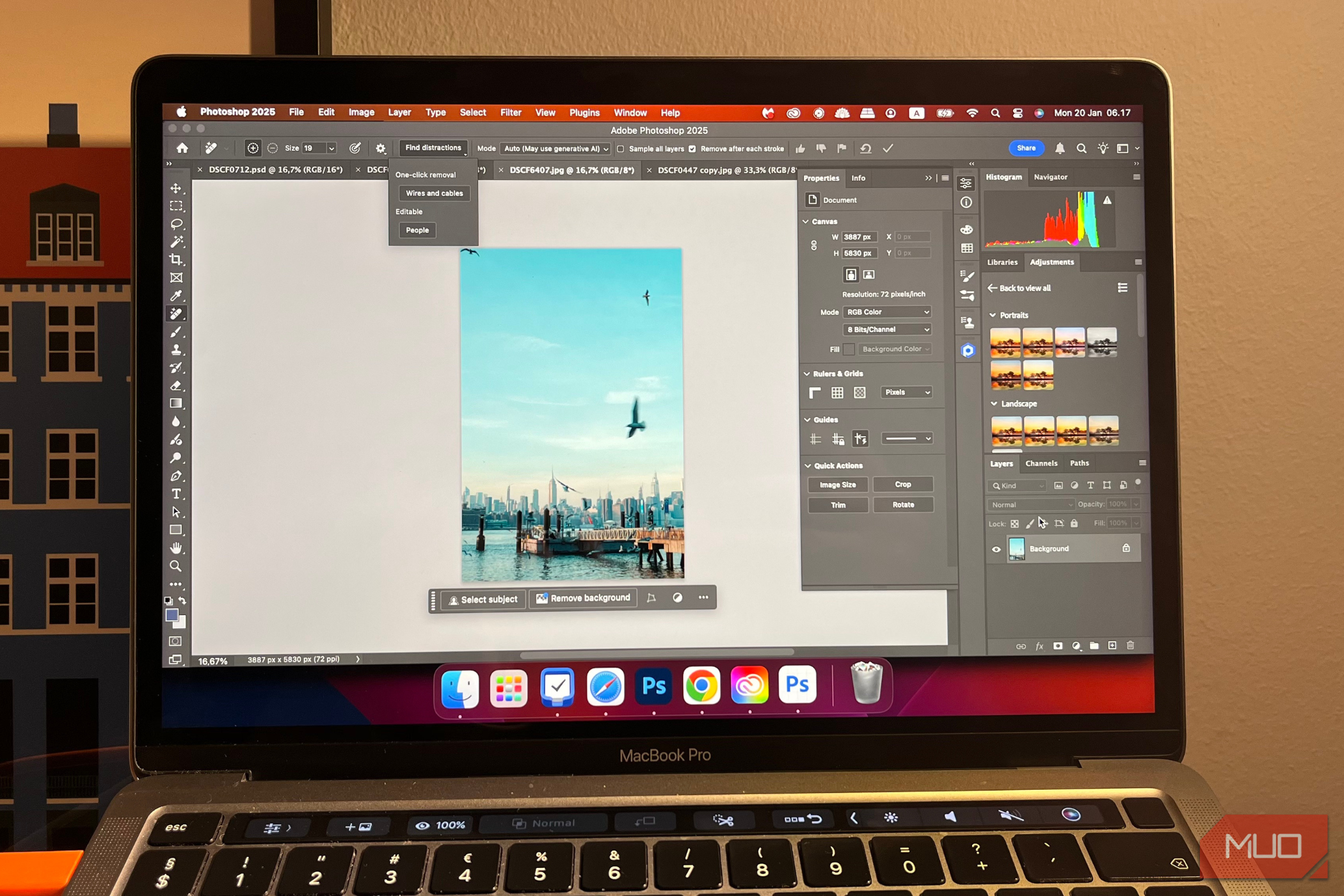
After clicking on Find Distractions, you can remove cables and wires in your pictures. This feature is particularly useful if, like me, you take lots of urban photos. While I’ve been able to crop these objects, they sometimes end up obstructing the main subject.
The tool is normally reliable, though you can sometimes see evidence that a wire or cable was previously there. For example, parts of my images will sometimes be darker.

2
Generative Workspace
In my opinion, Adobe’s AI tools are some of the best for creatives. The company announced numerous AI features at Adobe MAX 2024, including a Generative Workspace. Here, you can see all the images you’ve created with AI on Adobe’s software.
I normally use Generative Workspace to get ideas for upcoming photoshoots. The workspace lets me add effects to my images to make them more real and add other elements directly in Photoshop.

When writing in January 2025, you need the beta version of Photoshop to access Generative Workspace. Go to the Creative Cloud app and select Apps > Beta > Photoshop (Beta).

3
Reference Image
Although generative fill can improve images (when used correctly), I’ve had some terrible results. I often get the worst outcomes when I can’t be specific enough; with the Reference Image tool, using Photoshop’s generative fill has become easier.

After selecting where you want to replace in your picture, you can upload a reference image. Now when you enter your prompt, you get more accurate results. As of January 2025, the feature is—like Generative Workspace—only available in Photoshop Beta for now.
Photoshop’s new features will make photo editing even simpler. Removing distractions is great for cleaner edits, and you can now give more specific generative fill prompts. Meanwhile, Generative Workspace is excellent for keeping your ideas together.